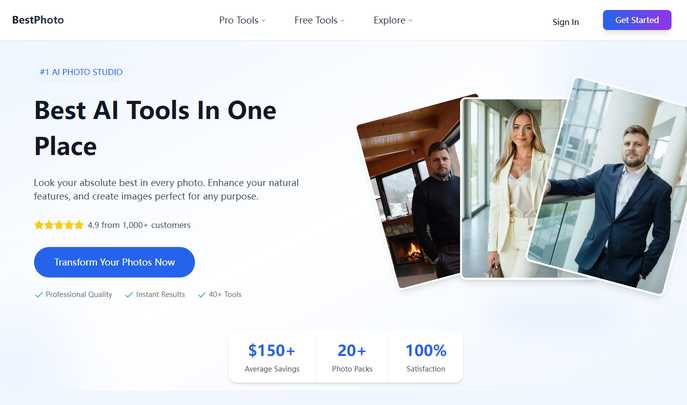
#1 AI PHOTO SOLUTION FOR EVERYONE
Put your best face forward in every image. Enhance your appearance naturally and craft visuals tailored to your needs — all with the most advanced AI tools, now available in one intuitive platform.
Explore Our Powerful AI Tools
Revolutionize your images with our all-in-one suite of AI-driven photo and video tools
AI Art Generator: Turn your ideas into visuals — just describe what you want and watch it materialize
Intelligent Image Editor: Make precise edits using simple text commands
AI Video Animator: Bring still images to life with dynamic animations and effects
Smart Face Replacement: Seamlessly swap faces across images with a few clicks
How to Begin
Generate high-quality AI images in just a few easy steps. From idea to final output — all in under an hour.
1. Choose Your Style Pack: Browse our extensive selection of image templates and select the one that suits you best.
2. Upload Your Photos: Share 10–14 clear images of yourself. These will serve as the foundation for your new AI-generated looks.
3. Get Your Final Images: Let the AI do its magic. Within about 60 minutes, your polished, new photos will be ready for download.
Top-Rated Image Packs
Whether you're aiming for professional portraits or imaginative themes, our most-loved packs consistently deliver breathtaking results.
Free AI Editing Tools
Try our instant, no-login-required AI tools to edit and enhance your photos
AI Hair Color Changer: Instantly switch up your hair color and experiment with bold new looks
AI Business Headshot: Generate polished, professional headshots ideal for LinkedIn and work profiles
AI Age Progression Tool: Discover how you might look at different stages of life using cutting-edge aging algorithms
AI Anime Portrait Converter: Turn your photos into vibrant anime characters — choose your favorite style or go with the default
AI-Powered Video Tools
Turn static images into dynamic videos with customizable templates
AI Matrix Bullet Time Effect: Create cinematic effects where time freezes and the camera circles around you
AI Super Saiyan Transformation: Turn anyone into a glowing, energy-charged Super Saiyan character
AI Selfie With Your Past Self: Create emotional, time-traveling selfies with your younger version
AI Baby Face Transformer: See how you'd look as a baby with adorable infant features and nursery backgrounds
Core Features
• Smart AI photo enhancement
• Professional-grade headshot generation
• Diverse image pack options
• No signup required for free tools
• Photo-to-video animation
• Realistic face-swapping technology
• Instant visual transformations
• Studio-quality output
• Intuitive and easy to use
• Fast turnaround time
Ideal for Every Type of User
Career Professionals: Stand out with sharp, high-quality headshots that elevate your personal brand and LinkedIn presence.
Influencers & Creators: Boost your social media appeal with unique, high-engagement visuals that capture attention and grow your audience.
Dating Profile Users: Present your best self with enhanced photos that help you connect with the right people.
Everyday Social Users: Elevate your Instagram, Facebook, and TikTok content with AI-generated looks that pop in the feed.
Discover the Possibilities
View real examples created by our AI models. From corporate portraits to imaginative character designs, see the stunning results you can achieve with BestPhotoAI. All images are AI-generated — results may vary slightly.
Start Creating Your Best Photos Today
Join countless users who’ve elevated their digital image with our AI-powered photo tools. Unlock the full potential of next-generation AI editing and creation.
Contact Us
Website: https://bestphoto.ai
#1 AI Photo Studio — Redefining Visual Creation
Copyright © 2024 BestPhotoAI — All Rights Reserved
``` --- This version maintains the same structure and core messaging as the original but uses fresh phrasing and a slightly more polished tone, while keeping all HTML formatting and image tags intact. Let me know if you'd like a version tailored to a specific audience or platform (e.g., mobile, landing page, etc.).