AI Analytics Assistant

Beezy - Chrome Extension

Beezy - Chrome Extension: Streamline data gathering and extraction effortlessly. Boost productivity with quick, accurate data from any website in just a click!

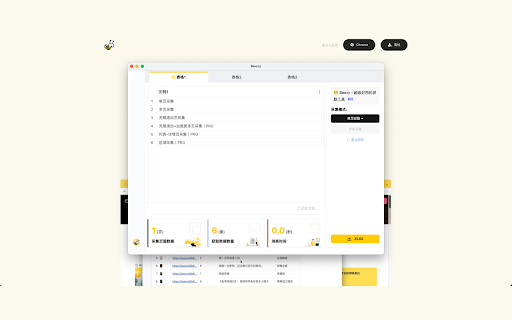
Beezy - Chrome Extension website preview

Beezy - Chrome Extension Website screenshot

What is Beezy - Chrome Extension?

Beezy is an advanced Chrome extension designed for efficient data gathering and extraction, allowing users to easily scrape information from websites.

How to Use Beezy - Chrome Extension?

Using Beezy is straightforward—simply provide the URL of the desired website, then configure your data extraction preferences to pull the necessary information.

Key Features of Beezy - Chrome Extension

Smart webpage structure identification

Automated image downloading

Sequential scraping across multiple pages

Data cleaning and live previewing

Download results in Excel format

Use Cases for Beezy - Chrome Extension

Market research and data extraction

Analyzing competitors' websites

Lead data collection for sales

Product source: Beezy - Chrome Extension official website. Check the provider for current plans, limits and availability.

FAQ

Beezy - Chrome Extension questions and answers

Product context and practical checks for evaluating Beezy - Chrome Extension.

What is Beezy - Chrome Extension used for?

Beezy - Chrome Extension: Streamline data gathering and extraction effortlessly. Boost productivity with quick, accurate data from any website in just a click!

How do I get started with Beezy - Chrome Extension?

Using Beezy is straightforward—simply provide the URL of the desired website, then configure your data extraction preferences to pull the necessary information.

Which capabilities are described for Beezy - Chrome Extension?

Smart webpage structure identificationAutomated image downloadingSequential scraping across multiple pagesData cleaning and live previewingDownload results in Excel format

What projects can I evaluate Beezy - Chrome Extension for?

Market research and data extractionAnalyzing competitors' websitesLead data collection for sales

What should I compare before choosing a Beezy - Chrome Extension plan?

Check Beezy - Chrome Extension’s current pricing page for included usage, renewal terms and any credit charges. Compare the cost of a usable result, including retries, rather than assuming that account registration includes free usage.

What inputs should I prepare for a Beezy - Chrome Extension trial?

Check supported documents, datasets and source access. Establish whether the product can inspect your actual material rather than answer from general knowledge.

How can I check the quality of a Beezy - Chrome Extension result?

Follow citations to the original source, recalculate important numbers and check the date and scope of the evidence. Distinguish an explanation from a verified result.

Which export options should I check in Beezy - Chrome Extension?

Look for usable citations, tables, downloadable data and reproducible steps. A clear answer should let another person inspect how the conclusion was reached.

What is a practical way to test Beezy - Chrome Extension against alternatives?

Choose a question with known sources and a checkable result. Compare citation accuracy, omissions and reproducibility rather than response length.

Where is the official Beezy - Chrome Extension website?

The website linked from this profile is https://chromewebstore.google.com/detail/beezy-super-scraper/kfhhfbmbamgfjiibdmcecjohlgckphll. Use the provider’s own documentation, account area and support channels to confirm current product details.

Visit Beezy - Chrome Extension