Introducing BeC: AI Email Classifier & Organizer
What Makes BeC Unique?
BeC is a cutting-edge service that harnesses the power of artificial intelligence to revolutionize how you manage your emails. With BeC, you can say goodbye to the overwhelming clutter of your inbox and hello to a seamlessly organized email experience.
Effortless Email Prioritization
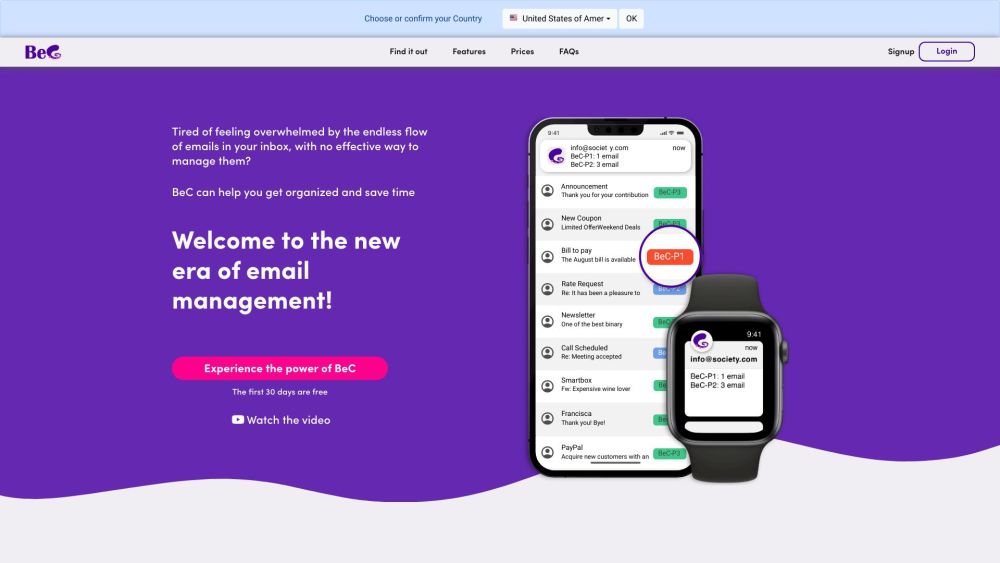
BeC's AI algorithm works tirelessly to automatically classify and organize your emails based on their priority levels. This means you can focus on what truly matters without getting lost in the sea of unimportant messages.
Personalized Alerts for Important Emails
Receive customized notifications for crucial emails that require your immediate attention. BeC ensures that you never miss an important message, keeping you informed and in control of your communication flow.
Seamless Integration and User-Friendly Interface
Signing up for BeC is a breeze. Simply create an account, add your email address, and let BeC seamlessly integrate with your existing email provider and client. The intuitive interface and customizable notification settings make using BeC a smooth and tailored experience.
Tailored to Your Needs
Adjust BeC's priority levels to suit your workflow and preferences. Whether you need to manage work-related emails efficiently, separate important messages from newsletters, or stay focused on specific projects, BeC adapts to your unique requirements.
Global Reach and Multilingual Support
BeC caters to a diverse audience by supporting multiple languages, including Arabic, Chinese, French, English, Italian, Japanese, Dutch, Polish, Portuguese, Russian, Spanish, and German. No matter where you are, BeC ensures that language is not a barrier to efficient email management.
Enhanced User Experience
With BeC, you can streamline the management of multiple email accounts, avoid distractions, and easily locate and prioritize emails related to your specific needs. The cumulative notifications for multiple priority emails and the ability to set alerts for different devices further enhance your email management experience.
-
Get in Touch with BeC
For more information and support, visit the contact us page
-
About BeC
BeC is proudly developed by IANUSTEC SRL, committed to providing innovative solutions for effective email management.
-
Join BeC Today
Sign up now and experience the future of email organization with BeC. Visit https://www.bec-ai.com/signup to get started.
-
Explore BeC Pricing
Discover our flexible pricing options tailored to meet your email management needs. Visit https://www.bec-ai.com/#pricing for more details.
-
Connect with BeC on Social Media
Follow us on social media to stay updated on the latest BeC news and features: