AI Advertising Assistant

Beautiful.ai

Beautiful.ai: AI-powered tool for stunning, on-brand team presentations. Elevate designs effortlessly and automate the process—no design skills needed!

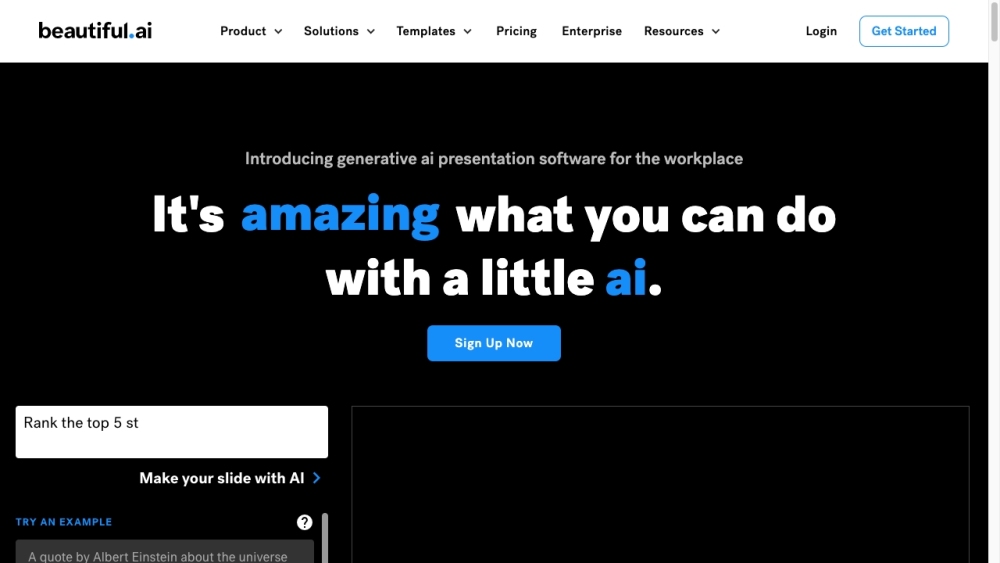
Beautiful.ai website preview

Beautiful.ai Website screenshot

What is Beautiful.ai?

Beautiful.ai is an innovative AI-driven presentation platform tailored for seamless team collaboration. It empowers users to maintain brand consistency, enhance their presentation aesthetics, and streamline the design process. Beautiful.ai allows teams to produce impressive, professional presentations without the need for design expertise.

How to use Beautiful.ai?

1. Register for an account on Beautiful.ai
2. Select from over 60 customizable Smart Slides or pre-designed Presentation Templates
3. Insert your content, and watch as Beautiful.ai dynamically adjusts the design in real-time
4. Collaborate with team members through integrations with Slack, Dropbox, PowerPoint, and monday.com
5. Create presentations for various needs, including marketing reports, sales proposals, pitch decks, and more
6. Utilize Beautiful.ai's Team Plan to ensure brand consistency and boost productivity across your team

Beautiful.ai's Core Features

AI-powered slide design

Brand control and consistency

Pre-designed slide templates

Real-time design adaptation

Team collaboration and integrations

Beautiful.ai's Use Cases

{ "team_size": "Pro", "description": "Ideal for individual power users" }

{ "team_size": "Team", "description": "Perfect for small and medium businesses" }

{ "team_size": "Enterprise", "description": "Designed for large organizations" }

{ "team_size": "Beautiful.ai for Marketing", "description": "Create marketing reports, campaigns, and more" }

{ "team_size": "Sales", "description": "Create branded sales proposals in minutes" }

{ "team_size": "Startups", "description": "Make impactful and winning pitch decks" }

{ "team_size": "Education", "description": "Free plans available for students" }

Product source: Beautiful.ai official website. Check the provider for current plans, limits and availability.

FAQ

Beautiful.ai questions and answers

Product context and practical checks for evaluating Beautiful.ai.

What is Beautiful.ai used for?

Beautiful.ai: AI-powered tool for stunning, on-brand team presentations. Elevate designs effortlessly and automate the process—no design skills needed!

How do I get started with Beautiful.ai?

1. Register for an account on Beautiful.ai 2. Select from over 60 customizable Smart Slides or pre-designed Presentation Templates 3. Insert your content, and watch as Beautiful.ai dynamically adjusts the design in real-time 4. Collaborate with team members through integrations with Slack, Dropbox, PowerPoint, and monday.com 5. Create presentations for various needs, including marketing reports, sales proposals, pitch decks, and more 6. Utilize Beautiful.ai's Team Plan to ensure brand consistency and boost productivity across your team

Which capabilities are described for Beautiful.ai?

AI-powered slide designBrand control and consistencyPre-designed slide templatesReal-time design adaptationTeam collaboration and integrations

What projects can I evaluate Beautiful.ai for?

{ "team_size": "Pro", "description": "Ideal for individual power users" }{ "team_size": "Team", "description": "Perfect for small and medium businesses" }{ "team_size": "Enterprise", "description": "Designed for large organizations" }{ "team_size": "Beautiful.ai for Marketing", "description": "Create marketing reports, campaigns, and more" }{ "team_size": "Sales", "description": "Create branded sales proposals in minutes" }{ "team_size": "Startups", "description": "Make impactful and winning pitch decks" }{ "team_size": "Education", "description": "Free plans available for students" } Beautiful.ai Company For more information about Beautiful.ai, please visit the about us page. Beautiful.ai Login Login to Beautiful.ai here: https://www.beautiful.ai/login Beautiful.ai Pricing View Beautiful.ai pricing details: https://www.beautiful.ai/pricing Beautiful.ai Facebook Follow Beautiful.ai on Facebook: https://www.facebook.com/beautifulai/ Beautiful.ai Linkedin Connect with Beautiful.ai on LinkedIn: https://www.linkedin.com/company/beautiful-ai/ Beautiful.ai Twitter Follow Beautiful.ai on Twitter: https://twitter.com/BeautifulAI_

What should I compare before choosing a Beautiful.ai plan?

View Beautiful.ai pricing details: https://www.beautiful.ai/pricing Confirm current prices and allowances on the provider’s website before purchasing.

What inputs should I prepare for a Beautiful.ai trial?

Look for text prompts, image references, masks or sketches as appropriate. Compare composition control, supported upload types and the ability to revise a selected area.

How can I check the quality of a Beautiful.ai result?

Inspect text, hands, edges, reflections and repeated objects at full size. Check that important product or brand details survive editing.

Which export options should I check in Beautiful.ai?

Compare pixel dimensions, transparency, file formats and any enlargement options. Confirm that the downloaded result works in your design or publishing software.

What is a practical way to test Beautiful.ai against alternatives?

Prepare a brief with a subject, composition, lighting and required output size. Test a first generation and a targeted revision to see how much control you retain.

Where is the official Beautiful.ai website?

The website linked from this profile is https://www.promptdodo.com. Use the provider’s own documentation, account area and support channels to confirm current product details.

Visit Beautiful.ai