AI Photo &amp Image Generator

Bannerify

Bannerify: Effortlessly create marketing images and videos with automated generation. Transform your campaigns, save time, and boost engagement today!

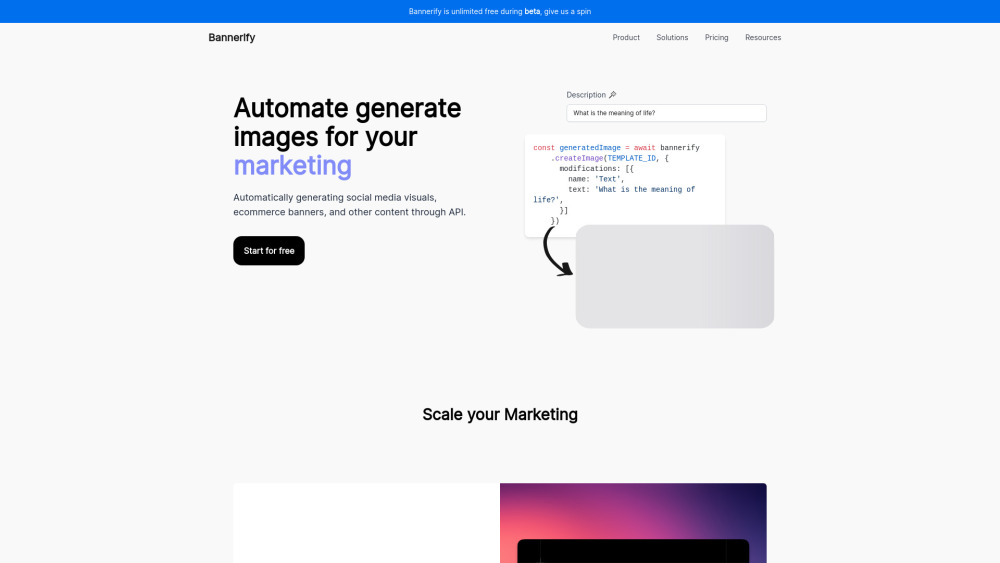
Bannerify website preview

Bannerify Website screenshot

Introducing Bannerify

Bannerify is a cutting-edge automated image and video creation platform that helps businesses streamline their marketing efforts. With its advanced API, Bannerify enables users to generate high-quality visuals effortlessly, saving time and boosting audience engagement.

Getting Started with Bannerify

Using Bannerify is simple. Developers can integrate the REST API or SDK into their workflows, allowing them to create stunning images in just a few minutes. Whether you're designing for social media campaigns or e-commerce platforms, Bannerify has got you covered.

Key Features of Bannerify

REST API for Developers

Bannerify offers a developer-friendly REST API that simplifies the integration process, making it easy to automate image generation tasks.

Figma-Inspired Template Editor

The modern template editor provides an intuitive interface similar to Figma, empowering users to customize templates with ease.

Comprehensive Templates Gallery

Choose from a rich gallery of pre-designed templates tailored for various marketing needs, ensuring your visuals stand out.

Rapid Image Generation

Bannerify ensures fast and efficient image creation, minimizing delays and enhancing productivity.

Potential Use Cases for Bannerify

Social Media and E-commerce Visuals

Automatically produce engaging visuals for platforms like Instagram, Facebook, and online stores, helping brands maintain a consistent and appealing presence.

Product source: Bannerify official website. Check the provider for current plans, limits and availability.

FAQ

Bannerify questions and answers

Product context and practical checks for evaluating Bannerify.

What is Bannerify used for?

Bannerify: Effortlessly create marketing images and videos with automated generation. Transform your campaigns, save time, and boost engagement today!

How do I get started with Bannerify?

Using Bannerify is simple. Developers can integrate the REST API or SDK into their workflows, allowing them to create stunning images in just a few minutes. Whether you're designing for social media campaigns or e-commerce platforms, Bannerify has got you covered.

Which capabilities are described for Bannerify?

REST API for DevelopersBannerify offers a developer-friendly REST API that simplifies the integration process, making it easy to automate image generation tasks.Figma-Inspired Template EditorThe modern template editor provides an intuitive interface similar to Figma, empowering users to customize templates with ease.Comprehensive Templates GalleryChoose from a rich gallery of pre-designed templates tailored for various marketing needs, ensuring your visuals stand out.Rapid Image GenerationBannerify ensures fast and efficient image creation, minimizing delays and enhancing productivity.

What projects can I evaluate Bannerify for?

Social Media and E-commerce VisualsAutomatically produce engaging visuals for platforms like Instagram, Facebook, and online stores, helping brands maintain a consistent and appealing presence.

What should I compare before choosing a Bannerify plan?

For more information on pricing, visit https://bannerify.co/pricing. Confirm current prices and allowances on the provider’s website before purchasing.

What inputs should I prepare for a Bannerify trial?

Compare text prompts, reference frames, source footage and audio support. Check duration, aspect ratio and whether the tool lets you keep a subject consistent between shots.

How can I check the quality of a Bannerify result?

Watch the entire clip for motion errors, distorted objects, changing identities, lip-sync problems and abrupt transitions. Inspect the downloaded file as well as the preview.

Which export options should I check in Bannerify?

Check export resolution, frame rate, aspect ratio, audio tracks and watermark rules. A good preview is not a substitute for an export that fits your publishing channel.

What is a practical way to test Bannerify against alternatives?

Use a short shot with one subject and one camera movement. Keep the prompt and duration constant, then compare usable seconds and the number of regenerations.

Where is the official Bannerify website?

The website linked from this profile is https://bannerify.co. Use the provider’s own documentation, account area and support channels to confirm current product details.

Visit Bannerify