AI Advertising Assistant

BannerGate

Create stunning, AI-driven HTML5 banners in minutes with BannerGate. Perfect for businesses, agencies, and freelancers seeking cost-effective, compliant ads.

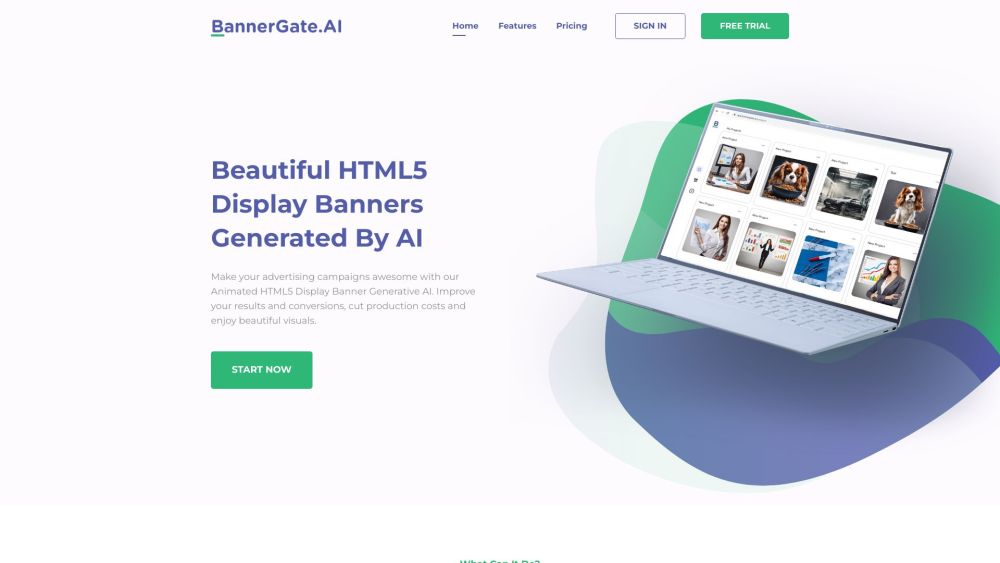
BannerGate website preview

BannerGate Website screenshot

Introducing BannerGate

BannerGate is an advanced AI-driven platform designed to revolutionize the creation of animated HTML5 banners for businesses, marketing experts, advertising firms, and freelancers. With BannerGate, you can swiftly generate fully compliant, dynamic banners at a fraction of the usual cost, all within minutes.

How Does BannerGate Work?

Using BannerGate is straightforward. Start by entering your desired specifications into the prompt, detailing the appearance of your banner. You can adjust colors, fonts, and select from various templates to align perfectly with your brand’s identity. Once you're content with the design, download your banner set in 9 standard sizes and launch your ad campaign.

Key Features of BannerGate

Effortless Code-free Creation

User-friendly Interface

Brand-customizable Templates

Produces Animated HTML5 Banners

Diverse Template Selection

Ideal Users of BannerGate

BannerGate is perfect for businesses, marketing specialists, ad agencies, and freelancers seeking to create eye-catching HTML5 display banners. It enhances advertising outcomes, cuts down production expenses, and delivers stunning visuals.

Product source: BannerGate official website. Check the provider for current plans, limits and availability.

FAQ

BannerGate questions and answers

Product context and practical checks for evaluating BannerGate.

What is BannerGate used for?

Create stunning, AI-driven HTML5 banners in minutes with BannerGate. Perfect for businesses, agencies, and freelancers seeking cost-effective, compliant ads.

How do I get started with BannerGate?

Using BannerGate is straightforward. Start by entering your desired specifications into the prompt, detailing the appearance of your banner. You can adjust colors, fonts, and select from various templates to align perfectly with your brand’s identity. Once you're content with the design, download your banner set in 9 standard sizes and launch your ad campaign.

Which capabilities are described for BannerGate?

Effortless Code-free CreationUser-friendly InterfaceBrand-customizable TemplatesProduces Animated HTML5 BannersDiverse Template Selection

What should I compare before choosing a BannerGate plan?

View BannerGate’s pricing plans at: https://www.bannergate.ai/#pricing Confirm current prices and allowances on the provider’s website before purchasing.

What inputs should I prepare for a BannerGate trial?

Identify the files, text or account connections your task needs. Confirm that the product accepts those inputs and offers controls for reviewing its work.

How can I check the quality of a BannerGate result?

Test one representative task and inspect the result for accuracy and completeness. Record where manual corrections or extra tools are needed.

Which export options should I check in BannerGate?

Check export formats, integrations and whether you can keep using your work outside the service. Test a real export before committing to a longer plan.

What is a practical way to test BannerGate against alternatives?

Choose one task with a clear success condition. Keep the input consistent, record the time spent reviewing and compare the complete workflow cost.

What should I review before uploading material to BannerGate?

Read the provider’s rules on access, retention, deletion and use of uploaded material. Start with a non-confidential sample that you have permission to use.

Where is the official BannerGate website?

The website linked from this profile is https://www.bannergate.ai. Use the provider’s own documentation, account area and support channels to confirm current product details.

Visit BannerGate