AI Chatbot

Autochat

Boost your business with Autochat: Advanced WhatsApp automation & cloud solutions for communication and productivity.

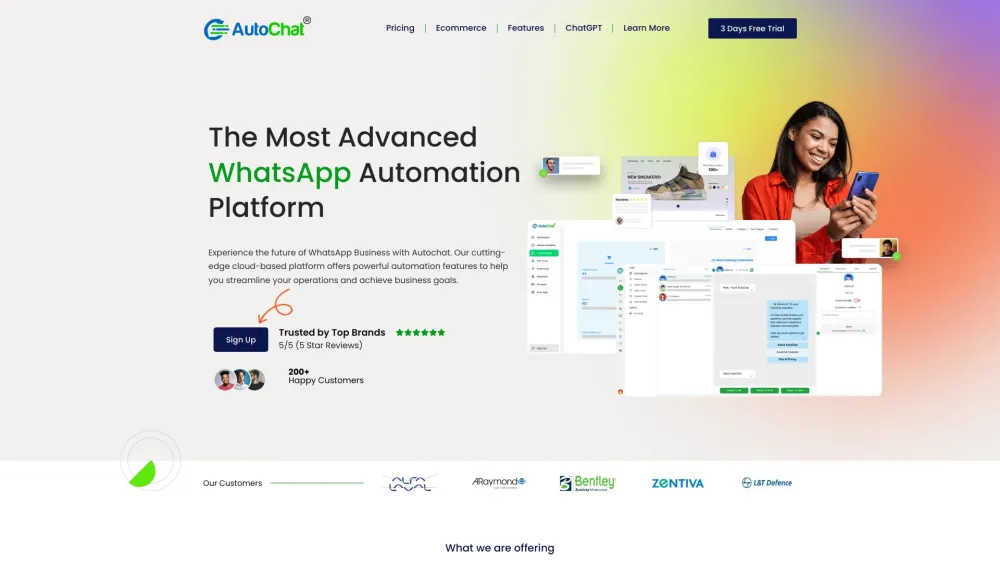
Autochat website preview

Autochat Website screenshot

What is Autochat?

Autochat is an advanced platform that leverages WhatsApp automation and cloud-based solutions to enhance business operations.

How to use Autochat?

To get started with Autochat, sign up and explore its powerful features designed to streamline your workflow, such as creating chatbots, integrating with eCommerce platforms, and improving team collaboration.

Autochat's Core Features

No Code Chatbot Builder

WhatsApp Commerce Integration

Bulk Messaging & Team Inbox

GPT-4 AI Chatbot

Autochat's Use Cases

Enhancing customer engagement with chatbots

Selling products directly through WhatsApp

Sending bulk messages to reach a wide audience

Product source: Autochat official website. Check the provider for current plans, limits and availability.

FAQ

Autochat questions and answers

Product context and practical checks for evaluating Autochat.

What is Autochat used for?

Boost your business with Autochat: Advanced WhatsApp automation & cloud solutions for communication and productivity.

How do I get started with Autochat?

To get started with Autochat, sign up and explore its powerful features designed to streamline your workflow, such as creating chatbots, integrating with eCommerce platforms, and improving team collaboration.

Which capabilities are described for Autochat?

No Code Chatbot BuilderWhatsApp Commerce IntegrationBulk Messaging & Team InboxGPT-4 AI Chatbot

What projects can I evaluate Autochat for?

Enhancing customer engagement with chatbotsSelling products directly through WhatsAppSending bulk messages to reach a wide audience Autochat Support Email & Customer Service Contact For more contact options, visit the contact us page. Autochat Company Autochat is the name of our company. For more information about Autochat, please visit the about us page. Autochat Sign Up Sign up for Autochat here: Autochat Sign Up. Autochat Pricing For pricing details, visit: Autochat Pricing. Autochat on Facebook Follow us on Facebook: AutoChat on Facebook. Autochat on YouTube Watch our videos on YouTube: AutoChat on YouTube. Autochat on LinkedIn Connect with us on LinkedIn: AutoChat on LinkedIn. Autochat on Twitter Follow us on Twitter: AutoChat on Twitter. Autochat on Instagram Follow us on Instagram: AutoChat on Instagram.

What should I compare before choosing a Autochat plan?

For pricing details, visit: Autochat Pricing. Confirm current prices and allowances on the provider’s website before purchasing.

What inputs should I prepare for a Autochat trial?

Identify the files, text or account connections your task needs. Confirm that the product accepts those inputs and offers controls for reviewing its work.

How can I check the quality of a Autochat result?

Test one representative task and inspect the result for accuracy and completeness. Record where manual corrections or extra tools are needed.

Which export options should I check in Autochat?

Check export formats, integrations and whether you can keep using your work outside the service. Test a real export before committing to a longer plan.

What is a practical way to test Autochat against alternatives?

Choose one task with a clear success condition. Keep the input consistent, record the time spent reviewing and compare the complete workflow cost.

Where is the official Autochat website?

The website linked from this profile is https://makebestmusic.com. Use the provider’s own documentation, account area and support channels to confirm current product details.

Visit Autochat