AI Dating Assistant

Auto Swipe with AI

Auto Swipe with AI: Boost your dating game with an AI-driven tool that smartly swipes for you, saving time and maximizing your match potential!

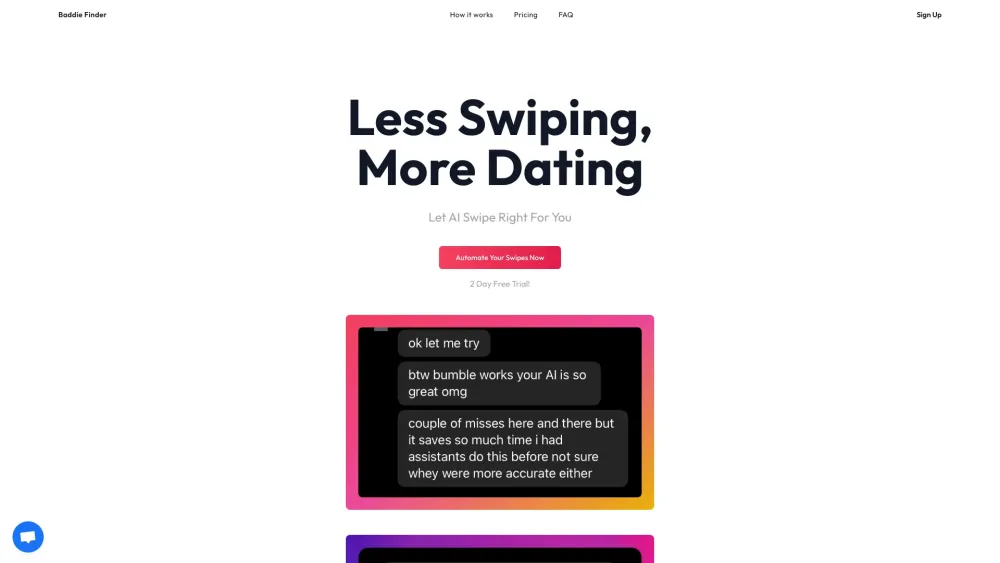
Auto Swipe with AI website preview

Auto Swipe with AI Website screenshot

What is Auto Swipe with AI?

Transform your dating life with Auto Swipe, powered by artificial intelligence! This tool scans and evaluates profile photos on dating apps, streamlining your swiping by automatically deciding for you—right for potential matches and left for passes. Experience dating redefined with minimal effort.

How to Use Auto Swipe with AI?

Using Auto Swipe with AI is simple! Retrieve your cookies from Tinder or Bumble, let the AI analyze user profile photos, and it will take care of the swiping. You can sit back and watch as the algorithm narrows down the choices for you.

Key Features of Auto Swipe with AI

AI-powered automatic swiping for Tinder and Bumble

Maximize your chances of finding the right match without constantly swiping. The AI automatically detects and interacts with profiles, reducing your screen time while increasing efficiency.

Use Cases of Auto Swipe with AI

Efficiently Find Profiles You Like

Whether you’re searching for casual connections or something more serious, Auto Swipe with AI helps you navigate profiles faster and smarter by automatically identifying potential matches based on attractiveness.

Product source: Auto Swipe with AI official website. Check the provider for current plans, limits and availability.

FAQ

Auto Swipe with AI questions and answers

Product context and practical checks for evaluating Auto Swipe with AI.

What is Auto Swipe with AI used for?

Auto Swipe with AI: Boost your dating game with an AI-driven tool that smartly swipes for you, saving time and maximizing your match potential!

How do I get started with Auto Swipe with AI?

Using Auto Swipe with AI is simple! Retrieve your cookies from Tinder or Bumble, let the AI analyze user profile photos, and it will take care of the swiping. You can sit back and watch as the algorithm narrows down the choices for you.

Which capabilities are described for Auto Swipe with AI?

AI-powered automatic swiping for Tinder and Bumble Maximize your chances of finding the right match without constantly swiping. The AI automatically detects and interacts with profiles, reducing your screen time while increasing efficiency.

What projects can I evaluate Auto Swipe with AI for?

Efficiently Find Profiles You Like Whether you’re searching for casual connections or something more serious, Auto Swipe with AI helps you navigate profiles faster and smarter by automatically identifying potential matches based on attractiveness. Auto Swipe with AI Login Login here to start your automated swiping journey: https://app.baddiefinder.com/signin Auto Swipe with AI Sign up Sign up for Auto Swipe here: https://app.baddiefinder.com/signin Auto Swipe with AI Pricing Check out our pricing plans: https://baddiefinder.com/#pricing

What should I compare before choosing a Auto Swipe with AI plan?

Check out our pricing plans: https://baddiefinder.com/#pricing Confirm current prices and allowances on the provider’s website before purchasing.

What inputs should I prepare for a Auto Swipe with AI trial?

Look for text prompts, image references, masks or sketches as appropriate. Compare composition control, supported upload types and the ability to revise a selected area.

How can I check the quality of a Auto Swipe with AI result?

Inspect text, hands, edges, reflections and repeated objects at full size. Check that important product or brand details survive editing.

Which export options should I check in Auto Swipe with AI?

Compare pixel dimensions, transparency, file formats and any enlargement options. Confirm that the downloaded result works in your design or publishing software.

What is a practical way to test Auto Swipe with AI against alternatives?

Prepare a brief with a subject, composition, lighting and required output size. Test a first generation and a targeted revision to see how much control you retain.

Where is the official Auto Swipe with AI website?

The website linked from this profile is https://baddiefinder.com. Use the provider’s own documentation, account area and support channels to confirm current product details.

Visit Auto Swipe with AI