Transcription

Augnito Plugin

Transform health record reporting with Augnito Plugin - the voice-powered solution for efficient and accurate documentation. Simplify your workflow today!

Augnito Plugin website preview

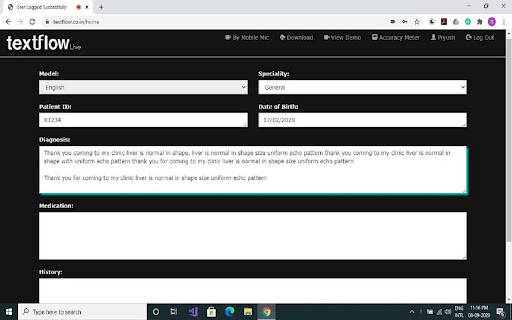
Augnito Plugin - Chrome Extension Website screenshot

Introducing Augnito Plugin: Voice-powered Reporting for Health Records

Augnito Plugin is an innovative chrome extension that revolutionizes the way health records software is used on the web. By combining the power of voice with the accessibility of reporting, Augnito Plugin empowers healthcare professionals to create reports effortlessly and efficiently.

Seamless Integration and Effortless Usage

Using Augnito Plugin is as simple as point and click. With its advanced voice-to-text technology, Augnito Plugin converts speech into accurate text, eliminating the need for manual typing. The natural speaking command and control feature allows for faster report creation, streamlining the entire process.

Advanced Features for Enhanced Productivity

Voice-to-text Conversion

Natural Speaking Command & Control

Deep Learning-based Voice AI for Unmatched Accuracy

Augnito Plugin incorporates cutting-edge deep learning technology to achieve an impressive accuracy rate of 99%. This ensures that the transcribed reports are highly reliable and error-free, saving valuable time for healthcare professionals.

Versatile Use Cases for Various Medical Specialties

Efficient Medical Report Creation

Augnito Plugin caters to the needs of different medical specialties, facilitating fast and efficient report creation. Whether it's a consultation, diagnosis, or treatment plan, Augnito Plugin simplifies the documentation process, allowing healthcare professionals to focus more on patient care.

Product source: Augnito Plugin official website. Check the provider for current plans, limits and availability.

FAQ

Augnito Plugin questions and answers

Product context and practical checks for evaluating Augnito Plugin.

What is Augnito Plugin used for?

Transform health record reporting with Augnito Plugin - the voice-powered solution for efficient and accurate documentation. Simplify your workflow today!

How do I get started with Augnito Plugin?

Open the official Augnito Plugin website and identify the workflow that matches your task. Use a short recording with names, numbers and more than one speaker, or a script with difficult pronunciation. Review the exported audio or transcript in full.

Which capabilities are described for Augnito Plugin?

Voice-to-text ConversionNatural Speaking Command & ControlDeep Learning-based Voice AI for Unmatched Accuracy Augnito Plugin incorporates cutting-edge deep learning technology to achieve an impressive accuracy rate of 99%. This ensures that the transcribed reports are highly reliable and error-free, saving valuable time for healthcare professionals.

What projects can I evaluate Augnito Plugin for?

Efficient Medical Report Creation Augnito Plugin caters to the needs of different medical specialties, facilitating fast and efficient report creation. Whether it's a consultation, diagnosis, or treatment plan, Augnito Plugin simplifies the documentation process, allowing healthcare professionals to focus more on patient care.

What should I compare before choosing a Augnito Plugin plan?

Check Augnito Plugin’s current pricing page for included usage, renewal terms and any credit charges. Compare the cost of a usable result, including retries, rather than assuming that account registration includes free usage.

What inputs should I prepare for a Augnito Plugin trial?

Compare recording length, file types, language support and speaker handling. For voice generation, check pronunciation controls and permission to use any reference voice.

How can I check the quality of a Augnito Plugin result?

Listen for mispronounced names, unnatural pauses, clipped words and noise. For transcripts, compare the text with the recording and correct speaker labels.

Which export options should I check in Augnito Plugin?

Check audio format, sample rate, separate tracks, captions and timestamp exports. Confirm that the result works in your editing or accessibility workflow.

What is a practical way to test Augnito Plugin against alternatives?

Use a short recording with names, numbers and more than one speaker, or a script with difficult pronunciation. Review the exported audio or transcript in full.

Where is the official Augnito Plugin website?

The website linked from this profile is https://chromewebstore.google.com/detail/augnito/loedohmkociaomkgggggnoogiahfinme. Use the provider’s own documentation, account area and support channels to confirm current product details.

Visit Augnito Plugin