AI Content Generator

Audyo

Transform the way you work with Audyo: Create, Edit Audio Like Documents, Switch Speakers. Edit words, switch speakers & adjust pronunciations effortlessly!

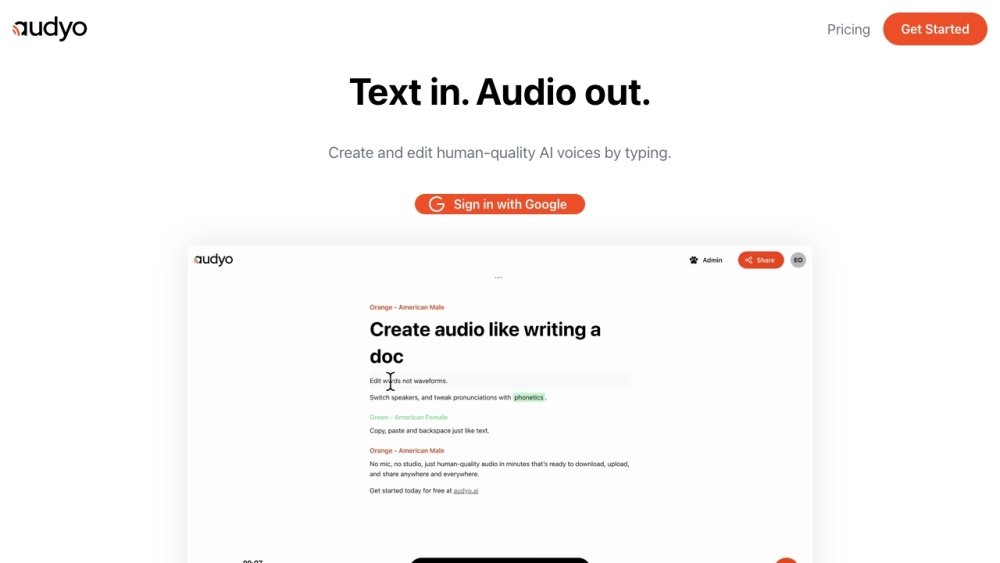
Audyo website preview

Audyo Website screenshot

What is Audyo?

Audyo is an innovative platform designed to create and edit audio content as seamlessly as editing a text document. With Audyo, users can modify text, switch between different speakers, and fine-tune pronunciations through phonetic adjustments.

How to use Audyo?

Using Audyo is straightforward. Log in with your Google account, and begin typing your desired text. Audyo will convert your text into high-quality AI-generated voices. You can then edit the text, switch speakers, and adjust pronunciations to produce the perfect audio output.

Key Features of Audyo

Edit text directly instead of dealing with waveforms

Easily switch between different speakers

Fine-tune pronunciations using phonetics

Generate audio with lifelike AI voices

User-friendly interface similar to typing

Applications of Audyo

Creating audio versions of textual content

Providing narration for videos and presentations

Supporting language learning and pronunciation practice

Making content accessible to visually impaired users

Product source: Audyo official website. Check the provider for current plans, limits and availability.

FAQ

Audyo questions and answers

Product context and practical checks for evaluating Audyo.

What is Audyo used for?

Transform the way you work with Audyo: Create, Edit Audio Like Documents, Switch Speakers. Edit words, switch speakers & adjust pronunciations effortlessly!

How do I get started with Audyo?

Using Audyo is straightforward. Log in with your Google account, and begin typing your desired text. Audyo will convert your text into high-quality AI-generated voices. You can then edit the text, switch speakers, and adjust pronunciations to produce the perfect audio output.

Which capabilities are described for Audyo?

Edit text directly instead of dealing with waveformsEasily switch between different speakersFine-tune pronunciations using phoneticsGenerate audio with lifelike AI voicesUser-friendly interface similar to typing

What projects can I evaluate Audyo for?

Creating audio versions of textual contentProviding narration for videos and presentationsSupporting language learning and pronunciation practiceMaking content accessible to visually impaired users Audyo Login Audyo Login Link: https://www.audyo.ai/login Audyo Pricing Audyo Pricing Link: https://www.audyo.ai/pricing

What should I compare before choosing a Audyo plan?

Audyo Pricing Link: https://www.audyo.ai/pricing Confirm current prices and allowances on the provider’s website before purchasing.

What inputs should I prepare for a Audyo trial?

Compare recording length, file types, language support and speaker handling. For voice generation, check pronunciation controls and permission to use any reference voice.

How can I check the quality of a Audyo result?

Listen for mispronounced names, unnatural pauses, clipped words and noise. For transcripts, compare the text with the recording and correct speaker labels.

Which export options should I check in Audyo?

Check audio format, sample rate, separate tracks, captions and timestamp exports. Confirm that the result works in your editing or accessibility workflow.

What is a practical way to test Audyo against alternatives?

Use a short recording with names, numbers and more than one speaker, or a script with difficult pronunciation. Review the exported audio or transcript in full.

Where is the official Audyo website?

The website linked from this profile is https://audyo.ai. Use the provider’s own documentation, account area and support channels to confirm current product details.

Visit Audyo