AI Content Generator

Asekio - AI Website Builder

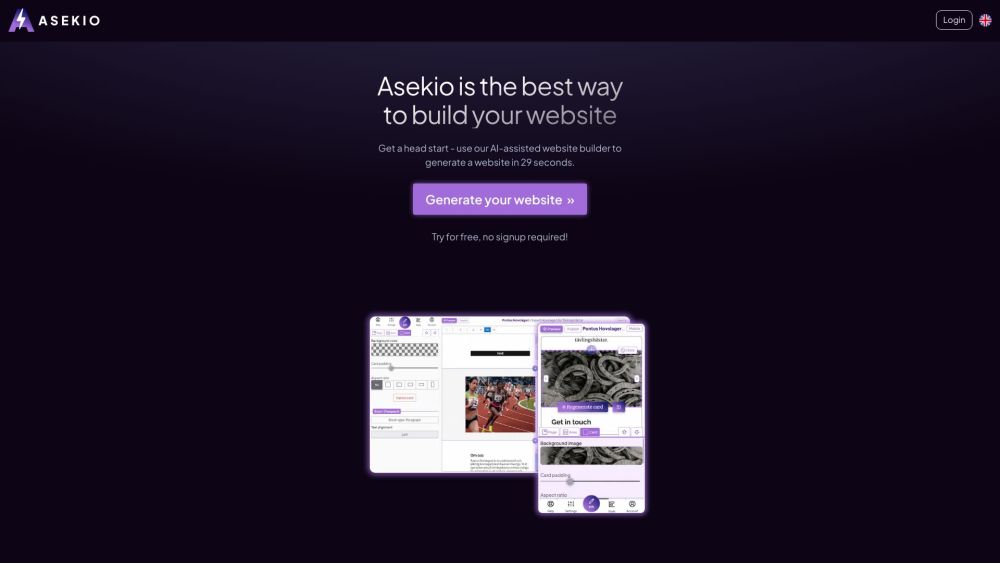
Asekio - AI Website Builder: Free, no login. Create, edit, and publish mobile-friendly websites with images and text from any device. Domain and hosting included.

Asekio - AI Website Builder website preview

Asekio - AI Website Builder Website screenshot

What is Asekio - AI Website Builder?

Asekio is an AI-driven platform that allows you to create complete websites effortlessly. It includes domain and hosting services, and you can manage everything from your phone or computer. Best of all, it's free to use and doesn't require any login.

How to use Asekio - AI Website Builder?

To get started, simply use the AI-assisted builder to generate your website in under 30 seconds. The mobile-friendly editor lets you make changes anytime, anywhere, without the need for coding skills or a login.

Asekio - AI Website Builder's Core Features

AI-powered website creation

User-friendly mobile editor

Privacy-focused EU servers

Easy content generation and editing

Beautiful design templates

SEO optimization

Asekio - AI Website Builder's Use Cases

Personal websites

Business websites

Portfolio websites

Blog websites

E-commerce websites

Product source: Asekio - AI Website Builder official website. Check the provider for current plans, limits and availability.

FAQ

Asekio - AI Website Builder questions and answers

Product context and practical checks for evaluating Asekio - AI Website Builder.

What is Asekio - AI Website Builder used for?

Asekio - AI Website Builder: Free, no login. Create, edit, and publish mobile-friendly websites with images and text from any device. Domain and hosting included.

How do I get started with Asekio - AI Website Builder?

To get started, simply use the AI-assisted builder to generate your website in under 30 seconds. The mobile-friendly editor lets you make changes anytime, anywhere, without the need for coding skills or a login.

Which capabilities are described for Asekio - AI Website Builder?

AI-powered website creationUser-friendly mobile editorPrivacy-focused EU serversEasy content generation and editingBeautiful design templatesSEO optimization

What projects can I evaluate Asekio - AI Website Builder for?

Personal websitesBusiness websitesPortfolio websitesBlog websitesE-commerce websites Asekio - AI Website Builder Support Email & Customer service contact & Refund contact etc. For more information, visit the contact us page Asekio - AI Website Builder Company Asekio - AI Website Builder is operated by Migaro AB. Asekio - AI Website Builder Login Access the login page here: https://editor.asekio.com/login Asekio - AI Website Builder Pricing Check the pricing details here: https://www.asekio.com/price Asekio - AI Website Builder Facebook Follow us on Facebook: https://www.facebook.com/profile.php?id=100092179761888 Asekio - AI Website Builder Youtube Subscribe to our YouTube channel: https://www.youtube.com/@Asekio. Asekio - AI Website Builder Tiktok Follow us on TikTok: https://www.tiktok.com/@asek.io Asekio - AI Website Builder Instagram Follow us on Instagram: https://www.instagram.com/asekio.ai

What should I compare before choosing a Asekio - AI Website Builder plan?

Check the pricing details here: https://www.asekio.com/price Confirm current prices and allowances on the provider’s website before purchasing.

What inputs should I prepare for a Asekio - AI Website Builder trial?

Look for text prompts, image references, masks or sketches as appropriate. Compare composition control, supported upload types and the ability to revise a selected area.

How can I check the quality of a Asekio - AI Website Builder result?

Inspect text, hands, edges, reflections and repeated objects at full size. Check that important product or brand details survive editing.

Which export options should I check in Asekio - AI Website Builder?

Compare pixel dimensions, transparency, file formats and any enlargement options. Confirm that the downloaded result works in your design or publishing software.

What is a practical way to test Asekio - AI Website Builder against alternatives?

Prepare a brief with a subject, composition, lighting and required output size. Test a first generation and a targeted revision to see how much control you retain.

Where is the official Asekio - AI Website Builder website?

The website linked from this profile is https://asekio.com. Use the provider’s own documentation, account area and support channels to confirm current product details.

Visit Asekio - AI Website Builder