AI Photo &amp Image Generator

Archi

Transform any space instantly with Archi, the AI-powered designer. Generate photo-realistic interior and exterior designs in seconds. Perfect for pros and enthusiasts!

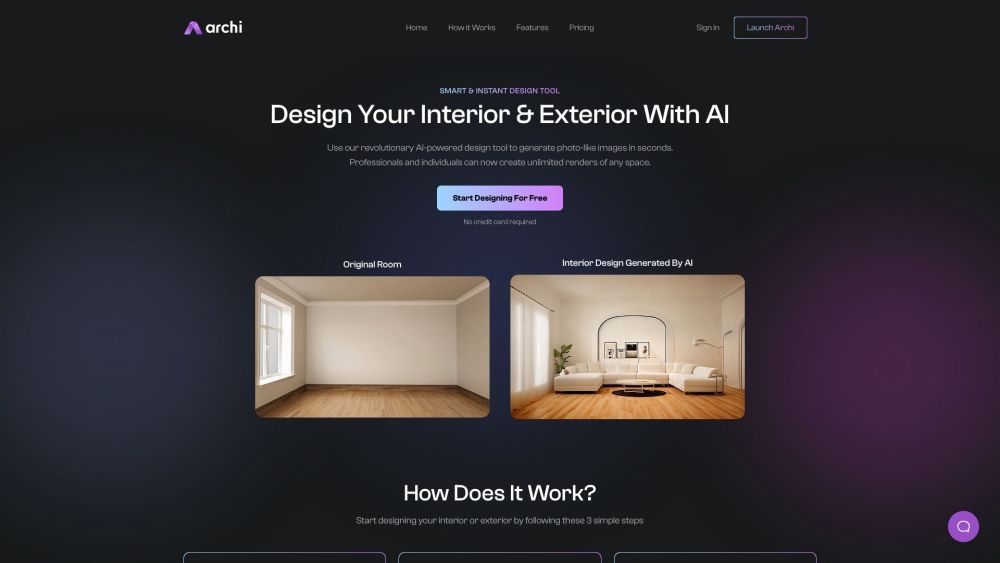
Archi website preview

Archi Website screenshot

Introducing Archi

Archi is a cutting-edge AI tool designed for both interior and exterior design. Leveraging advanced AI technology, it creates stunning, photo-like renders in mere seconds, perfect for both professionals and home enthusiasts to visualize unlimited design possibilities.

Using Archi

Getting started with Archi is simple. Just follow these three steps: 1. Upload or drag and drop an image of your space. 2. Complete a brief form and choose your desired style. 3. Click 'Generate' to see various design options for your space instantly.

Key Features of Archi

AI-driven design capabilities

Instant photo-realistic images

Limitless design renderings

Customizable options for every taste

Real-time design previews

Affordable and efficient design solutions

Applications of Archi

Living room transformations

Bedroom makeovers

Kitchen remodeling

Bathroom renovations

Dining area redesigns

Product source: Archi official website. Check the provider for current plans, limits and availability.

FAQ

Archi questions and answers

Product context and practical checks for evaluating Archi.

What is Archi used for?

Transform any space instantly with Archi, the AI-powered designer. Generate photo-realistic interior and exterior designs in seconds. Perfect for pros and enthusiasts!

How do I get started with Archi?

Open the official Archi website and identify the workflow that matches your task. Prepare a brief with a subject, composition, lighting and required output size. Test a first generation and a targeted revision to see how much control you retain.

Which capabilities are described for Archi?

AI-driven design capabilitiesInstant photo-realistic imagesLimitless design renderingsCustomizable options for every tasteReal-time design previewsAffordable and efficient design solutions

What projects can I evaluate Archi for?

Living room transformationsBedroom makeoversKitchen remodelingBathroom renovationsDining area redesigns Archi Pricing Explore our pricing plans here: https://archi.ai/#pricing Follow Us on Facebook Connect with us: https://www.facebook.com/profile.php?id=100093642397434 Follow Us on Instagram Stay updated: https://www.instagram.com/archiai_/

What should I compare before choosing a Archi plan?

Explore our pricing plans here: https://archi.ai/#pricing Confirm current prices and allowances on the provider’s website before purchasing.

What inputs should I prepare for a Archi trial?

Look for text prompts, image references, masks or sketches as appropriate. Compare composition control, supported upload types and the ability to revise a selected area.

How can I check the quality of a Archi result?

Inspect text, hands, edges, reflections and repeated objects at full size. Check that important product or brand details survive editing.

Which export options should I check in Archi?

Compare pixel dimensions, transparency, file formats and any enlargement options. Confirm that the downloaded result works in your design or publishing software.

What is a practical way to test Archi against alternatives?

Prepare a brief with a subject, composition, lighting and required output size. Test a first generation and a targeted revision to see how much control you retain.

Where is the official Archi website?

The website linked from this profile is https://archi.ai. Use the provider’s own documentation, account area and support channels to confirm current product details.

Visit Archi