AI Product Description Generator

Applitools

Applitools is an AI-powered visual testing & monitoring platform that offers a next-generation test automation platform powered by Visual AI. It helps to increase quality, accelerate delivery, and reduce costs in testing processes.

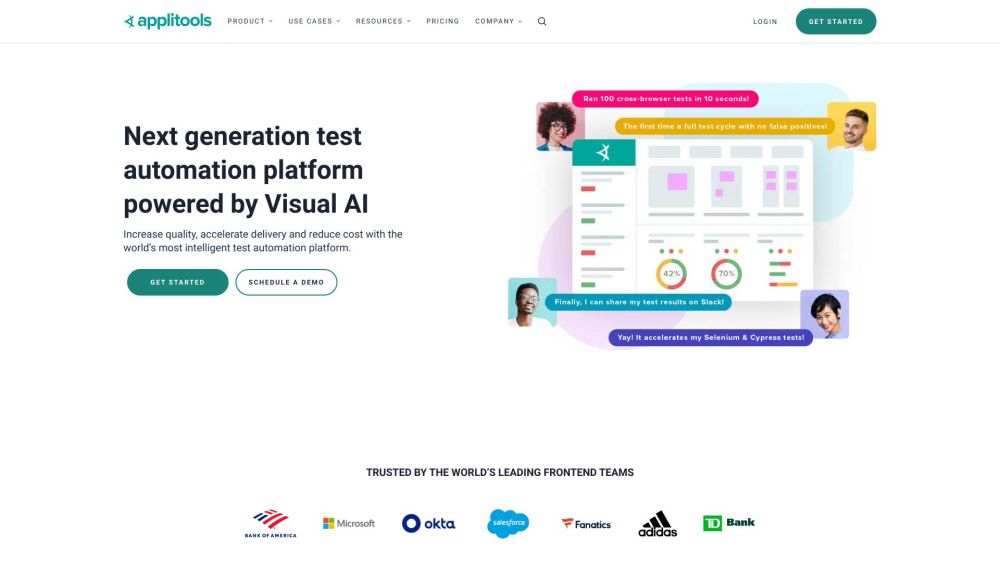
Applitools website preview

Applitools Website screenshot

What is Applitools?

Applitools is an advanced platform for visual testing and monitoring, utilizing AI technology to revolutionize test automation. By leveraging Visual AI, it enables teams to enhance the quality of their software, speed up release cycles, and cut down on testing costs.

How to Use Applitools?

To get started with Applitools, you can follow these steps: 1. Integrate Applitools with your preferred testing framework, such as Cypress, Selenium, or Appium. 2. Utilize Applitools SDKs and integrations to perform tests on web, mobile, desktop apps, PDFs, and other documents. 3. Harness the power of features like Ultrafast Grid for fast cross-browser testing, Eyes for UI validation, and Execution Cloud for a self-healing test infrastructure. 4. Automate test maintenance and reviews with AI-driven auto-maintenance, and quickly resolve issues using Root Cause Analysis. 5. Ensure your user interfaces meet visual accessibility standards. 6. Benefit from expanded test coverage, decreased maintenance, and enhanced confidence in your test outcomes.

Key Features of Applitools

Visual AI

Ultrafast Test Cloud

Execution Cloud

Ultrafast Grid

Cross Browser Testing

UI Validation

Auto-maintenance

Root Cause Analysis

Visual Accessibility Testing

Use Cases for Applitools

Web Testing

Mobile Testing

Storybook Testing

PDF Testing

Visual Testing

Functional Testing

Cross Browser Testing

Responsive Design Testing

Localization Testing

Compliance Testing

Accessibility Testing

Codeless Testing

  • Applitools Support and Contact Information

    For support or customer service inquiries, please visit the contact us page.

  • Learn More About Applitools

    To discover more about the company, visit the about us page.

  • Applitools Login

    Access your Applitools account here: Login.

  • Sign Up for Applitools

    Create a new Applitools account by visiting this link: Sign Up.

  • Applitools on Social Media

    Connect with Applitools on Facebook, YouTube, LinkedIn, Twitter, and GitHub.

Product source: Applitools official website. Check the provider for current plans, limits and availability.

FAQ

Applitools questions and answers

Product context and practical checks for evaluating Applitools.

What is Applitools used for?

Applitools is an AI-powered visual testing & monitoring platform that offers a next-generation test automation platform powered by Visual AI. It helps to increase quality, accelerate delivery, and reduce costs in testing processes.

How do I get started with Applitools?

To get started with Applitools, you can follow these steps: 1. Integrate Applitools with your preferred testing framework, such as Cypress, Selenium, or Appium. 2. Utilize Applitools SDKs and integrations to perform tests on web, mobile, desktop apps, PDFs, and other documents. 3. Harness the power of features like Ultrafast Grid for fast cross-browser testing, Eyes for UI validation, and Execution Cloud for a self-healing test infrastructure. 4. Automate test maintenance and reviews with AI-driven auto-maintenance, and quickly resolve issues using Root Cause Analysis. 5. Ensure your user interfaces meet visual accessibility standards. 6. Benefit from expanded test coverage, decreased maintenance, and enhanced confidence in your test outcomes.

Which capabilities are described for Applitools?

Visual AIUltrafast Test CloudExecution CloudUltrafast GridCross Browser TestingUI ValidationAuto-maintenanceRoot Cause AnalysisVisual Accessibility Testing

What projects can I evaluate Applitools for?

Web TestingMobile TestingStorybook TestingPDF TestingVisual TestingFunctional TestingCross Browser TestingResponsive Design TestingLocalization TestingCompliance TestingAccessibility TestingCodeless Testing Applitools Support and Contact Information For support or customer service inquiries, please visit the contact us page. Learn More About Applitools To discover more about the company, visit the about us page. Applitools Login Access your Applitools account here: Login. Sign Up for Applitools Create a new Applitools account by visiting this link: Sign Up. Applitools on Social Media Connect with Applitools on Facebook, YouTube, LinkedIn, Twitter, and GitHub.

What should I compare before choosing a Applitools plan?

Check Applitools’s current pricing page for included usage, renewal terms and any credit charges. Compare the cost of a usable result, including retries, rather than assuming that account registration includes free usage.

What inputs should I prepare for a Applitools trial?

Identify the files, text or account connections your task needs. Confirm that the product accepts those inputs and offers controls for reviewing its work.

How can I check the quality of a Applitools result?

Test one representative task and inspect the result for accuracy and completeness. Record where manual corrections or extra tools are needed.

Which export options should I check in Applitools?

Check export formats, integrations and whether you can keep using your work outside the service. Test a real export before committing to a longer plan.

What is a practical way to test Applitools against alternatives?

Choose one task with a clear success condition. Keep the input consistent, record the time spent reviewing and compare the complete workflow cost.

Where is the official Applitools website?

The website linked from this profile is https://applitools.com. Use the provider’s own documentation, account area and support channels to confirm current product details.

Visit Applitools