Text&ampWriting

Free AI Video Generator

Turn text or images into 5-second videos instantly with our free AI video maker powered by Wan 2.2. Create unlimited videos with no signup. Try now!

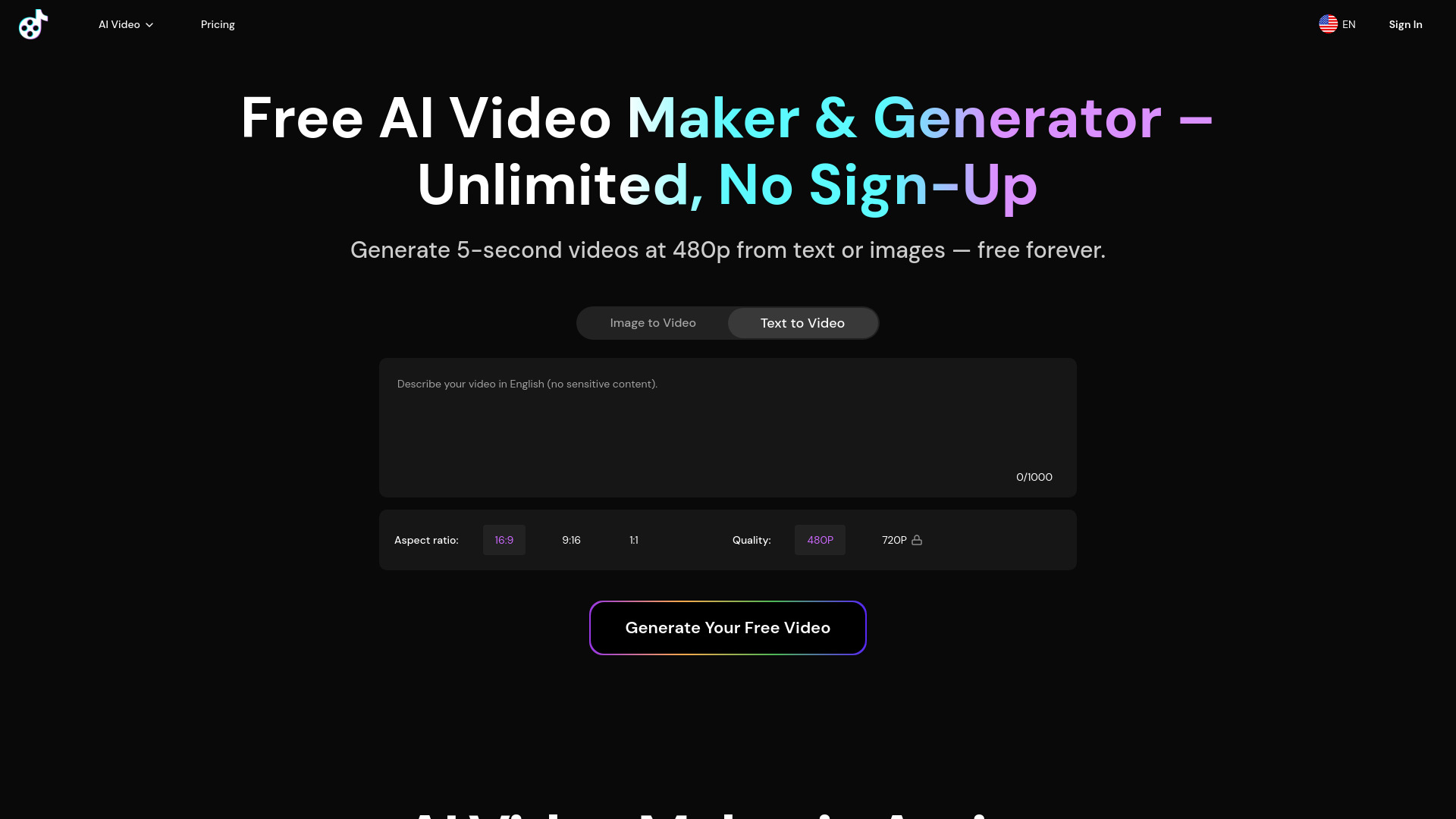
Free AI Video Generator website preview

Free AI Video Generator for Text and Images

Turn a written idea or a still image into a 5-second video with Free AI Video Maker & Generator. The browser-based tool uses the Wan 2.2 AI model to generate motion from a text prompt or an uploaded image. You can make unlimited clips in 480p on the free plan and start without creating an account. The short format works well for visual hooks, brief demonstrations, and quick tests of a scene before you commit to a longer video.

How to Generate a Video from Text or an Image

Open the generator and select Text to Video to build a scene from a written prompt. Describe the subject, its surroundings, and what should move during the clip. For example, you could ask for a close-up of a coffee cup with steam curling upward in morning light. If you already have a photo or illustration, select Image to Video and upload it from your device. Click Generate to create your clip.

Preview the result and download the video when you’re happy with it. If the scene needs a different look, try changing one detail in the prompt, such as the lighting or camera movement, and generate another version. The free plan exports at 480p. Paid plans add 720p HD output, faster processing for multiple jobs, private storage, and commercial usage rights.

Key Features of Free AI Video Maker & Generator

  • Text and image inputs. Start with a written description to create a new scene, or use an existing image as the starting point for an animated clip.
  • Wan 2.2 video generation. The same AI model powers both modes, generating a sequence of frames that turns your input into a moving scene.
  • Unlimited free generations. Make as many 480p clips as you need for personal or non-commercial projects, with no account required.
  • Downloadable 5-second clips. Use a clip on its own or bring it into an edit as an opening shot, transition, or visual insert.
  • Paid options for production work. Upgrade for HD exports, faster concurrent processing, private storage, and licensing for commercial projects.

Why Use a Free AI Video Generator?

A short clip lets you see how an idea looks in motion while you’re still deciding on the shot. You might generate several versions of the same scene with different lighting, camera angles, or actions, then choose the one that fits your project. Because the tool runs in your browser, you can go from a first idea to a downloadable draft without installing software.

The two input modes fit different stages of a project. Text-to-video is handy when you have an opening shot in mind and need to visualize it. Image-to-video is useful when you already have artwork or photography you want to animate. If the project moves from a draft to a paid campaign or client deliverable, a premium plan adds HD export and the commercial rights you’ll need.

Use Cases for 5-Second AI Video Clips

Marketers can prototype a product reveal or compare opening shots for an ad before choosing a version for a campaign. Creators can generate a short intro, a cutaway, or a visual hook for TikTok, Instagram Reels, and YouTube Shorts. Educators can animate an illustration or show a single movement as part of a lesson. For example, a science teacher could use a short clip of a seedling emerging as a visual introduction to germination.

Product source: Free AI Video Generator official website. Check the provider for current plans, limits and availability.

FAQ

Free AI Video Generator questions and answers

Product context and practical checks for evaluating Free AI Video Generator.

What is Free AI Video Generator used for?

Turn text or images into 5-second videos instantly with our free AI video maker powered by Wan 2.2. Create unlimited videos with no signup. Try now!

How do I get started with Free AI Video Generator?

Open the generator and select Text to Video to build a scene from a written prompt. Describe the subject, its surroundings, and what should move during the clip. For example, you could ask for a close-up of a coffee cup with steam curling upward in morning light. If you already have a photo or illustration, select Image to Video and upload it from your device. Click Generate to create your clip.Preview the result and download the video when you’re happy with it. If the scene needs a different look, try changing one detail in the prompt, such as the lighting or camera movement, and generate another version. The free plan exports at 480p. Paid plans add 720p HD output, faster processing for multiple jobs, private storage, and commercial usage rights.

Which capabilities are described for Free AI Video Generator?

Text and image inputs. Start with a written description to create a new scene, or use an existing image as the starting point for an animated clip. Wan 2.2 video generation. The same AI model powers both modes, generating a sequence of frames that turns your input into a moving scene. Unlimited free generations. Make as many 480p clips as you need for personal or non-commercial projects, with no account required. Downloadable 5-second clips. Use a clip on its own or bring it into an edit as an opening shot, transition, or visual insert. Paid options for production work. Upgrade for HD exports, faster concurrent processing, private storage, and licensing for commercial projects.

What projects can I evaluate Free AI Video Generator for?

Marketers can prototype a product reveal or compare opening shots for an ad before choosing a version for a campaign. Creators can generate a short intro, a cutaway, or a visual hook for TikTok, Instagram Reels, and YouTube Shorts. Educators can animate an illustration or show a single movement as part of a lesson. For example, a science teacher could use a short clip of a seedling emerging as a visual introduction to germination.

How does Free AI Video Generator handle text and image inputs.?

Text and image inputs. Start with a written description to create a new scene, or use an existing image as the starting point for an animated clip.

How does Free AI Video Generator handle wan 2.2 video generation.?

Wan 2.2 video generation. The same AI model powers both modes, generating a sequence of frames that turns your input into a moving scene.

What should I compare before choosing a Free AI Video Generator plan?

Check Free AI Video Generator’s current pricing page for included usage, renewal terms and any credit charges. Compare the cost of a usable result, including retries, rather than assuming that account registration includes free usage.

What inputs should I prepare for a Free AI Video Generator trial?

Compare text prompts, reference frames, source footage and audio support. Check duration, aspect ratio and whether the tool lets you keep a subject consistent between shots.

How can I check the quality of a Free AI Video Generator result?

Watch the entire clip for motion errors, distorted objects, changing identities, lip-sync problems and abrupt transitions. Inspect the downloaded file as well as the preview.

Where is the official Free AI Video Generator website?

The website linked from this profile is https://aivideomaker.ai. Use the provider’s own documentation, account area and support channels to confirm current product details.

Visit Free AI Video Generator