AI Blog Writer

AISEO

Transform AI-generated text with AISEO: Enhance content quality and authenticity effortlessly for superior, human-like results.

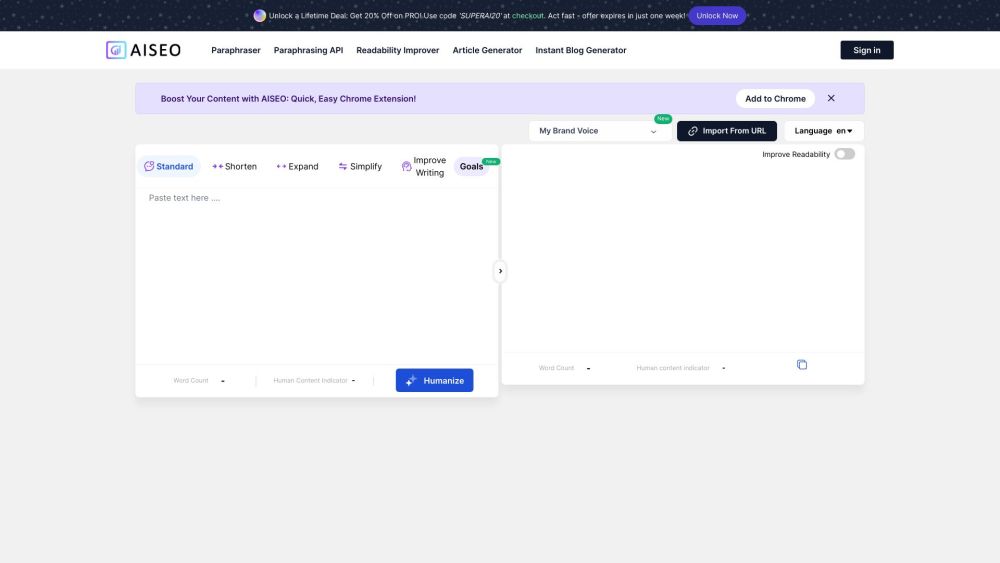
AISEO website preview
```html

AISEO Website screenshot

Understanding AISEO

AISEO is a powerful tool designed to enhance AI-generated text with a human touch, using its Bypass AI Tool. This process ensures your content maintains high quality and authenticity with minimal effort.

Using AISEO Effectively

To convert AI-generated text into engaging and authentic content, simply input your text into the AISEO Bypass AI Tool. The tool will then refine and humanize the content, making it more relatable and compelling for your audience.

Key Features of AISEO

Paraphrasing API

Readability Enhancer

Article Generator

Instant Blog Creator

Human Content Identifier

Undetectable AI

AI Text Humanizer

Applications of AISEO

Enhancing Content Quality

Crafting Engaging Stories

Bypassing AI Detection

Improving Readability

Aligning Content with Brand Tone

Speeding Up Content Creation

```

Product source: AISEO official website. Check the provider for current plans, limits and availability.

FAQ

AISEO questions and answers

Product context and practical checks for evaluating AISEO.

What is AISEO used for?

Transform AI-generated text with AISEO: Enhance content quality and authenticity effortlessly for superior, human-like results.

How do I get started with AISEO?

Open the official AISEO website and identify the workflow that matches your task. Use a real brief and a short source document. Compare factual accuracy, structure and editing time rather than accepting the longest or most confident draft.

Which capabilities are described for AISEO?

Paraphrasing APIReadability EnhancerArticle GeneratorInstant Blog CreatorHuman Content IdentifierUndetectable AIAI Text Humanizer

What projects can I evaluate AISEO for?

Enhancing Content QualityCrafting Engaging StoriesBypassing AI DetectionImproving ReadabilityAligning Content with Brand ToneSpeeding Up Content Creation AISEO Support & Contact Information For more information, visit the Contact Us page. About AISEO Company Name: AISEO AISEO Login Login Link: https://aiseo.ai/AI-tools/get-started.html AISEO Pricing Pricing Details: https://aiseo.ai/pricing.html Follow AISEO on Facebook Facebook Group: https://www.facebook.com/groups/154418810108718 Follow AISEO on Twitter Twitter Profile: https://twitter.com/AISEO3

What should I compare before choosing a AISEO plan?

Pricing Details: https://aiseo.ai/pricing.html Confirm current prices and allowances on the provider’s website before purchasing.

What inputs should I prepare for a AISEO trial?

Compare support for source documents, style instructions, outlines and length limits. Check whether citations link to real material rather than merely looking like references.

How can I check the quality of a AISEO result?

Verify names, dates, quotations and factual claims against the original sources. Edit tone, remove repetition and make sure the text answers the intended reader’s question.

Which export options should I check in AISEO?

Check export to plain text, Markdown, documents or your publishing system. Formatting, headings and working links matter when moving a draft into production.

What is a practical way to test AISEO against alternatives?

Use a real brief and a short source document. Compare factual accuracy, structure and editing time rather than accepting the longest or most confident draft.

Where is the official AISEO website?

The website linked from this profile is https://aiseo.ai/. Use the provider’s own documentation, account area and support channels to confirm current product details.

Visit AISEO