AI Blog Writer

AIPRM

AIPRM: AI Prompt Tool for ChatGPT, Bard, Midjourney, DALL-E 2 - Your go-to for marketing, sales, and more with ready-to-use prompts. Boost efficiency effortlessly!

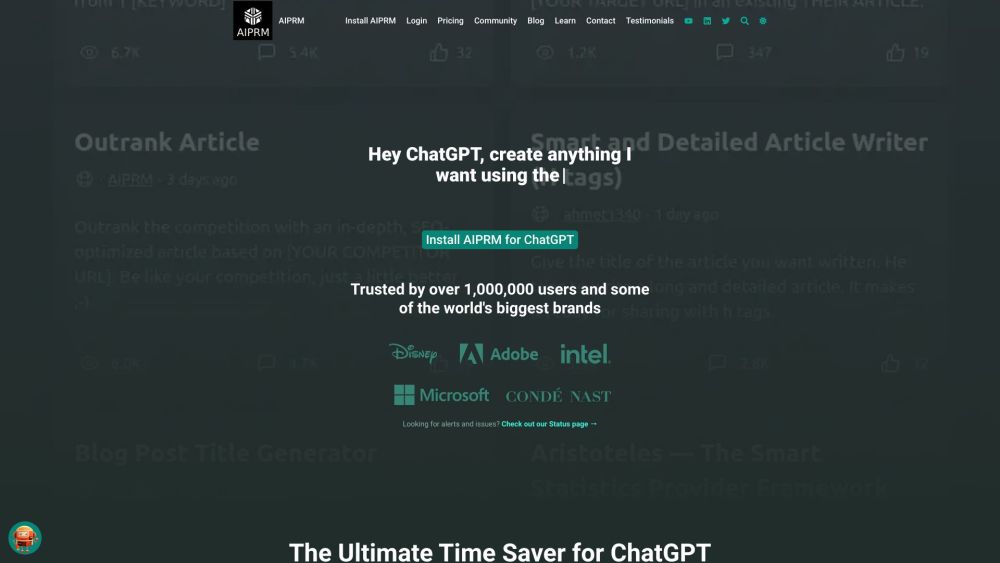
AIPRM website preview
```html

AIPRM Website screenshot

What is AIPRM?

AIPRM is a comprehensive tool designed for managing prompts and fostering a community-driven library of prompts for generative AI applications. It equips users with ready-to-use prompts for various AI platforms including ChatGPT, Bard, Midjourney, and DALL-E 2, streamlining tasks across marketing, sales, operations, productivity, and customer support.

How to use AIPRM?

To start using AIPRM, follow these steps: 1. Install the AIPRM Chrome extension. 2. Choose from a selection of curated prompts or create your own. 3. Input the required details into the prompts and generate content directly within ChatGPT. 4. Opt for a premium subscription to access additional features.

AIPRM's Core Features

AIPRM provides several key features, including: - 1-Click Prompts: Easily accessible prompts for consistent, quick results. - Team Collaboration: Share and utilize prompts within your team to maintain uniformity in output. - Writing Styles: Adjust ChatGPT's writing style to suit your specific needs. - Live Crawling: Access up-to-date information through real-time data crawling. - Variables: Implement variables to create dynamic and tailored content. - Custom Profiles: Save and utilize custom profiles for various use cases.

AIPRM's Use Cases

AIPRM is perfect for the following applications: - Marketing: Enhance audience insights, craft compelling ad copy, and fine-tune social media content. - Sales: Create catchy taglines, persuasive sales copy, and detailed product descriptions. - Productivity: Accelerate the creation of blog posts, service pages, and articles. - Customer Support: Develop efficient support responses, comprehensive FAQs, and troubleshooting guides.

```

Product source: AIPRM official website. Check the provider for current plans, limits and availability.

FAQ

AIPRM questions and answers

Product context and practical checks for evaluating AIPRM.

What is AIPRM used for?

AIPRM: AI Prompt Tool for ChatGPT, Bard, Midjourney, DALL-E 2 - Your go-to for marketing, sales, and more with ready-to-use prompts. Boost efficiency effortlessly!

How do I get started with AIPRM?

To start using AIPRM, follow these steps: 1. Install the AIPRM Chrome extension. 2. Choose from a selection of curated prompts or create your own. 3. Input the required details into the prompts and generate content directly within ChatGPT. 4. Opt for a premium subscription to access additional features.

Which capabilities are described for AIPRM?

AIPRM provides several key features, including: - 1-Click Prompts: Easily accessible prompts for consistent, quick results. - Team Collaboration: Share and utilize prompts within your team to maintain uniformity in output. - Writing Styles: Adjust ChatGPT's writing style to suit your specific needs. - Live Crawling: Access up-to-date information through real-time data crawling. - Variables: Implement variables to create dynamic and tailored content. - Custom Profiles: Save and utilize custom profiles for various use cases.

What projects can I evaluate AIPRM for?

AIPRM is perfect for the following applications: - Marketing: Enhance audience insights, craft compelling ad copy, and fine-tune social media content. - Sales: Create catchy taglines, persuasive sales copy, and detailed product descriptions. - Productivity: Accelerate the creation of blog posts, service pages, and articles. - Customer Support: Develop efficient support responses, comprehensive FAQs, and troubleshooting guides. AIPRM Support Email & Customer Service Contact & Refund Contact For more contact information, visit the contact us page. AIPRM Company Company name: AIPRM, Corp. Learn more about AIPRM by visiting the about us page. AIPRM Login Login at: AIPRM Login AIPRM Pricing For pricing details, visit: AIPRM Pricing AIPRM Youtube Watch our videos on YouTube: AIPRM YouTube AIPRM LinkedIn Connect with us on LinkedIn: AIPRM LinkedIn AIPRM Twitter Follow us on Twitter: AIPRM Twitter

What should I compare before choosing a AIPRM plan?

For pricing details, visit: AIPRM Pricing Confirm current prices and allowances on the provider’s website before purchasing.

What inputs should I prepare for a AIPRM trial?

Identify the files, text or account connections your task needs. Confirm that the product accepts those inputs and offers controls for reviewing its work.

How can I check the quality of a AIPRM result?

Test one representative task and inspect the result for accuracy and completeness. Record where manual corrections or extra tools are needed.

Which export options should I check in AIPRM?

Check export formats, integrations and whether you can keep using your work outside the service. Test a real export before committing to a longer plan.

What is a practical way to test AIPRM against alternatives?

Choose one task with a clear success condition. Keep the input consistent, record the time spent reviewing and compare the complete workflow cost.

Where is the official AIPRM website?

The website linked from this profile is https://www.aiprm.com. Use the provider’s own documentation, account area and support channels to confirm current product details.

Visit AIPRM