Large Language Models (LLMs)

Aigur

Aigur: Effortlessly build multi-user Generative AI apps. Simplify requests, manage user plans, and ensure top-notch security. Explore features, pricing, and reviews now!

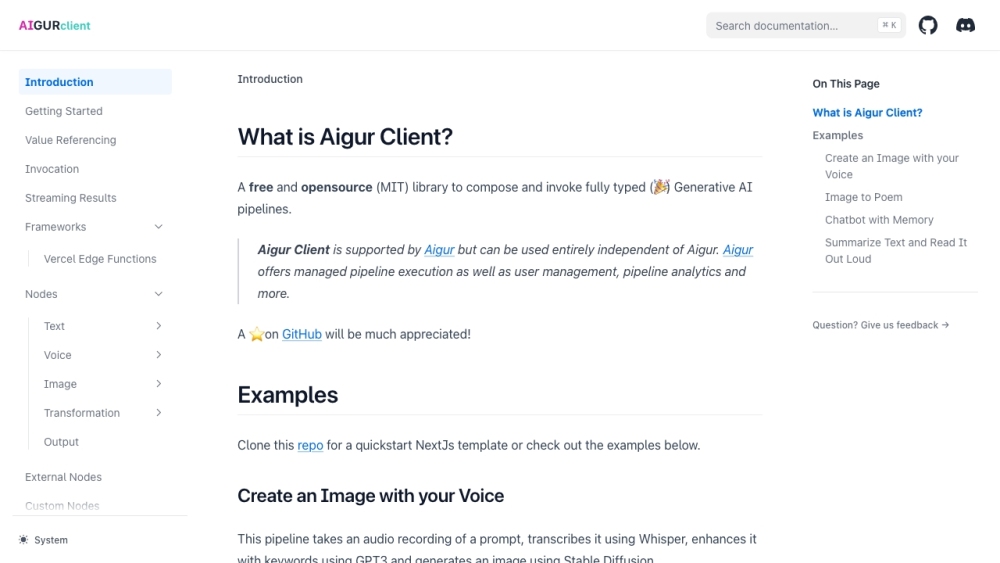
Aigur website preview

Aigur Website screenshot

What is Aigur?

Aigur is a versatile platform designed to simplify the creation of multi-user Generative AI applications. It efficiently manages requests, user subscriptions, and security protocols on your behalf.

How to use Aigur?

To begin using Aigur, you need to register for a free account. Post-registration, you can effortlessly manage and track user subscriptions, create backend logic using a visual editor, and develop the frontend with Aigur's AI-centric component library. The platform also allows seamless integration with leading Generative AI engines via predefined connectors. Aigur ensures your application's security through robust enforcement strategies. You can easily scale your application by deploying additional instances via the dashboard or API and leverage automatic analytics for business insights.

Aigur's Core Features

Streamlined user plan and usage management

Intuitive visual editor for backend logic

AI-focused component library for frontend development

User flow management via simple API

Preconfigured integrations with popular Generative AI engines

Customizable backend logic pipelines

Robust application security enforcement

Ready-to-use UI components

Scalable architecture with load balancing

Comprehensive automatic analytics

Detailed request history with rerun capabilities

Aigur's Use Cases

Aigur is ideal for developing a variety of multi-user Generative AI applications, including chatbots, content creation tools, recommendation engines, creative AI projects, and more.

  • Aigur Company

    Aigur Company name: Aigur.

Product source: Aigur official website. Check the provider for current plans, limits and availability.

FAQ

Aigur questions and answers

Product context and practical checks for evaluating Aigur.

What is Aigur used for?

Aigur: Effortlessly build multi-user Generative AI apps. Simplify requests, manage user plans, and ensure top-notch security. Explore features, pricing, and reviews now!

How do I get started with Aigur?

To begin using Aigur, you need to register for a free account. Post-registration, you can effortlessly manage and track user subscriptions, create backend logic using a visual editor, and develop the frontend with Aigur's AI-centric component library. The platform also allows seamless integration with leading Generative AI engines via predefined connectors. Aigur ensures your application's security through robust enforcement strategies. You can easily scale your application by deploying additional instances via the dashboard or API and leverage automatic analytics for business insights.

Which capabilities are described for Aigur?

Streamlined user plan and usage managementIntuitive visual editor for backend logicAI-focused component library for frontend developmentUser flow management via simple APIPreconfigured integrations with popular Generative AI enginesCustomizable backend logic pipelinesRobust application security enforcementReady-to-use UI componentsScalable architecture with load balancingComprehensive automatic analyticsDetailed request history with rerun capabilities

What projects can I evaluate Aigur for?

Aigur is ideal for developing a variety of multi-user Generative AI applications, including chatbots, content creation tools, recommendation engines, creative AI projects, and more. Aigur Company Aigur Company name: Aigur.

What should I compare before choosing a Aigur plan?

Check Aigur’s current pricing page for included usage, renewal terms and any credit charges. Compare the cost of a usable result, including retries, rather than assuming that account registration includes free usage.

What inputs should I prepare for a Aigur trial?

Identify the files, text or account connections your task needs. Confirm that the product accepts those inputs and offers controls for reviewing its work.

How can I check the quality of a Aigur result?

Test one representative task and inspect the result for accuracy and completeness. Record where manual corrections or extra tools are needed.

Which export options should I check in Aigur?

Check export formats, integrations and whether you can keep using your work outside the service. Test a real export before committing to a longer plan.

What is a practical way to test Aigur against alternatives?

Choose one task with a clear success condition. Keep the input consistent, record the time spent reviewing and compare the complete workflow cost.

Where is the official Aigur website?

The website linked from this profile is https://www.promptdodo.com. Use the provider’s own documentation, account area and support channels to confirm current product details.

Visit Aigur