AI Reply Assistant

Aide - AI Support Tool

Aide is an AI integration tool that helps businesses improve their customer support operations. By using machine learning technology and intelligent suggestions, Aide provides a high-level view of customer issues and offers tools to assist agents in responding faster to customers.

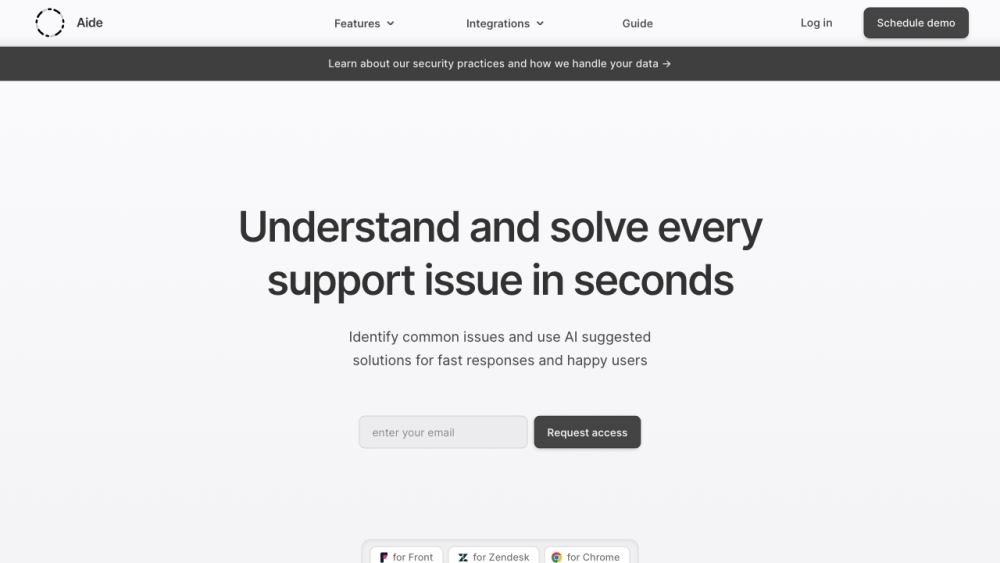
Aide - AI Support Tool website preview

Aide - AI Integrations for Customer Support Website screenshot

Understanding Aide - AI Integrations for Customer Support

Aide is a powerful AI integration tool designed to enhance customer support operations for businesses. By leveraging machine learning and intelligent suggestions, Aide provides an overview of customer issues and equips support agents with tools to deliver faster responses.

How to Implement Aide - AI Integrations for Customer Support

Integrating Aide with your current customer support platforms, such as Front or Zendesk, is essential. After integration, Aide will detect customer intents, analyze incoming queries, and offer AI-driven suggestions to aid your support agents. It also facilitates the organization and sharing of knowledge within the team, promoting efficient support processes.

Key Features of Aide - AI Integrations for Customer Support

Automated Intent Detection: Identifies customer intents to resolve common issues efficiently.

Inbound Analytics: Provides visualizations of issues to identify improvement areas.

AI Suggestions: Generates AI-based responses for quick and consistent customer service.

Knowledge Management: Enables organizing and sharing of knowledge within the team.

Automations: Streamlines routine tasks, allowing focus on more critical activities.

Customer Lifecycle Tracking: Offers a comprehensive view of customer interactions.

Curated Solutions and SOPs: Creates step-by-step guides for frequent issues.

Organizational Tools: Helps categorize and access response templates and procedures.

Import Existing Knowledge: Supports importing response templates from Front and macros from Zendesk.

Use Cases for Aide - AI Integrations for Customer Support

Enhanced Support Efficiency: Assists agents in providing rapid responses and improving customer satisfaction.

Workload Reduction: Automations and knowledge sharing decrease the burden on support teams, saving time and effort.

Effective Onboarding: AI suggestions and organized knowledge facilitate swift onboarding of new agents.

Product Improvement: Inbound analytics and insights help in refining products and resolving common issues.

Cost Efficiency: Enhances operational efficiency, potentially reducing support costs by up to 30%.

  • Aide - AI Integrations for Customer Support Contact Information

    For customer service inquiries, please contact: [email protected].

  • Aide - AI Integrations for Customer Support Company Details

    Company Name: Aide Support Inc.

    Company Address: Suite 2400, 333 Bay Street, Toronto, Ontario.

  • Aide - AI Integrations for Customer Support LinkedIn

    Follow us on LinkedIn: https://ca.linkedin.com/company/aidesupport.

Product source: Aide - AI Support Tool official website. Check the provider for current plans, limits and availability.

FAQ

Aide - AI Support Tool questions and answers

Product context and practical checks for evaluating Aide - AI Support Tool.

What is Aide - AI Support Tool used for?

Aide is an AI integration tool that helps businesses improve their customer support operations. By using machine learning technology and intelligent suggestions, Aide provides a high-level view of customer issues and offers tools to assist agents in responding faster to customers.

How do I get started with Aide - AI Support Tool?

Integrating Aide with your current customer support platforms, such as Front or Zendesk, is essential. After integration, Aide will detect customer intents, analyze incoming queries, and offer AI-driven suggestions to aid your support agents. It also facilitates the organization and sharing of knowledge within the team, promoting efficient support processes.

Which capabilities are described for Aide - AI Support Tool?

Automated Intent Detection: Identifies customer intents to resolve common issues efficiently.Inbound Analytics: Provides visualizations of issues to identify improvement areas.AI Suggestions: Generates AI-based responses for quick and consistent customer service.Knowledge Management: Enables organizing and sharing of knowledge within the team.Automations: Streamlines routine tasks, allowing focus on more critical activities.Customer Lifecycle Tracking: Offers a comprehensive view of customer interactions.Curated Solutions and SOPs: Creates step-by-step guides for frequent issues.Organizational Tools: Helps categorize and access response templates and procedures.Import Existing Knowledge: Supports importing response templates from Front and macros from Zendesk.

What projects can I evaluate Aide - AI Support Tool for?

Enhanced Support Efficiency: Assists agents in providing rapid responses and improving customer satisfaction.Workload Reduction: Automations and knowledge sharing decrease the burden on support teams, saving time and effort.Effective Onboarding: AI suggestions and organized knowledge facilitate swift onboarding of new agents.Product Improvement: Inbound analytics and insights help in refining products and resolving common issues.Cost Efficiency: Enhances operational efficiency, potentially reducing support costs by up to 30%. Aide - AI Integrations for Customer Support Contact Information For customer service inquiries, please contact: [email protected]. Aide - AI Integrations for Customer Support Company Details Company Name: Aide Support Inc. Company Address: Suite 2400, 333 Bay Street, Toronto, Ontario. Aide - AI Integrations for Customer Support LinkedIn Follow us on LinkedIn: https://ca.linkedin.com/company/aidesupport.

What should I compare before choosing a Aide - AI Support Tool plan?

Check Aide - AI Support Tool’s current pricing page for included usage, renewal terms and any credit charges. Compare the cost of a usable result, including retries, rather than assuming that account registration includes free usage.

What inputs should I prepare for a Aide - AI Support Tool trial?

Check supported documents, datasets and source access. Establish whether the product can inspect your actual material rather than answer from general knowledge.

How can I check the quality of a Aide - AI Support Tool result?

Follow citations to the original source, recalculate important numbers and check the date and scope of the evidence. Distinguish an explanation from a verified result.

Which export options should I check in Aide - AI Support Tool?

Look for usable citations, tables, downloadable data and reproducible steps. A clear answer should let another person inspect how the conclusion was reached.

What is a practical way to test Aide - AI Support Tool against alternatives?

Choose a question with known sources and a checkable result. Compare citation accuracy, omissions and reproducibility rather than response length.

Where is the official Aide - AI Support Tool website?

The website linked from this profile is https://www.promptdodo.com. Use the provider’s own documentation, account area and support channels to confirm current product details.

Visit Aide - AI Support Tool