AI Content Generator

AiBERT

Elevate your WhatsApp chats with AiBERT! Enjoy instant ChatGPT responses and Midjourney images, all in one easy-to-use bot. Impress your friends now!

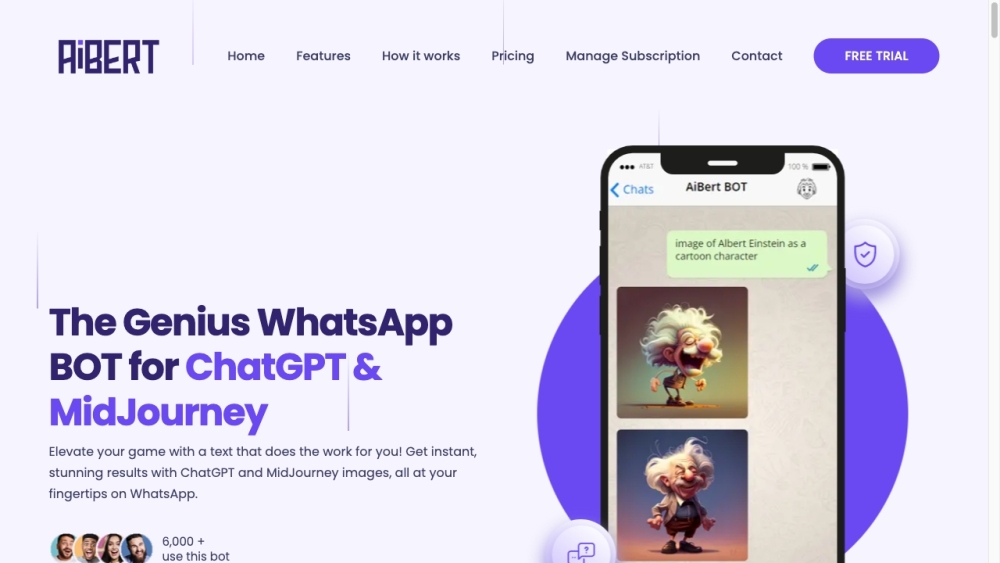
AiBERT website preview

AiBERT: Elevate WhatsApp Chats with ChatGPT & Midjourney Screenshot

Discover AiBERT: Enhance Your WhatsApp Chats with ChatGPT & Midjourney

AiBERT revolutionizes your WhatsApp conversations by integrating powerful AI capabilities from ChatGPT and the artistic prowess of Midjourney. This bot enriches your messaging experience with intelligent responses and captivating images, all within the comfort of WhatsApp.

Getting Started with AiBERT: Elevate WhatsApp Chats with ChatGPT & Midjourney

To begin using AiBERT:

  1. Register with your WhatsApp number and choose a subscription plan.
  2. Receive a welcome message with setup instructions.
  3. Send a message to AiBERT on WhatsApp and get instant, engaging replies in your chat.

Key Features of AiBERT: Elevate WhatsApp Chats with ChatGPT & Midjourney

Real-time responses with ChatGPT and Midjourney integration

End-to-end encrypted communication for privacy

Seamless updates without manual installations

24/7 customer support for assistance

Easy WhatsApp integration for hassle-free usage

Practical Uses of AiBERT: Elevate WhatsApp Chats with ChatGPT & Midjourney

Impress Your Contacts with ChatGPT Replies

Transform your chats with quick and engaging responses generated by ChatGPT, making every conversation stand out.

Create Stunning Images Effortlessly

Use AiBERT to generate and share beautiful Midjourney images directly in your chats, enhancing the visual appeal of your messages.

Automate Routine Tasks

Let AiBERT handle repetitive tasks, providing instant AI-generated responses and images, saving you time and effort.

  • AiBERT Support: Contact Information

    For customer support, email us at [email protected]. For more contact options, visit our contact page.

  • AiBERT Company Information

    AiBERT is a product of Kooya! Inc.

  • AiBERT Login

    Access AiBERT with this login link.

  • AiBERT Sign-Up

    Sign up for AiBERT here.

  • AiBERT Pricing

    View AiBERT pricing options here.

  • Follow AiBERT on Twitter

    Stay updated by following us on Twitter.

  • Connect with AiBERT on WhatsApp

    Contact AiBERT on WhatsApp here.

Product source: AiBERT official website. Check the provider for current plans, limits and availability.

FAQ

AiBERT questions and answers

Product context and practical checks for evaluating AiBERT.

What is AiBERT used for?

Elevate your WhatsApp chats with AiBERT! Enjoy instant ChatGPT responses and Midjourney images, all in one easy-to-use bot. Impress your friends now!

How do I get started with AiBERT?

To begin using AiBERT: Register with your WhatsApp number and choose a subscription plan. Receive a welcome message with setup instructions. Send a message to AiBERT on WhatsApp and get instant, engaging replies in your chat.

Which capabilities are described for AiBERT?

Real-time responses with ChatGPT and Midjourney integrationEnd-to-end encrypted communication for privacySeamless updates without manual installations24/7 customer support for assistanceEasy WhatsApp integration for hassle-free usage

What should I compare before choosing a AiBERT plan?

View AiBERT pricing options here. Confirm current prices and allowances on the provider’s website before purchasing.

What inputs should I prepare for a AiBERT trial?

Look for text prompts, image references, masks or sketches as appropriate. Compare composition control, supported upload types and the ability to revise a selected area.

How can I check the quality of a AiBERT result?

Inspect text, hands, edges, reflections and repeated objects at full size. Check that important product or brand details survive editing.

Which export options should I check in AiBERT?

Compare pixel dimensions, transparency, file formats and any enlargement options. Confirm that the downloaded result works in your design or publishing software.

What is a practical way to test AiBERT against alternatives?

Prepare a brief with a subject, composition, lighting and required output size. Test a first generation and a targeted revision to see how much control you retain.

What should I review before uploading material to AiBERT?

Read the provider’s rules on access, retention, deletion and use of uploaded material. Start with a non-confidential sample that you have permission to use.

Where is the official AiBERT website?

The website linked from this profile is https://aibert.co. Use the provider’s own documentation, account area and support channels to confirm current product details.

Visit AiBERT