AI Builder

AI Room Planner

Transform your space effortlessly with AI Room Planner. Access unlimited, free interior design ideas powered by AI—perfect for any room, anytime.

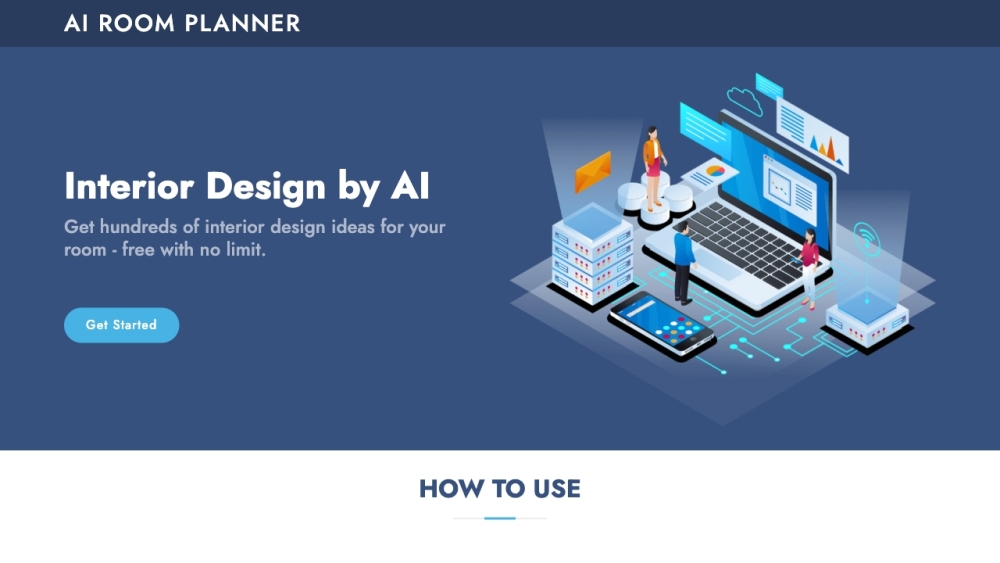
AI Room Planner website preview

AI Room Planner Website screenshot

What is AI Room Planner?

AI Room Planner is an innovative tool that leverages artificial intelligence to bring a plethora of interior design ideas to life. This user-friendly platform offers unlimited access to a diverse range of room design inspirations, all for free, making it a valuable resource for anyone looking to reimagine their living spaces.

How to Use AI Room Planner?

Getting started with AI Room Planner is simple and straightforward: 1. Head over to the Interior AI Design section on the website. 2. Enter your email address and click the confirmation button. 3. Look for an email in your inbox with a link to access the tool. 4. Click the link to start browsing through a vast collection of AI-generated interior design ideas tailored to your needs.

Key Features of AI Room Planner

AI Room Planner includes these standout features: - Access to an extensive library of interior design ideas - A variety of design styles to choose from - Completely free to use - Currently in beta phase - AI-generated designs for different rooms including living rooms, kitchens, and bedrooms

Applications of AI Room Planner

AI Room Planner can be utilized in several ways: 1. Discovering new interior design ideas 2. Visualizing potential layouts and atmospheres for a room 3. Experimenting with various design aesthetics 4. Creating concepts for living rooms, kitchens, and bedrooms

Product source: AI Room Planner official website. Check the provider for current plans, limits and availability.

FAQ

AI Room Planner questions and answers

Product context and practical checks for evaluating AI Room Planner.

What is AI Room Planner used for?

Transform your space effortlessly with AI Room Planner. Access unlimited, free interior design ideas powered by AI—perfect for any room, anytime.

How do I get started with AI Room Planner?

Getting started with AI Room Planner is simple and straightforward: 1. Head over to the Interior AI Design section on the website. 2. Enter your email address and click the confirmation button. 3. Look for an email in your inbox with a link to access the tool. 4. Click the link to start browsing through a vast collection of AI-generated interior design ideas tailored to your needs.

Which capabilities are described for AI Room Planner?

AI Room Planner includes these standout features: - Access to an extensive library of interior design ideas - A variety of design styles to choose from - Completely free to use - Currently in beta phase - AI-generated designs for different rooms including living rooms, kitchens, and bedrooms

What projects can I evaluate AI Room Planner for?

AI Room Planner can be utilized in several ways: 1. Discovering new interior design ideas 2. Visualizing potential layouts and atmospheres for a room 3. Experimenting with various design aesthetics 4. Creating concepts for living rooms, kitchens, and bedrooms

What should I compare before choosing a AI Room Planner plan?

AI Room Planner is an innovative tool that leverages artificial intelligence to bring a plethora of interior design ideas to life. This user-friendly platform offers unlimited access to a diverse range of room design inspirations, all for free, making it a valuable resource for anyone looking to reimagine their living spaces. Confirm current prices and allowances on the provider’s website before purchasing.

What inputs should I prepare for a AI Room Planner trial?

Look for text prompts, image references, masks or sketches as appropriate. Compare composition control, supported upload types and the ability to revise a selected area.

How can I check the quality of a AI Room Planner result?

Inspect text, hands, edges, reflections and repeated objects at full size. Check that important product or brand details survive editing.

Which export options should I check in AI Room Planner?

Compare pixel dimensions, transparency, file formats and any enlargement options. Confirm that the downloaded result works in your design or publishing software.

What is a practical way to test AI Room Planner against alternatives?

Prepare a brief with a subject, composition, lighting and required output size. Test a first generation and a targeted revision to see how much control you retain.

Where is the official AI Room Planner website?

The website linked from this profile is https://www.promptdodo.com. Use the provider’s own documentation, account area and support channels to confirm current product details.

Visit AI Room Planner