Writing Assistants

AI-powered Reply Assistant

Boost your productivity with our AI-powered Reply Assistant. Say goodbye to time-consuming replies on multiple platforms! #AI #TimeSaving #Productivity

AI-powered Reply Assistant website preview

AI-powered Reply Assistant: Time-saving AI for Platforms : Key Features
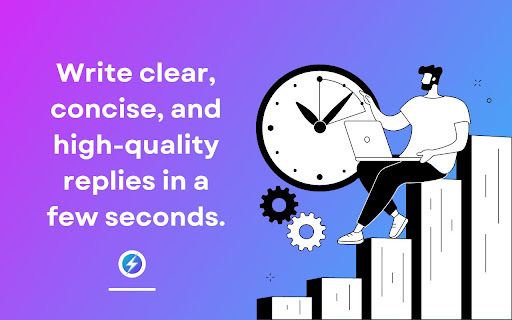
AI-powered Reply Assistant - Chrome Extension Website screenshot

Discover the power of the AI-powered Reply Assistant, a revolutionary Chrome extension designed to enhance your communication efficiency across multiple platforms. This cutting-edge AI technology generates personalized responses for emails, LinkedIn, and Twitter, saving you valuable time and effort. Let's explore the key features that make this AI assistant a game-changer.

How Does AI-powered Reply Assistant Work?

Using the AI-powered Reply Assistant is incredibly simple. Install the Chrome extension, and with just a few clicks, experience the convenience of crafting professional responses effortlessly. This intelligent assistant automatically generates well-written and personalized messages tailored to the context of each platform.

Key Features of AI-powered Reply Assistant

1. Personalized and Well-Written Responses

Say goodbye to generic and time-consuming responses. The AI-powered Reply Assistant creates personalized and well-crafted messages that resonate with your recipients, making your communication more effective and impactful.

2. Time-Saving Efficiency

With the AI-powered Reply Assistant, responding to a high volume of emails and messages becomes effortless. Say goodbye to hours spent crafting replies. This innovative tool saves you valuable time, allowing you to focus on more important tasks.

3. Enhance Communication Skills

Ideal for non-native speakers or anyone looking to improve their communication skills, the AI-powered Reply Assistant helps you craft professional messages with ease. Communicate confidently and effectively across platforms, leaving a lasting impression on your audience.

Use Cases of AI-powered Reply Assistant

1. Efficient Email Management

Tackle the daunting task of managing a high volume of emails effortlessly. The AI-powered Reply Assistant enables you to respond efficiently, ensuring no important message goes unanswered.

2. Professional Messaging Across Platforms

Crafting professional messages on platforms like LinkedIn and Twitter has never been easier. The AI-powered Reply Assistant provides you with the right words, helping you build meaningful connections and establish a strong online presence.

Product source: AI-powered Reply Assistant official website. Check the provider for current plans, limits and availability.

FAQ

AI-powered Reply Assistant questions and answers

Product context and practical checks for evaluating AI-powered Reply Assistant.

What is AI-powered Reply Assistant used for?

Boost your productivity with our AI-powered Reply Assistant. Say goodbye to time-consuming replies on multiple platforms! #AI #TimeSaving #Productivity

How do I get started with AI-powered Reply Assistant?

Using the AI-powered Reply Assistant is incredibly simple. Install the Chrome extension, and with just a few clicks, experience the convenience of crafting professional responses effortlessly. This intelligent assistant automatically generates well-written and personalized messages tailored to the context of each platform.

Which capabilities are described for AI-powered Reply Assistant?

Discover the power of the AI-powered Reply Assistant, a revolutionary Chrome extension designed to enhance your communication efficiency across multiple platforms. This cutting-edge AI technology generates personalized responses for emails, LinkedIn, and Twitter, saving you valuable time and effort. Let's explore the key features that make this AI assistant a game-changer.

What projects can I evaluate AI-powered Reply Assistant for?

1. Efficient Email Management Tackle the daunting task of managing a high volume of emails effortlessly. The AI-powered Reply Assistant enables you to respond efficiently, ensuring no important message goes unanswered. 2. Professional Messaging Across Platforms Crafting professional messages on platforms like LinkedIn and Twitter has never been easier. The AI-powered Reply Assistant provides you with the right words, helping you build meaningful connections and establish a strong online presence.

What should I compare before choosing a AI-powered Reply Assistant plan?

Check AI-powered Reply Assistant’s current pricing page for included usage, renewal terms and any credit charges. Compare the cost of a usable result, including retries, rather than assuming that account registration includes free usage.

What inputs should I prepare for a AI-powered Reply Assistant trial?

Identify the files, text or account connections your task needs. Confirm that the product accepts those inputs and offers controls for reviewing its work.

How can I check the quality of a AI-powered Reply Assistant result?

Test one representative task and inspect the result for accuracy and completeness. Record where manual corrections or extra tools are needed.

Which export options should I check in AI-powered Reply Assistant?

Check export formats, integrations and whether you can keep using your work outside the service. Test a real export before committing to a longer plan.

What is a practical way to test AI-powered Reply Assistant against alternatives?

Choose one task with a clear success condition. Keep the input consistent, record the time spent reviewing and compare the complete workflow cost.

Where is the official AI-powered Reply Assistant website?

The website linked from this profile is https://chromewebstore.google.com/detail/smartreplier-ai-powered-r/aheakoghjhpbianljiemepkpklndnogn. Use the provider’s own documentation, account area and support channels to confirm current product details.

Visit AI-powered Reply Assistant