Text to Image

AI Photo Editor by insMind

Elevate your photos with insMind AI Photo Editor! Featuring AI Image Generator, Face Swap, Enhancer, & Expander tools, it redefines effortless, advanced image editing. Explore pricing, reviews, and core features today.

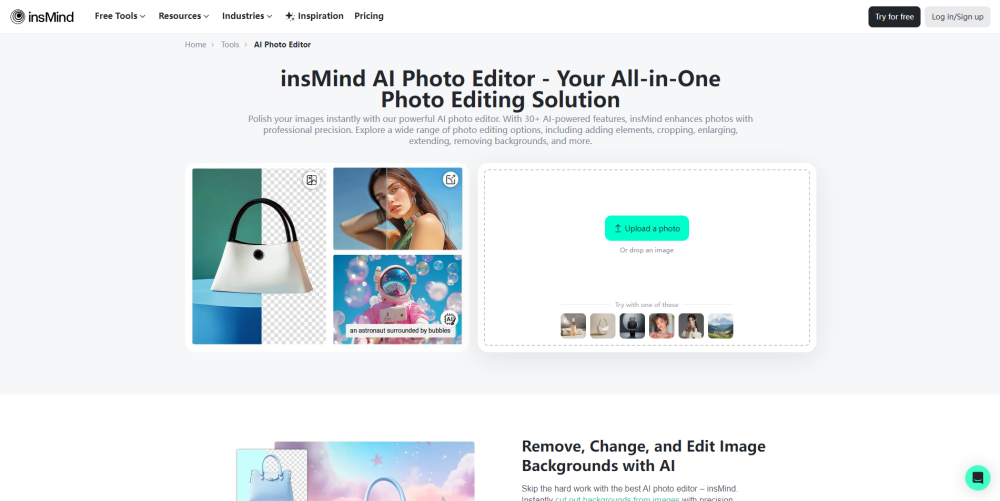
AI Photo Editor by insMind website preview

AI Photo Editor by insMind Website screenshot

Discover AI Photo Editor by insMind

insMind's AI Photo Editor is a cutting-edge solution for all your image editing needs. This platform leverages advanced artificial intelligence to make photo enhancement, creation, and manipulation effortless. Whether you need to generate images from text, perform face swaps, enhance image quality, or expand canvases, insMind has got you covered.

Getting Started with insMind’s AI Photo Editor

To start using insMind’s AI-powered tools, simply head over to their website at insmind.com. Once there, choose the specific tool that suits your needs and upload the desired image. With intuitive controls and an easy-to-navigate interface, even beginners can master this powerful editor in no time.

Key Features of insMind's AI Photo Editor

AI-Powered Editing: Transform photos using state-of-the-art AI technology.

Image Quality Booster: Sharpen blurry images and bring out vibrant details automatically.

Text-to-Image Generation: Turn your ideas into reality by generating visuals based on textual descriptions.

Canvas Expansion: Enlarge your images while maintaining resolution and aspect ratios.

Realistic Face Replacement: Effortlessly swap faces in photos for creative projects or personal fun.

Virtual Fashion Modeling: Showcase clothing designs on digital models without needing live shoots.

Object Removal Tool: Eliminate unwanted elements from your photos with precision.

Natural Shadow Effects: Add depth and realism to objects within your images.

Design Automation: Craft stunning designs tailored for various purposes like logos, posters, and more.

Logo Creation: Develop professional and distinctive logos representing your brand identity.

Practical Applications of insMind's AI Photo Editor

Social Networking: Impress followers with high-quality, engaging posts enhanced through AI techniques.

Advertising Campaigns: Produce visually appealing advertisements quickly and cost-effectively.

Online Retailing: Present products in their best light by refining product images and ensuring they meet e-commerce standards.

Product source: AI Photo Editor by insMind official website. Check the provider for current plans, limits and availability.

FAQ

AI Photo Editor by insMind questions and answers

Product context and practical checks for evaluating AI Photo Editor by insMind.

What is AI Photo Editor by insMind used for?

Elevate your photos with insMind AI Photo Editor! Featuring AI Image Generator, Face Swap, Enhancer, & Expander tools, it redefines effortless, advanced image editing. Explore pricing, reviews, and core features today.

How do I get started with AI Photo Editor by insMind?

To start using insMind’s AI-powered tools, simply head over to their website at insmind.com. Once there, choose the specific tool that suits your needs and upload the desired image. With intuitive controls and an easy-to-navigate interface, even beginners can master this powerful editor in no time.

Which capabilities are described for AI Photo Editor by insMind?

AI-Powered Editing: Transform photos using state-of-the-art AI technology.Image Quality Booster: Sharpen blurry images and bring out vibrant details automatically.Text-to-Image Generation: Turn your ideas into reality by generating visuals based on textual descriptions.Canvas Expansion: Enlarge your images while maintaining resolution and aspect ratios.Realistic Face Replacement: Effortlessly swap faces in photos for creative projects or personal fun.Virtual Fashion Modeling: Showcase clothing designs on digital models without needing live shoots.Object Removal Tool: Eliminate unwanted elements from your photos with precision.Natural Shadow Effects: Add depth and realism to objects within your images.Design Automation: Craft stunning designs tailored for various purposes like logos, posters, and more.Logo Creation: Develop professional and distinctive logos representing your brand identity.

What projects can I evaluate AI Photo Editor by insMind for?

Social Networking: Impress followers with high-quality, engaging posts enhanced through AI techniques.Advertising Campaigns: Produce visually appealing advertisements quickly and cost-effectively.Online Retailing: Present products in their best light by refining product images and ensuring they meet e-commerce standards.

What should I compare before choosing a AI Photo Editor by insMind plan?

Check AI Photo Editor by insMind’s current pricing page for included usage, renewal terms and any credit charges. Compare the cost of a usable result, including retries, rather than assuming that account registration includes free usage.

What inputs should I prepare for a AI Photo Editor by insMind trial?

Look for text prompts, image references, masks or sketches as appropriate. Compare composition control, supported upload types and the ability to revise a selected area.

How can I check the quality of a AI Photo Editor by insMind result?

Inspect text, hands, edges, reflections and repeated objects at full size. Check that important product or brand details survive editing.

Which export options should I check in AI Photo Editor by insMind?

Compare pixel dimensions, transparency, file formats and any enlargement options. Confirm that the downloaded result works in your design or publishing software.

What is a practical way to test AI Photo Editor by insMind against alternatives?

Prepare a brief with a subject, composition, lighting and required output size. Test a first generation and a targeted revision to see how much control you retain.

Where is the official AI Photo Editor by insMind website?

The website linked from this profile is https://www.insmind.com/ai-photo-editor. Use the provider’s own documentation, account area and support channels to confirm current product details.

Visit AI Photo Editor by insMind