AI Email Assistant

AI Email Labeler

AI Email Labeler: Organize your inbox with ChatGPT. Categorize emails by context for a clutter-free experience. Smart sorting made easy!

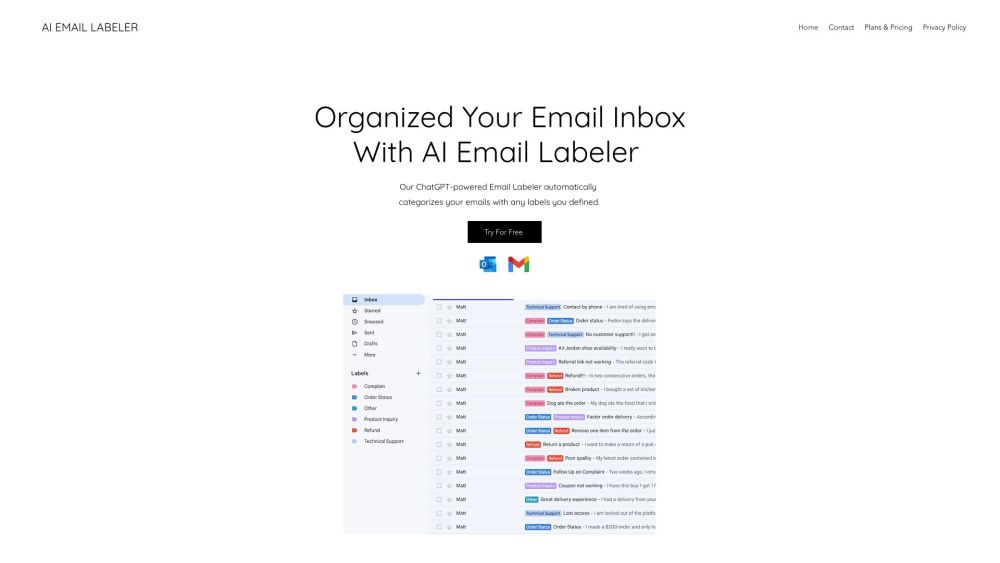
AI Email Labeler website preview

AI Email Labeler Website screenshot

Understanding AI Email Labeler

AI Email Labeler leverages advanced AI technology to organize your email inbox. By using ChatGPT, it reads and categorizes your emails based on their context, ensuring a tidy and well-structured inbox.

Steps to Utilize AI Email Labeler

1. Select a subscription plan according to your email volume.
2. Set up personalized labels or categories in your inbox.
3. Allow AI Email Labeler to scan and apply these labels to your emails.
4. Enjoy a more organized and manageable inbox.

Key Features of AI Email Labeler

AI-driven email categorization

Context-based automatic sorting

Customization of labels

Multilingual support

Enhances productivity

Pilot program available

Applications of AI Email Labeler

Prioritize crucial business emails

Effectively handle high email volumes

Easily locate and filter specific email types

Boost productivity and save time

  • Support and Contact Information

    For more information, visit our support page.

  • About AI Email Labeler Company

    The AI Email Labeler is a product of Wix.com.

Product source: AI Email Labeler official website. Check the provider for current plans, limits and availability.

FAQ

AI Email Labeler questions and answers

Product context and practical checks for evaluating AI Email Labeler.

What is AI Email Labeler used for?

AI Email Labeler: Organize your inbox with ChatGPT. Categorize emails by context for a clutter-free experience. Smart sorting made easy!

How do I get started with AI Email Labeler?

Open the official AI Email Labeler website and identify the workflow that matches your task. Prepare a brief with a subject, composition, lighting and required output size. Test a first generation and a targeted revision to see how much control you retain.

Which capabilities are described for AI Email Labeler?

AI-driven email categorizationContext-based automatic sortingCustomization of labelsMultilingual supportEnhances productivityPilot program available

What projects can I evaluate AI Email Labeler for?

Prioritize crucial business emailsEffectively handle high email volumesEasily locate and filter specific email typesBoost productivity and save time Support and Contact Information For more information, visit our support page. About AI Email Labeler Company The AI Email Labeler is a product of Wix.com.

What should I compare before choosing a AI Email Labeler plan?

Check AI Email Labeler’s current pricing page for included usage, renewal terms and any credit charges. Compare the cost of a usable result, including retries, rather than assuming that account registration includes free usage.

What inputs should I prepare for a AI Email Labeler trial?

Look for text prompts, image references, masks or sketches as appropriate. Compare composition control, supported upload types and the ability to revise a selected area.

How can I check the quality of a AI Email Labeler result?

Inspect text, hands, edges, reflections and repeated objects at full size. Check that important product or brand details survive editing.

Which export options should I check in AI Email Labeler?

Compare pixel dimensions, transparency, file formats and any enlargement options. Confirm that the downloaded result works in your design or publishing software.

What is a practical way to test AI Email Labeler against alternatives?

Prepare a brief with a subject, composition, lighting and required output size. Test a first generation and a targeted revision to see how much control you retain.

Where is the official AI Email Labeler website?

The website linked from this profile is https://heydola.com/. Use the provider’s own documentation, account area and support channels to confirm current product details.

Visit AI Email Labeler