General Writing

AI-Commentator

Boost engagement and stand out from the crowd with AI-Commentator, the AI button for LinkedIn comments. Enhance your conversations effortlessly.

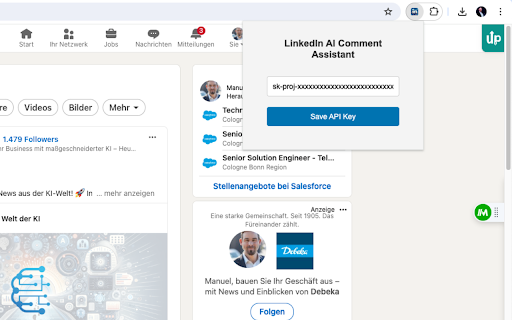
AI-Commentator website preview

AI-Commentator - Chrome Extension Website screenshot

AI-Commentator: AI Button for LinkedIn Comments : Key Features

Introducing AI-Commentator, the innovative Chrome extension designed to revolutionize comment generation on LinkedIn. With its AI-powered capabilities, this tool offers a seamless and efficient way to generate comments automatically, saving you valuable time and effort.

How to Maximize the AI-Commentator Chrome Extension?

Utilizing the AI-Commentator Chrome extension couldn't be easier. Simply install the extension and activate it on your LinkedIn posts, and watch as it generates personalized comments in an instant. Say goodbye to the hassle of manually crafting comments and let AI-Commentator do the work for you.

Key Features of AI-Commentator Chrome Extension

Automatic Comment Generation

AI-Commentator leverages advanced artificial intelligence algorithms to automatically generate contextually relevant comments for your LinkedIn posts. This feature eliminates the need for manual comment composition, allowing you to focus on what matters most.

AI-Powered Text Generation

Powered by state-of-the-art AI technology, AI-Commentator produces high-quality text that mimics human-like responses. The generated comments are not only accurate but also seamlessly blend with the original post, enhancing engagement and fostering meaningful interactions.

Unlocking the Potential of AI-Commentator Chrome Extension

Save Time and Effort

With AI-Commentator, you can bid farewell to the time-consuming task of composing comments individually. This extension empowers you to automate the comment generation process, allowing you to allocate your time more efficiently.

Enhance Engagement

By utilizing AI-Commentator's personalized comments, you can significantly increase engagement on your LinkedIn posts. The AI-generated comments resonate with your audience, creating a sense of authenticity and fostering meaningful interactions.

Product source: AI-Commentator official website. Check the provider for current plans, limits and availability.

FAQ

AI-Commentator questions and answers

Product context and practical checks for evaluating AI-Commentator.

What is AI-Commentator used for?

Boost engagement and stand out from the crowd with AI-Commentator, the AI button for LinkedIn comments. Enhance your conversations effortlessly.

How do I get started with AI-Commentator?

Utilizing the AI-Commentator Chrome extension couldn't be easier. Simply install the extension and activate it on your LinkedIn posts, and watch as it generates personalized comments in an instant. Say goodbye to the hassle of manually crafting comments and let AI-Commentator do the work for you.

Which capabilities are described for AI-Commentator?

Introducing AI-Commentator, the innovative Chrome extension designed to revolutionize comment generation on LinkedIn. With its AI-powered capabilities, this tool offers a seamless and efficient way to generate comments automatically, saving you valuable time and effort.

What should I compare before choosing a AI-Commentator plan?

Check AI-Commentator’s current pricing page for included usage, renewal terms and any credit charges. Compare the cost of a usable result, including retries, rather than assuming that account registration includes free usage.

What inputs should I prepare for a AI-Commentator trial?

Identify the files, text or account connections your task needs. Confirm that the product accepts those inputs and offers controls for reviewing its work.

How can I check the quality of a AI-Commentator result?

Test one representative task and inspect the result for accuracy and completeness. Record where manual corrections or extra tools are needed.

Which export options should I check in AI-Commentator?

Check export formats, integrations and whether you can keep using your work outside the service. Test a real export before committing to a longer plan.

What is a practical way to test AI-Commentator against alternatives?

Choose one task with a clear success condition. Keep the input consistent, record the time spent reviewing and compare the complete workflow cost.

What should I review before uploading material to AI-Commentator?

Read the provider’s rules on access, retention, deletion and use of uploaded material. Start with a non-confidential sample that you have permission to use.

Where is the official AI-Commentator website?

The website linked from this profile is https://chromewebstore.google.com/detail/linkedin-ai-comment-assis/jpddlckpcboijfmlohnjicognipibomn. Use the provider’s own documentation, account area and support channels to confirm current product details.

Visit AI-Commentator