AI Mind Mapping

AflowMind

AflowMind: Instantly turn your ideas into creative, organized mind maps with AI. Boost productivity and spark innovation with idea transformation!

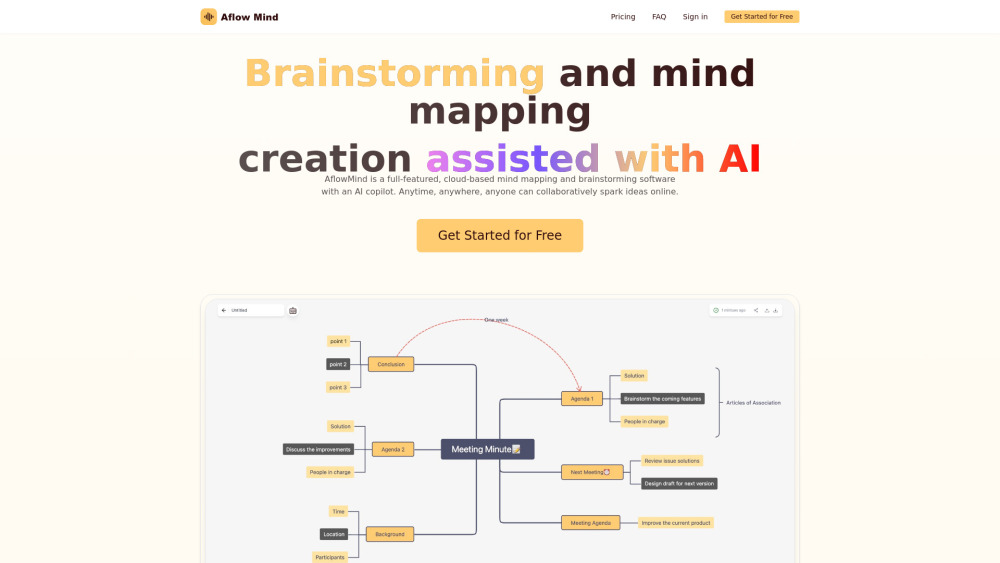
AflowMind website preview

AflowMind Website screenshot

What is AflowMind?

AflowMind is an innovative AI-driven tool designed to help you quickly transform your ideas into organized mind maps. Whether it's brainstorming, planning, or learning, this tool simplifies the creative process by converting raw thoughts into structured visual maps in an instant.

How to use AflowMind?

Getting started with AflowMind is simple. Sign up for a free account, then begin crafting mind maps by either entering text prompts or uploading files. The AI takes care of the rest, helping you visualize ideas effortlessly.

AflowMind's Core Features

AI-powered idea transformation

Leverage AI to turn unstructured ideas into organized and dynamic mind maps within seconds.

Collaborative workspace

Work with your team in real-time, share your mind maps, and develop ideas together seamlessly.

Cloud-based access

All mind maps are stored in the cloud, allowing access from any device at any time.

Flexible file imports

Upload a variety of file formats to enrich your mind maps, including text documents, PDFs, and more.

AflowMind's Use Cases

Creative brainstorming

Bring your brainstorming sessions to life with instant visual mapping of ideas.

Efficient project management

Organize project plans and tasks into clear, actionable steps using intuitive mind maps.

Learning and teaching tool

Ideal for students and teachers to break down complex concepts into digestible visual formats.

Product source: AflowMind official website. Check the provider for current plans, limits and availability.

FAQ

AflowMind questions and answers

Product context and practical checks for evaluating AflowMind.

What is AflowMind used for?

AflowMind: Instantly turn your ideas into creative, organized mind maps with AI. Boost productivity and spark innovation with idea transformation!

How do I get started with AflowMind?

Getting started with AflowMind is simple. Sign up for a free account, then begin crafting mind maps by either entering text prompts or uploading files. The AI takes care of the rest, helping you visualize ideas effortlessly.

Which capabilities are described for AflowMind?

AI-powered idea transformationLeverage AI to turn unstructured ideas into organized and dynamic mind maps within seconds.Collaborative workspaceWork with your team in real-time, share your mind maps, and develop ideas together seamlessly.Cloud-based accessAll mind maps are stored in the cloud, allowing access from any device at any time.Flexible file importsUpload a variety of file formats to enrich your mind maps, including text documents, PDFs, and more.

What projects can I evaluate AflowMind for?

Creative brainstormingBring your brainstorming sessions to life with instant visual mapping of ideas.Efficient project managementOrganize project plans and tasks into clear, actionable steps using intuitive mind maps.Learning and teaching toolIdeal for students and teachers to break down complex concepts into digestible visual formats. AflowMind Support Email & Customer Service For support inquiries or assistance, contact AflowMind at: [email protected]. AflowMind Login Log into your AflowMind account here: https://aflowmind.com/en/login AflowMind Pricing Explore AflowMind’s pricing plans: https://aflowmind.com/en/pricing AflowMind Twitter Follow AflowMind on Twitter for updates: https://x.com/AflowMind

What should I compare before choosing a AflowMind plan?

Explore AflowMind’s pricing plans: https://aflowmind.com/en/pricing Confirm current prices and allowances on the provider’s website before purchasing.

What inputs should I prepare for a AflowMind trial?

Identify the files, text or account connections your task needs. Confirm that the product accepts those inputs and offers controls for reviewing its work.

How can I check the quality of a AflowMind result?

Test one representative task and inspect the result for accuracy and completeness. Record where manual corrections or extra tools are needed.

Which export options should I check in AflowMind?

Check export formats, integrations and whether you can keep using your work outside the service. Test a real export before committing to a longer plan.

What is a practical way to test AflowMind against alternatives?

Choose one task with a clear success condition. Keep the input consistent, record the time spent reviewing and compare the complete workflow cost.

Where is the official AflowMind website?

The website linked from this profile is https://aflowmind.com. Use the provider’s own documentation, account area and support channels to confirm current product details.

Visit AflowMind