Table of contents
AddSubtitle: Subtitles, Voiceover & Translation Tool : Fast, All-in-One Video Workflow
AddSubtitle: All-in-one tool for fast subtitles, voiceover & translation—streamline your video workflow in seconds!
Directory : AI Video Editor, AI Voice Changer, AI Voice Cloning, AI Transcriber, AI Voice Generator, AI Subtitle Generator, AI Vocal Remover, AI Dubbing, AI Voice Over, AI Video Translator
What Is AddSubtitle?
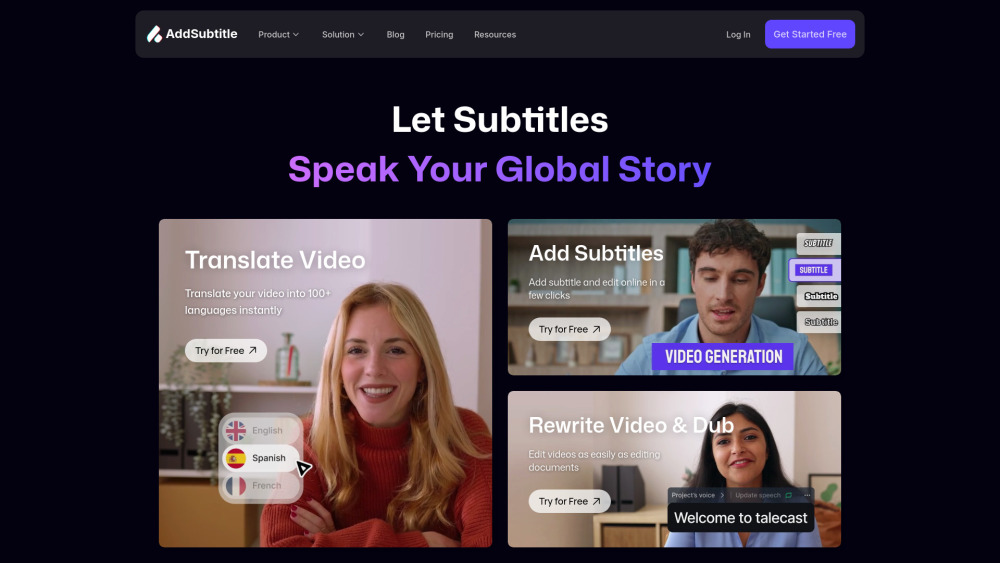
AddSubtitle is the unified video intelligence platform built for creators who refuse to choose between speed and artistry. Seamlessly integrate subtitle generation, AI-powered voiceover, and context-aware translation — all in one browser-based workspace. No more juggling tools, waiting for renders, or compromising on nuance. Just intelligent automation that adapts to your voice — literally and figuratively. ● Zero-Lag Localization — Process videos in seconds, not hours. Auto-generate polished, time-synchronized subtitles in 60+ languages; translate spoken audio with speaker-aware AI; generate lifelike voiceovers that preserve tone, pacing, and emotion; and edit timelines by editing text — no timeline scrubbing required. ● Studio-Grade Control, Zero Setup — Customize every visual and auditory detail: pick from 200+ expressive AI voices, clone your own voice in under 10 seconds, adjust subtitle fonts, colors, spacing, and positioning down to the pixel, and deploy multilingual versions with one click. It’s professional-grade flexibility — delivered instantly, without downloads or installations.
How to Get Started with AddSubtitle
Launch your first project in under 60 seconds: log in to your dashboard, select your workflow (Add Subtitles, Translate Audio, Generate Voiceover, or Rewrite Script), and upload your video, audio, or YouTube URL. Configure language pairs, voice preferences, and styling — then hit Submit. Within moments, enter the intuitive editing studio to refine bilingual subtitles side-by-side, swap voices mid-sentence, fine-tune timing with text-based scrubbing, or apply real-time voice translation across scenes. Need help? Click your profile icon to access settings, view usage analytics, or join our active Discord community — where product experts and power users share templates, troubleshooting tips, and localization best practices.
Core Capabilities That Redefine Video Workflow
Smart Subtitle Generation — 60+ Languages, Zero Manual Timing
AI-Powered Translation — Captions & Spoken Audio, Contextually Accurate
Voice Translation & Dubbing — Preserve Intonation, Emotion, and Rhythm
Natural AI Voiceovers — Human-like Prosody, Pauses, and Emphasis
One-Take Voice Cloning — Train Your Voice in Under 10 Seconds
Text-First Editing — Edit Video by Rewriting Captions, Scripts, or Translations
100% Cloud-Native — Works Instantly in Chrome, Safari, Edge, or Firefox
YouTube-First Integration — Paste a Link, Start Localizing Immediately
Who Uses AddSubtitle?
YouTube & TikTok Creators
Online Course Instructors & EdTech Teams
Global Marketing & Brand Studios
Indie Filmmakers & Documentary Producers
E-commerce Sellers (Product Videos, Tutorials)
Social Media Agencies & Content Managers
HR & L&D Departments (Training, Onboarding, Compliance)
Newsrooms & Investigative Journalists
Frequently Asked Questions
-
Why choose AddSubtitle over traditional editors or standalone subtitle tools?
-
Which languages does your AI support for translation and dubbing?
-
Is any software installation required?
-
Can I layer multiple subtitle tracks (e.g., English + Spanish + French) on one video?
-
Is AddSubtitle optimized for mobile devices?
-
Do you offer a free plan or trial?
-
How do you protect my uploaded videos and voice data?
-
Support & Contact Information
For technical assistance, billing inquiries, or refund requests, please submit a request via our official contact form: https://docs.google.com/forms/d/e/1FAIpQLScBaS1yTVtpE-gKVkCYteKhQF1KZKPR2Hfldhqfg_C-vjld5w/viewform?usp=sharing
-
About AddSubtitle
Company Name: AddSubtitle Inc.
Registered Address: [Confidential — Available upon request per GDPR/CCPA]
Learn more about our mission and team: https://addsubtitle.ai/about
-
Log In to Your Account
Access your projects and dashboard here: https://web.addsubtitle.ai/home
-
Create Your Free Account
Start localizing today — no credit card needed: https://web.addsubtitle.ai/home
-
View Pricing Plans
Compare features and scale with confidence: https://addsubtitle.ai/pricing
-
Watch Tutorials & Updates
Subscribe to our YouTube channel for walkthroughs, tips, and feature releases: https://www.youtube.com/@Addsubtitle_AI
-
Connect on LinkedIn
Follow us for industry insights, localization trends, and company news: https://www.linkedin.com/company/talecast
FAQ from AddSubtitle
What is AddSubtitle?
AddSubtitle is an intelligent, all-in-one video localization platform designed for speed without sacrifice. It unifies subtitle creation, AI voice synthesis, multilingual translation, and voice cloning into a single, cloud-native interface — empowering creators to publish globally in minutes, not days.
How to use AddSubtitle?
Upload your source media (MP4, MOV, MP3, or YouTube link), select your goal — e.g., “Add Spanish Subtitles” or “Dub into Japanese with My Voice” — configure preferences, and launch processing. Then refine results in the editor: adjust caption timing by dragging words, toggle between voice options per scene, add dual-language overlays, or export ready-to-publish files in seconds.
Why is AddSubtitle different from other online video editors?
Most tools handle *one* function well — subtitles *or* voiceover *or* translation. AddSubtitle handles all three *simultaneously*, with shared context: your translated script informs voice pacing; your cloned voice adjusts to translated phrasing; subtitles auto-resize to match spoken duration. It’s not a suite of tools — it’s a cohesive video intelligence layer.
How many languages does your AI video translator support?
We support translation and dubbing into **65+ output languages**, including Arabic, Hindi, Portuguese (Brazil), Korean, Vietnamese, and Russian — with over 110 input language options. Our AI understands dialectal variations and domain-specific terminology (e.g., medical, legal, tech), ensuring accurate, natural-sounding output.
Do I need to download any software to use this video editor?
No. AddSubtitle runs entirely in your browser — no plugins, no installers, no storage overhead. Works on Windows, macOS, Linux, Chromebooks, and iOS/Android tablets. Your projects, settings, and voice clones are securely synced across devices via your account.
Can I add multi-language subtitles to a single video?
Yes — effortlessly. Generate and display up to three subtitle tracks simultaneously (e.g., English original + Spanish translation + French translation), each fully editable, stylable, and independently timed. Ideal for international conferences, educational content, or accessibility-first publishing.
Does AddSubtitle offer mobile compatibility?
Fully responsive design ensures seamless use on smartphones and tablets. While advanced editing is optimized for larger screens, core workflows — uploading, translating, previewing, and exporting — work flawlessly on mobile browsers. A dedicated iOS/Android app is scheduled for Q4 2025.
Is this video translator free to use?
Yes — start with our free tier, which includes 30 minutes of processing per month, access to 20+ AI voices, and basic translation. Paid plans unlock unlimited processing, premium voices, voice cloning, API access, and priority support — all with transparent, no-lock-in pricing.
How secure are my videos and data using your video editor?
Your content is encrypted in transit (TLS 1.3) and at rest (AES-256). Uploaded files are automatically deleted from servers within 72 hours unless saved to your project library. Voice clones are never shared or used to train third-party models. We comply with GDPR, CCPA, and SOC 2 Type II standards — and undergo annual third-party security audits.