AI Email Marketing

Acobot

Acobot: An AI chatbot that boosts e-commerce sales by guiding visitors, offering personalized recommendations, and answering questions instantly.

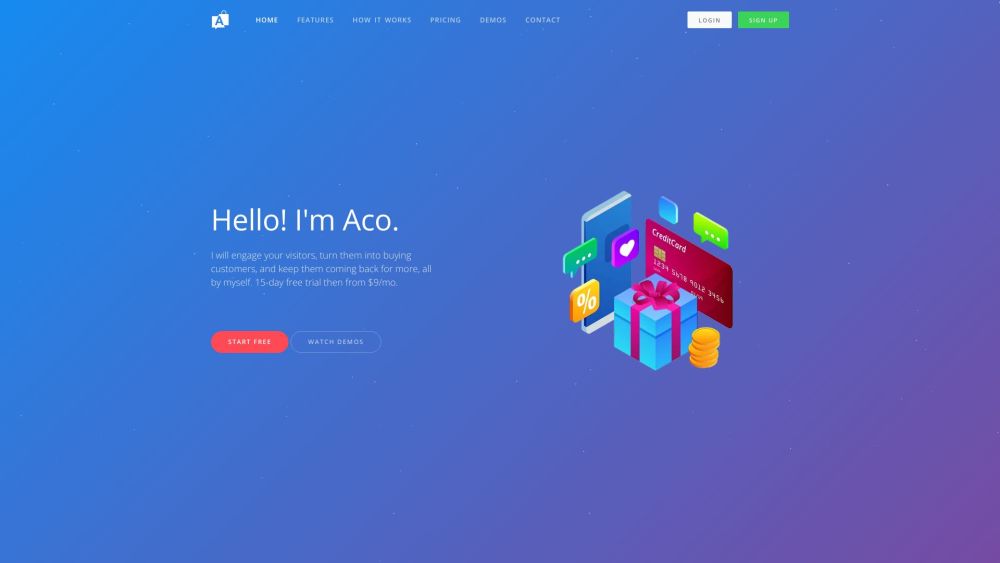
Acobot website preview

Acobot Website screenshot

Understanding Acobot

Acobot is a sophisticated AI chatbot designed to engage with visitors on e-commerce platforms. By utilizing advanced natural language processing and machine learning, it guides potential customers through the sales process, provides personalized recommendations, answers queries, and enhances the overall shopping experience.

Getting Started with Acobot

To begin using Acobot, register on the website and follow the intuitive setup wizard, which takes about 15 minutes. Once set up, Acobot autonomously generates content, optimizes performance, and interacts with visitors. You can also customize the chatbot widget to align with your website's design.

Key Features of Acobot

Guided Shopping: Enhances product discovery and increases product page views.

Lead Capture: Efficiently gathers leads during the shopping process, boosting your email list.

Cart Recovery: Sends AI-crafted emails to recover abandoned shopping carts.

Behavioral Email Marketing: Delivers emails tailored to shopper behavior, driving engagement.

Promotional Coupons: Encourages purchases with personalized, time-sensitive coupons.

Customer Loyalty Programs: Rewards customers, fostering brand loyalty.

Applications of Acobot

Boosting conversion rates

Reducing shopping cart abandonment

Expanding email subscriber base

Enhancing email marketing effectiveness

Encouraging shoppers to complete purchases

Strengthening customer retention and loyalty

Product source: Acobot official website. Check the provider for current plans, limits and availability.

FAQ

Acobot questions and answers

Product context and practical checks for evaluating Acobot.

What is Acobot used for?

Acobot: An AI chatbot that boosts e-commerce sales by guiding visitors, offering personalized recommendations, and answering questions instantly.

How do I get started with Acobot?

To begin using Acobot, register on the website and follow the intuitive setup wizard, which takes about 15 minutes. Once set up, Acobot autonomously generates content, optimizes performance, and interacts with visitors. You can also customize the chatbot widget to align with your website's design.

Which capabilities are described for Acobot?

Guided Shopping: Enhances product discovery and increases product page views.Lead Capture: Efficiently gathers leads during the shopping process, boosting your email list.Cart Recovery: Sends AI-crafted emails to recover abandoned shopping carts.Behavioral Email Marketing: Delivers emails tailored to shopper behavior, driving engagement.Promotional Coupons: Encourages purchases with personalized, time-sensitive coupons.Customer Loyalty Programs: Rewards customers, fostering brand loyalty.

What projects can I evaluate Acobot for?

Boosting conversion ratesReducing shopping cart abandonmentExpanding email subscriber baseEnhancing email marketing effectivenessEncouraging shoppers to complete purchasesStrengthening customer retention and loyalty Acobot Support & Contact Information For customer support, email: [email protected]. For more contact options, visit our contact page. About Acobot Company Name: Acobot Acobot Login Login here: Acobot Login Acobot Sign Up Register here: Acobot Sign Up Acobot Pricing Check pricing details here: Acobot Pricing Acobot on Social Media Follow us on: Facebook, YouTube, LinkedIn, Twitter, Pinterest

What should I compare before choosing a Acobot plan?

Check pricing details here: Acobot Pricing Confirm current prices and allowances on the provider’s website before purchasing.

What inputs should I prepare for a Acobot trial?

Identify the files, text or account connections your task needs. Confirm that the product accepts those inputs and offers controls for reviewing its work.

How can I check the quality of a Acobot result?

Test one representative task and inspect the result for accuracy and completeness. Record where manual corrections or extra tools are needed.

Which export options should I check in Acobot?

Check export formats, integrations and whether you can keep using your work outside the service. Test a real export before committing to a longer plan.

What is a practical way to test Acobot against alternatives?

Choose one task with a clear success condition. Keep the input consistent, record the time spent reviewing and compare the complete workflow cost.

Where is the official Acobot website?

The website linked from this profile is . Use the provider’s own documentation, account area and support channels to confirm current product details.