AI Product Description Generator

A-Bot on Teams

Boost team morale with A-Bot on Teams! Celebrate birthdays, create polls, recognize achievements, and send reminders—all within Microsoft Teams.

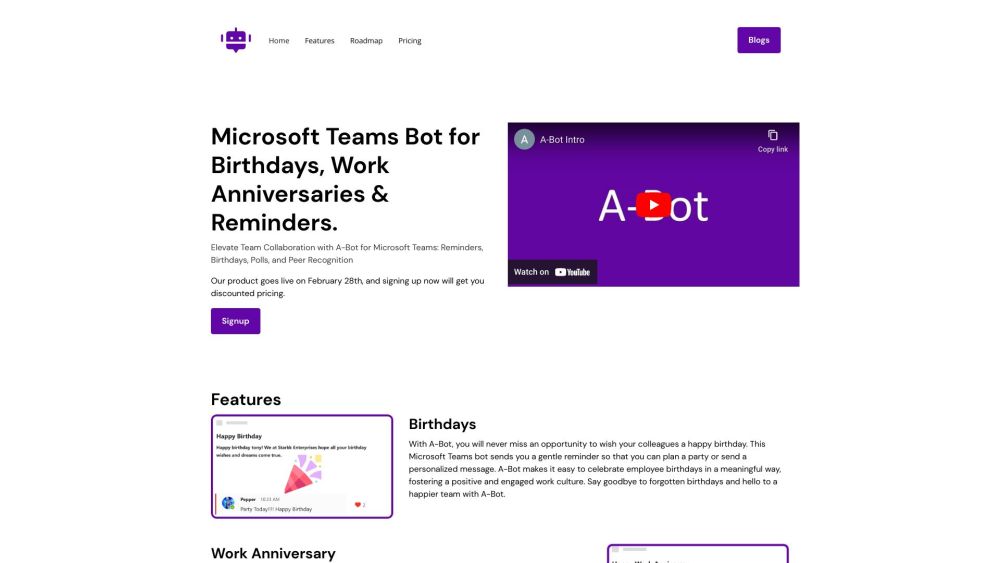
A-Bot on Teams website preview

A-Bot | Polls, Recognition, Reminders & Birthdays on Microsoft Teams Website screenshot

What is A-Bot on Microsoft Teams?

A-Bot is an innovative chatbot designed to enhance workplace culture within Microsoft Teams. It provides a platform for celebrating employee birthdays and anniversaries, creating polls, recognizing peer achievements, and boosting overall engagement and retention.

How to Use A-Bot on Microsoft Teams?

To start using A-Bot, you need to sign up for the service. With A-Bot, managing birthdays becomes effortless as it sends you reminders to organize celebrations or send personalized greetings. Additionally, it helps in acknowledging work anniversaries by allowing you to send memorable messages. A-Bot’s reminder feature ensures that your team stays on track by notifying them of important dates and tasks. You can also utilize its polling feature to gather valuable feedback from team members and foster a culture of appreciation through peer recognition messages.

Core Features of A-Bot on Microsoft Teams

Birthday reminders and personalized greetings

Work anniversary acknowledgements

Reminders for critical dates and tasks

Polling to gather team insights

Peer recognition to appreciate achievements

Use Cases for A-Bot on Microsoft Teams

Celebrating colleagues' birthdays

Acknowledging work anniversaries

Keeping the team organized with reminders

Collecting feedback through polls

Enhancing team morale through peer recognition

Product source: A-Bot on Teams official website. Check the provider for current plans, limits and availability.

FAQ

A-Bot on Teams questions and answers

Product context and practical checks for evaluating A-Bot on Teams.

What is A-Bot on Teams used for?

Boost team morale with A-Bot on Teams! Celebrate birthdays, create polls, recognize achievements, and send reminders—all within Microsoft Teams.

How do I get started with A-Bot on Teams?

To start using A-Bot, you need to sign up for the service. With A-Bot, managing birthdays becomes effortless as it sends you reminders to organize celebrations or send personalized greetings. Additionally, it helps in acknowledging work anniversaries by allowing you to send memorable messages. A-Bot’s reminder feature ensures that your team stays on track by notifying them of important dates and tasks. You can also utilize its polling feature to gather valuable feedback from team members and foster a culture of appreciation through peer recognition messages.

Which capabilities are described for A-Bot on Teams?

Birthday reminders and personalized greetingsWork anniversary acknowledgementsReminders for critical dates and tasksPolling to gather team insightsPeer recognition to appreciate achievements

What projects can I evaluate A-Bot on Teams for?

Celebrating colleagues' birthdaysAcknowledging work anniversariesKeeping the team organized with remindersCollecting feedback through pollsEnhancing team morale through peer recognition

What should I compare before choosing a A-Bot on Teams plan?

Check A-Bot on Teams’s current pricing page for included usage, renewal terms and any credit charges. Compare the cost of a usable result, including retries, rather than assuming that account registration includes free usage.

What inputs should I prepare for a A-Bot on Teams trial?

Identify the files, text or account connections your task needs. Confirm that the product accepts those inputs and offers controls for reviewing its work.

How can I check the quality of a A-Bot on Teams result?

Test one representative task and inspect the result for accuracy and completeness. Record where manual corrections or extra tools are needed.

Which export options should I check in A-Bot on Teams?

Check export formats, integrations and whether you can keep using your work outside the service. Test a real export before committing to a longer plan.

What is a practical way to test A-Bot on Teams against alternatives?

Choose one task with a clear success condition. Keep the input consistent, record the time spent reviewing and compare the complete workflow cost.

Where is the official A-Bot on Teams website?

The website linked from this profile is https://a-bot.app. Use the provider’s own documentation, account area and support channels to confirm current product details.

Visit A-Bot on Teams