AI Productivity Tools

3 Things - AI Tasks Tracker

Focus on what matters: Track just 3 daily tasks & habits with AI-powered simplicity. Minimalist, intentional, effective.

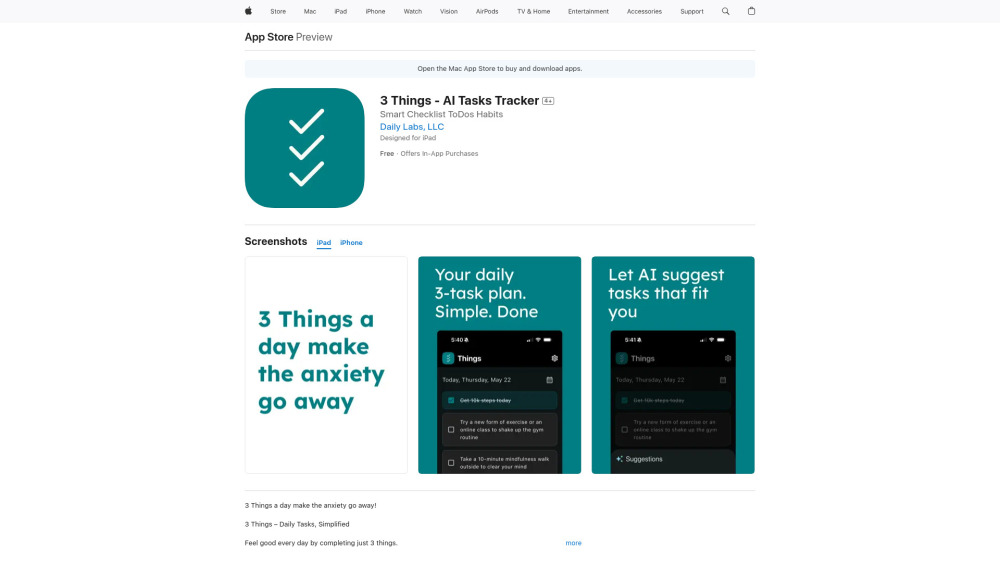
3 Things - AI Tasks Tracker website preview

3 Things - AI Tasks Tracker Website screenshot

Introducing 3 Things — Where Simplicity Meets Smart Focus

3 Things is a thoughtfully designed AI task companion built for clarity—not clutter. Instead of drowning in endless checklists, it invites you to anchor your day around just three intentional tasks—no more, no less. Powered by adaptive AI, it observes how you work over time: which tasks energize you, which ones stall, and what rhythms help you thrive. It doesn’t just track what you do—it helps you understand *why* you do it, gently guiding you toward sustainable focus, consistent habits, and genuine daily wins. Think of it as your personal productivity compass: minimalist in form, intelligent in function, deeply human in outcome.

How 3 Things Works—Effortlessly

Open the app each morning. Choose—or let AI suggest—three tasks aligned with your goals, energy level, and recent patterns. Complete them. Celebrate them. Watch your streak grow. Miss one? The app remembers—not to judge, but to reflect and reframe. With every day, it refines its understanding of *your* workflow, helping you prioritize what truly moves the needle—and quietly letting go of what doesn’t.

What Makes 3 Things Unique

A radical return to simplicity: one screen, three tasks, zero distractions

The “3-task rule” — scientifically grounded in cognitive load theory and behavioral momentum

AI that adapts—not prescribes (Premium)

Personalized habit nudges based on your real-world patterns (Premium)

Completion analytics: see your consistency, avoidance triggers, and growth arcs (Premium)

Streak tracking that feels rewarding—not punishing

Smart task carryover: uncompleted items resurface meaningfully, not mechanically

End-of-day reflection prompts powered by behavioral insights (Premium)

Designed for calm: soft typography, intentional whitespace, and zero visual noise

Who Benefits Most from 3 Things?

Overwhelmed professionals seeking mental clarity—not more tools.

Habit-builders who want data-informed, not dogmatic, guidance.

Creative thinkers needing structure that supports, rather than stifles, flow.

Anyone tired of “productivity theater” and ready for authentic progress.

People recovering from burnout or decision fatigue—relearning how to start small, and succeed.

Product source: 3 Things - AI Tasks Tracker official website. Check the provider for current plans, limits and availability.

FAQ

3 Things - AI Tasks Tracker questions and answers

Product context and practical checks for evaluating 3 Things - AI Tasks Tracker.

What is 3 Things - AI Tasks Tracker used for?

Focus on what matters: Track just 3 daily tasks & habits with AI-powered simplicity. Minimalist, intentional, effective.

How do I get started with 3 Things - AI Tasks Tracker?

Open the app each morning. Choose—or let AI suggest—three tasks aligned with your goals, energy level, and recent patterns. Complete them. Celebrate them. Watch your streak grow. Miss one? The app remembers—not to judge, but to reflect and reframe. With every day, it refines its understanding of *your* workflow, helping you prioritize what truly moves the needle—and quietly letting go of what doesn’t.

What should I compare before choosing a 3 Things - AI Tasks Tracker plan?

Check 3 Things - AI Tasks Tracker’s current pricing page for included usage, renewal terms and any credit charges. Compare the cost of a usable result, including retries, rather than assuming that account registration includes free usage.

What inputs should I prepare for a 3 Things - AI Tasks Tracker trial?

Identify the files, text or account connections your task needs. Confirm that the product accepts those inputs and offers controls for reviewing its work.

How can I check the quality of a 3 Things - AI Tasks Tracker result?

Test one representative task and inspect the result for accuracy and completeness. Record where manual corrections or extra tools are needed.

Which export options should I check in 3 Things - AI Tasks Tracker?

Check export formats, integrations and whether you can keep using your work outside the service. Test a real export before committing to a longer plan.

What is a practical way to test 3 Things - AI Tasks Tracker against alternatives?

Choose one task with a clear success condition. Keep the input consistent, record the time spent reviewing and compare the complete workflow cost.

What should I review before uploading material to 3 Things - AI Tasks Tracker?

Read the provider’s rules on access, retention, deletion and use of uploaded material. Start with a non-confidential sample that you have permission to use.

How can I check whether 3 Things - AI Tasks Tracker fits my existing workflow?

List the steps before and after using 3 Things - AI Tasks Tracker, including preparation, review and export. Test that complete sequence and check whether handoffs require manual conversion or another paid service.

Where is the official 3 Things - AI Tasks Tracker website?

The website linked from this profile is https://apps.apple.com/us/app/3-things-ai-tasks-tracker/id6745344343. Use the provider’s own documentation, account area and support channels to confirm current product details.

Visit 3 Things - AI Tasks Tracker