
Cyclips auto-creates viral video clips from long videos—fast, smart, and share-ready. See pricing, reviews, features & top alternatives!
Explore a specific workflow
Explore youtube integration tools through the product profiles below. The collection groups applications around a shared task. Product scope can overlap, so compare the specific workflow each tool describes rather than the category name alone.
Identify the files, text or account connections your task needs. Confirm that the product accepts those inputs and offers controls for reviewing its work.
Test one representative task and inspect the result for accuracy and completeness. Record where manual corrections or extra tools are needed.
Cyclips auto-creates viral video clips from long videos—fast, smart, and share-ready. See pricing, reviews, features & top alternatives!

Experience elevated interactions with Ultra for ChatGPT. Unlock the full potential of ChatGPT and take your conversations to new heights.

TubeInsight - Chrome Extension: Boost your YouTube experience with automated content support, providing smarter insights and streamlined video enhancement.
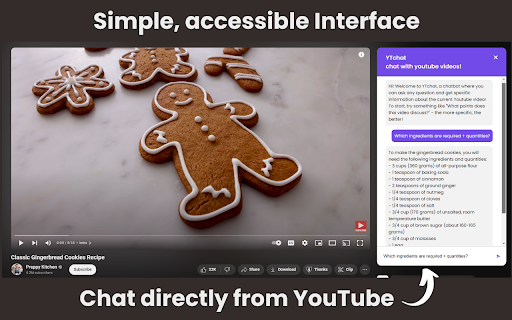
YTchat Chrome Extension: Engage with YouTube videos like never before using AI-powered chat for real-time insights, discussions, and enhanced viewer interaction!
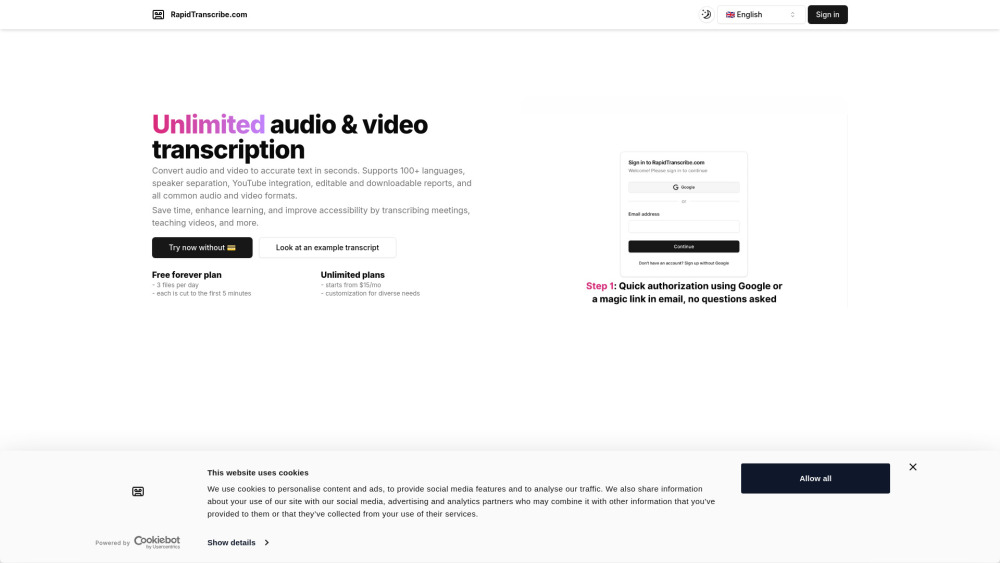
RapidTranscribe: AI-powered transcription service delivering fast, accurate audio & video transcriptions. Boost productivity with our quick, reliable results.
FAQ
Practical answers to help you take the next step.
The collection groups applications around a shared task. Product scope can overlap, so compare the specific workflow each tool describes rather than the category name alone.
Identify the files, text or account connections your task needs. Confirm that the product accepts those inputs and offers controls for reviewing its work.
Test one representative task and inspect the result for accuracy and completeness. Record where manual corrections or extra tools are needed.
Choose one task with a clear success condition. Keep the input consistent, record the time spent reviewing and compare the complete workflow cost.
Cyclips auto-creates viral video clips from long videos—fast, smart, and share-ready. See pricing, reviews, features & top alternatives!
Read about CyclipsExperience elevated interactions with Ultra for ChatGPT. Unlock the full potential of ChatGPT and take your conversations to new heights.
Read about Ultra for ChatGPTTubeInsight - Chrome Extension: Boost your YouTube experience with automated content support, providing smarter insights and streamlined video enhancement.
Read about TubeInsightYTchat Chrome Extension: Engage with YouTube videos like never before using AI-powered chat for real-time insights, discussions, and enhanced viewer interaction!
Read about YTchat - Chrome ExtensionRapidTranscribe: AI-powered transcription service delivering fast, accurate audio & video transcriptions. Boost productivity with our quick, reliable results.
Read about RapidTranscribeCheck export formats, integrations and whether you can keep using your work outside the service. Test a real export before committing to a longer plan.