Explore icon design tools through the product profiles below. Visual AI tools cover image generation, photo editing, enhancement and design tasks. Choose between creating a new image and modifying an existing asset before comparing products.
✳
How to compare icon design tools
Look for text prompts, image references, masks or sketches as appropriate. Compare composition control, supported upload types and the ability to revise a selected area.
Inspect text, hands, edges, reflections and repeated objects at full size. Check that important product or brand details survive editing.
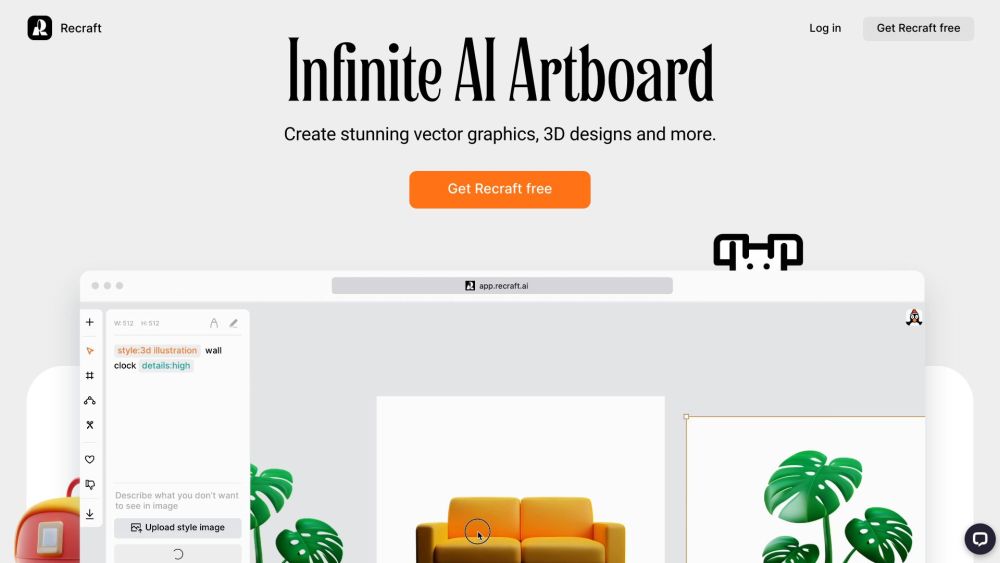
Artify is a versatile online platform designed to help users generate and edit vector art, icons, 3D images, and illustrations. It offers a wide range of styles suitable for websites, print, and marketing purposes. With its intuitive interface and powerful tools, Artify empowers users to unleash their creativity and design visually graphics.
Unleash your creativity with Joyfusion, the local AI drawing app for stunning, unique artwork. Create, innovate, and transform your ideas into masterpieces!
FAQ
Icon design questions and answers
Practical answers to help you take the next step.
What does the Icon design tag cover?
Visual AI tools cover image generation, photo editing, enhancement and design tasks. Choose between creating a new image and modifying an existing asset before comparing products.
Which inputs should I compare in icon design tools?
Look for text prompts, image references, masks or sketches as appropriate. Compare composition control, supported upload types and the ability to revise a selected area.
How should I review results from a Icon design tool?
Inspect text, hands, edges, reflections and repeated objects at full size. Check that important product or brand details survive editing.
What is a fair first test for icon design tools?
Prepare a brief with a subject, composition, lighting and required output size. Test a first generation and a targeted revision to see how much control you retain.
What does Artify offer in this Icon design collection?
Artify is a versatile online platform designed to help users generate and edit vector art, icons, 3D images, and illustrations. It offers a wide range of styles suitable for websites, print, and marketing purposes. With its intuitive interface and powerful tools, Artify empowers users to unleash their creativity and design visually graphics.
What does Joyfusion offer in this Icon design collection?
Unleash your creativity with Joyfusion, the local AI drawing app for stunning, unique artwork. Create, innovate, and transform your ideas into masterpieces!
Which export details matter when choosing icon design tools?
Compare pixel dimensions, transparency, file formats and any enlargement options. Confirm that the downloaded result works in your design or publishing software.