AI Builder

Zyro

Zyro is a website builder that allows you to easily create a professional website or online store using its drag-and-drop editor. It provides hundreds of designer-made templates to choose from and offers features like AI tools, domains, and customer support.

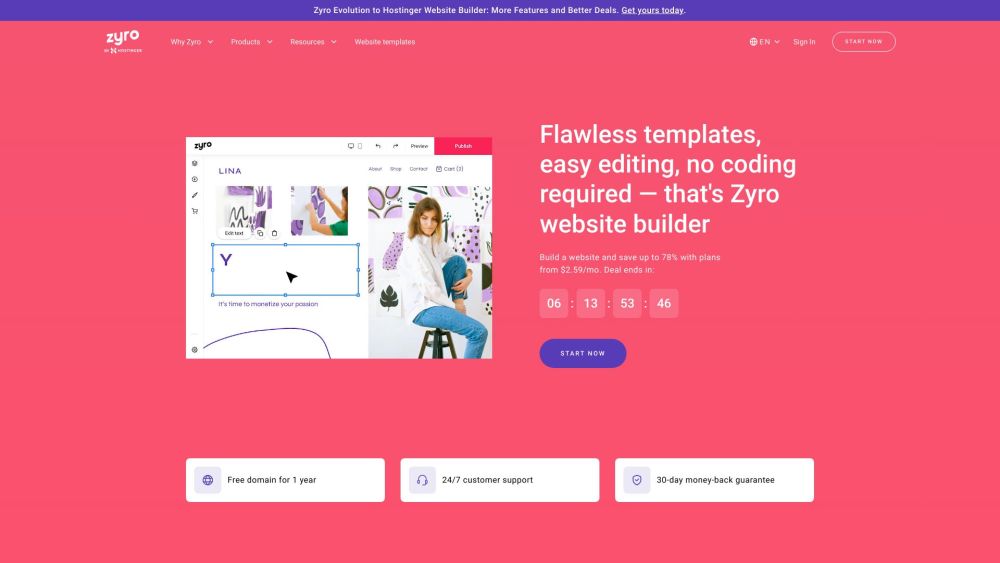
Zyro website preview

Zyro Website screenshot

Understanding Zyro

Zyro is an intuitive website builder designed for effortless creation of professional websites and online stores. With its user-friendly drag-and-drop interface, you can choose from a wide variety of designer-crafted templates and utilize features such as AI tools, domain management, and dedicated customer support.

Steps to Build a Zyro Website

Follow these 5 simple steps to create your Zyro website: 1) Select a template that suits your needs, 2) Personalize the design, fonts, and images, 3) Leverage AI tools like the logo creator, 4) Connect your domain, and 5) Publish and optimize your site for SEO and marketing.

Key Features of Zyro

Drag-and-Drop Interface

Designer Templates

AI Tools Including Logo Maker and Image Resizer

Domain Integration

Complimentary Hosting

SEO Optimization

Mobile-Responsive Design

Applications of Zyro

Creating Personal Websites Like Portfolios and Blogs

Developing Small Online Stores and Businesses

Product source: Zyro official website. Check the provider for current plans, limits and availability.

FAQ

Zyro questions and answers

Product context and practical checks for evaluating Zyro.

What is Zyro used for?

Zyro is a website builder that allows you to easily create a professional website or online store using its drag-and-drop editor. It provides hundreds of designer-made templates to choose from and offers features like AI tools, domains, and customer support.

How do I get started with Zyro?

Open the official Zyro website and identify the workflow that matches your task. Prepare a brief with a subject, composition, lighting and required output size. Test a first generation and a targeted revision to see how much control you retain.

Which capabilities are described for Zyro?

Drag-and-Drop InterfaceDesigner TemplatesAI Tools Including Logo Maker and Image ResizerDomain IntegrationComplimentary HostingSEO OptimizationMobile-Responsive Design

What projects can I evaluate Zyro for?

Creating Personal Websites Like Portfolios and BlogsDeveloping Small Online Stores and Businesses Zyro Support and Contact Information For more contact details, visit the contact us page. About Zyro Zyro's official website: Zyro.com. For more information, visit the about us page. Zyro Login Access your account at Zyro Sign-In. Zyro Sign Up Create a new account at Zyro Sign-Up. Zyro Pricing Explore pricing options at Zyro Pricing. Zyro on YouTube Visit our YouTube channel at Zyro YouTube.

What should I compare before choosing a Zyro plan?

Explore pricing options at Zyro Pricing. Confirm current prices and allowances on the provider’s website before purchasing.

What inputs should I prepare for a Zyro trial?

Look for text prompts, image references, masks or sketches as appropriate. Compare composition control, supported upload types and the ability to revise a selected area.

How can I check the quality of a Zyro result?

Inspect text, hands, edges, reflections and repeated objects at full size. Check that important product or brand details survive editing.

Which export options should I check in Zyro?

Compare pixel dimensions, transparency, file formats and any enlargement options. Confirm that the downloaded result works in your design or publishing software.

What is a practical way to test Zyro against alternatives?

Prepare a brief with a subject, composition, lighting and required output size. Test a first generation and a targeted revision to see how much control you retain.

Where is the official Zyro website?

The website linked from this profile is https://www.promptdodo.com. Use the provider’s own documentation, account area and support channels to confirm current product details.

Visit Zyro