Large Language Models (LLMs)

Zev - ChatGPT for Apps

Meet Zev: AI assistant for apps! Powered by ChatGPT, it answers questions, offers personalized advice, and translates in Telegram, LINE, and Viber.

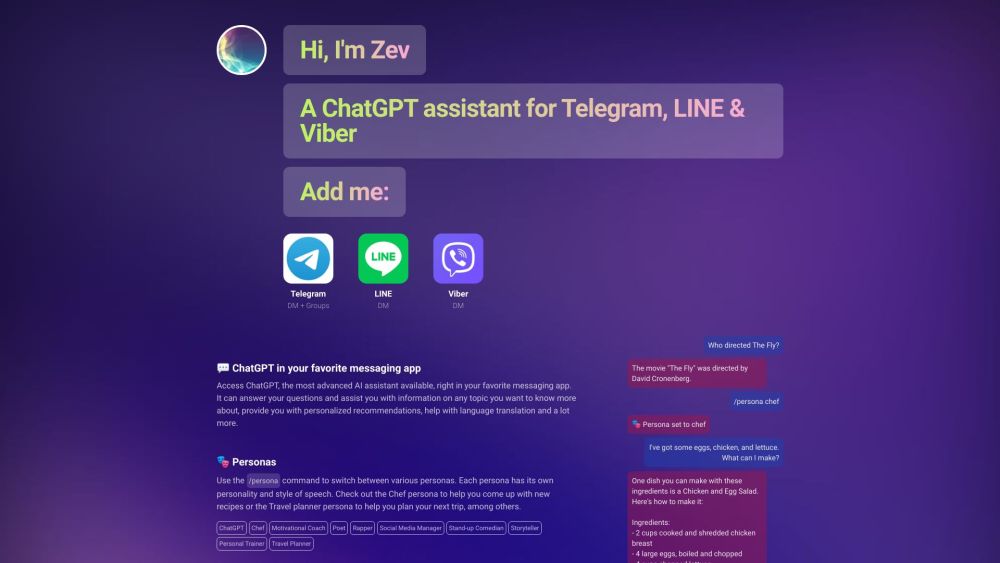
Zev - ChatGPT for Apps website preview

Zev - ChatGPT for Telegram, LINE & Viber Website screenshot

What is Zev - ChatGPT for Apps?

Zev is an AI assistant leveraging the power of ChatGPT, designed to seamlessly integrate with apps like Telegram, LINE, and Viber. It enhances user experience by providing intelligent conversational abilities, personalized advice, translation help, and more.

How to Use Zev - ChatGPT for Apps?

To get started with Zev, add it to your preferred messaging app, such as Telegram, LINE, or Viber. Interacting with Zev is as simple as chatting with any other contact. Users can ask questions, get information on various subjects, explore different personas with unique speech styles, and pick up conversations from where they left off. Zev also supports group chats in Telegram, enabling up to 50 members to participate.

Key Features of Zev - ChatGPT for Apps

Sophisticated conversational skills

Tailored recommendations

Language translation help

Multiple personas for diverse speech patterns

Short-term memory of conversation history

Group chat support (Telegram, up to 50 members)

Applications of Zev - ChatGPT for Apps

Accessing information on any subject

Receiving customized suggestions

Translation assistance

Creating recipes and cooking tips (Chef persona)

Motivational guidance

Poetry creation

Writing rap lyrics

Social media management

Providing stand-up comedy

Storytelling

Fitness advice (Personal Trainer persona)

Assistance with travel planning

  • Zev - ChatGPT for Apps Support and Contact Information

    For customer service and support, contact Zev via email: [email protected].

Product source: Zev - ChatGPT for Apps official website. Check the provider for current plans, limits and availability.

FAQ

Zev - ChatGPT for Apps questions and answers

Product context and practical checks for evaluating Zev - ChatGPT for Apps.

What is Zev - ChatGPT for Apps used for?

Meet Zev: AI assistant for apps! Powered by ChatGPT, it answers questions, offers personalized advice, and translates in Telegram, LINE, and Viber.

How do I get started with Zev - ChatGPT for Apps?

To get started with Zev, add it to your preferred messaging app, such as Telegram, LINE, or Viber. Interacting with Zev is as simple as chatting with any other contact. Users can ask questions, get information on various subjects, explore different personas with unique speech styles, and pick up conversations from where they left off. Zev also supports group chats in Telegram, enabling up to 50 members to participate.

Which capabilities are described for Zev - ChatGPT for Apps?

Sophisticated conversational skillsTailored recommendationsLanguage translation helpMultiple personas for diverse speech patternsShort-term memory of conversation historyGroup chat support (Telegram, up to 50 members)

What projects can I evaluate Zev - ChatGPT for Apps for?

Accessing information on any subjectReceiving customized suggestionsTranslation assistanceCreating recipes and cooking tips (Chef persona)Motivational guidancePoetry creationWriting rap lyricsSocial media managementProviding stand-up comedyStorytellingFitness advice (Personal Trainer persona)Assistance with travel planning Zev - ChatGPT for Apps Support and Contact Information For customer service and support, contact Zev via email: [email protected].

What should I compare before choosing a Zev - ChatGPT for Apps plan?

Check Zev - ChatGPT for Apps’s current pricing page for included usage, renewal terms and any credit charges. Compare the cost of a usable result, including retries, rather than assuming that account registration includes free usage.

What inputs should I prepare for a Zev - ChatGPT for Apps trial?

Identify the files, text or account connections your task needs. Confirm that the product accepts those inputs and offers controls for reviewing its work.

How can I check the quality of a Zev - ChatGPT for Apps result?

Test one representative task and inspect the result for accuracy and completeness. Record where manual corrections or extra tools are needed.

Which export options should I check in Zev - ChatGPT for Apps?

Check export formats, integrations and whether you can keep using your work outside the service. Test a real export before committing to a longer plan.

What is a practical way to test Zev - ChatGPT for Apps against alternatives?

Choose one task with a clear success condition. Keep the input consistent, record the time spent reviewing and compare the complete workflow cost.

Where is the official Zev - ChatGPT for Apps website?

The website linked from this profile is https://makebestmusic.com. Use the provider’s own documentation, account area and support channels to confirm current product details.

Visit Zev - ChatGPT for Apps