AI Product Description Generator

Zefort

Zefort: AI-Powered Contract Management, Signature & Storage. Sign, store, share, and manage contracts with your team using advanced AI features.

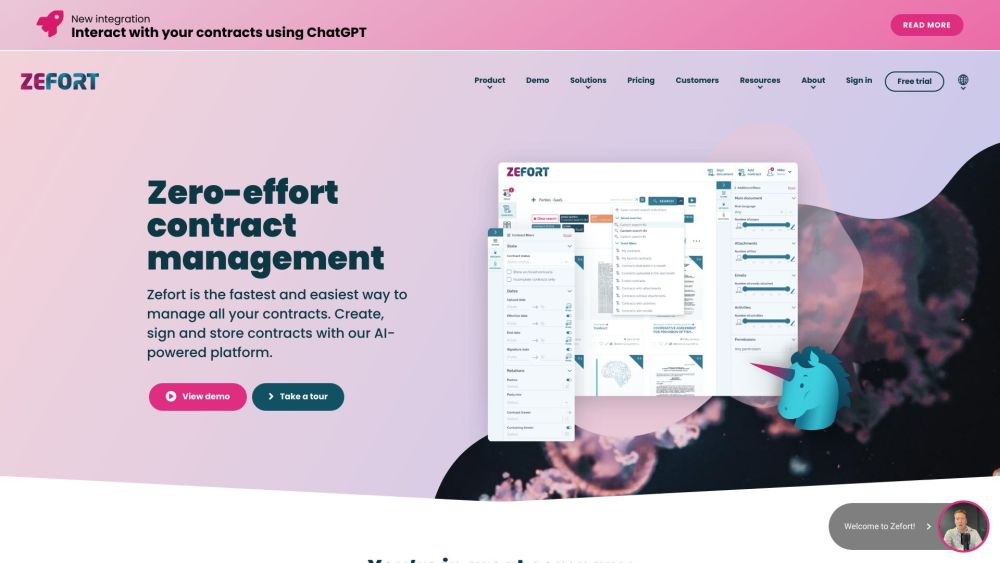
Zefort website preview

Zefort Website screenshot

What is Zefort?

Zefort is an advanced contract management platform that enables users to sign, store, and manage contracts seamlessly. Leveraging AI, Zefort simplifies contract administration and enhances collaboration within teams.

How to use Zefort?

To begin using Zefort, create an account and log in. You can upload contracts via email or through the web dashboard. Zefort's AI automatically extracts metadata and indexes the text for easy searching. With Zefort Sign, you can electronically sign contracts efficiently. The platform also includes automation tools such as reminders for contract renewals. All your contracts are securely managed in one place.

Zefort's Core Features

Electronic signature capabilities with Zefort Sign

Secure storage for contracts and associated documents

Automated notifications for contract renewals

AI-driven search for quick contract access

Integration with existing document management and eSignature tools

Zefort's Use Cases

Legal teams can use Zefort for streamlined contract management, tracking key dates, and ensuring compliance.

Procurement teams can enhance contract processes, locate contracts easily, and set automated renewal reminders.

HR teams can organize employee contracts and manage obligations like salary reviews and terminations.

Sales teams can electronically sign contracts and access crucial contract details on the go.

Company administrators can maintain a well-organized repository of contracts and retrieve necessary information effortlessly.

Product source: Zefort official website. Check the provider for current plans, limits and availability.

FAQ

Zefort questions and answers

Product context and practical checks for evaluating Zefort.

What is Zefort used for?

Zefort: AI-Powered Contract Management, Signature & Storage. Sign, store, share, and manage contracts with your team using advanced AI features.

How do I get started with Zefort?

To begin using Zefort, create an account and log in. You can upload contracts via email or through the web dashboard. Zefort's AI automatically extracts metadata and indexes the text for easy searching. With Zefort Sign, you can electronically sign contracts efficiently. The platform also includes automation tools such as reminders for contract renewals. All your contracts are securely managed in one place.

Which capabilities are described for Zefort?

Electronic signature capabilities with Zefort SignSecure storage for contracts and associated documentsAutomated notifications for contract renewalsAI-driven search for quick contract accessIntegration with existing document management and eSignature tools

What projects can I evaluate Zefort for?

Legal teams can use Zefort for streamlined contract management, tracking key dates, and ensuring compliance.Procurement teams can enhance contract processes, locate contracts easily, and set automated renewal reminders.HR teams can organize employee contracts and manage obligations like salary reviews and terminations.Sales teams can electronically sign contracts and access crucial contract details on the go.Company administrators can maintain a well-organized repository of contracts and retrieve necessary information effortlessly. Zefort Support Email & Customer service contact & Refund contact etc. For more contact details, visit the contact us page(https://zefort.com/contact-us/). Zefort Company Company name: Zefort. Learn more about Zefort by visiting the about us page(https://zefort.com/about-us/). Zefort Login Log in here: https://my.zefort.com. Zefort Sign up Sign up here: https://my.zefort.com/signup. Zefort Pricing View pricing details: https://zefort.com/pricing/. Zefort Facebook Follow us on Facebook: https://www.facebook.com/ZefortAsZeroEffort.Zefort LinkedIn Connect with us on LinkedIn: https://www.linkedin.com/company/zefort.Zefort Twitter Follow us on Twitter: https://mobile.twitter.com/zefortofficial.

What should I compare before choosing a Zefort plan?

View pricing details: https://zefort.com/pricing/. Confirm current prices and allowances on the provider’s website before purchasing.

What inputs should I prepare for a Zefort trial?

Identify the files, text or account connections your task needs. Confirm that the product accepts those inputs and offers controls for reviewing its work.

How can I check the quality of a Zefort result?

Test one representative task and inspect the result for accuracy and completeness. Record where manual corrections or extra tools are needed.

Which export options should I check in Zefort?

Check export formats, integrations and whether you can keep using your work outside the service. Test a real export before committing to a longer plan.

What is a practical way to test Zefort against alternatives?

Choose one task with a clear success condition. Keep the input consistent, record the time spent reviewing and compare the complete workflow cost.

Where is the official Zefort website?

The website linked from this profile is https://zefort.com. Use the provider’s own documentation, account area and support channels to confirm current product details.

Visit Zefort