AI YouTube Assistant

YouTube Subtitles Speaker & Translator

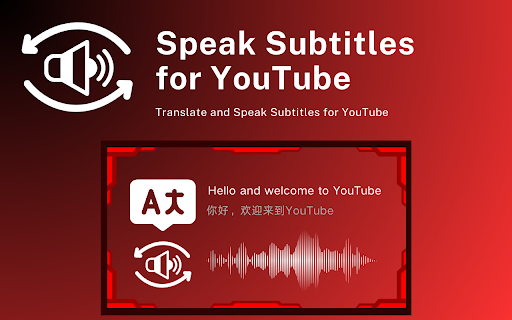
YouTube Subtitles Speaker & Translator: Instantly convert YouTube subtitles into natural, clear speech and translate with ease for a viewing experience.

YouTube Subtitles Speaker & Translator website preview

YouTube Subtitles Speaker and Translator - Chrome Extension Website screenshot

What is the YouTube Subtitles Speaker & Translator Chrome Extension?

The YouTube Subtitles Speaker & Translator extension is a tool that converts YouTube video subtitles into natural-sounding speech using advanced Text-to-Speech (TTS) technology.

How to Use YouTube Subtitles Speaker & Translator Chrome Extension?

To get started, install the 'YouTube Subtitles Speaker & Translator' extension from the Chrome Web Store, then choose your preferred language for the user interface and voice output.

Key Features of YouTube Subtitles Speaker & Translator Chrome Extension

Quick On/Off Toggle

Multiple Language Voice Options

Compatibility with Different Subtitle Formats

Main Use Cases for YouTube Subtitles Speaker & Translator

Listen to YouTube Subtitles in Various Languages

Product source: YouTube Subtitles Speaker & Translator official website. Check the provider for current plans, limits and availability.

FAQ

YouTube Subtitles Speaker & Translator questions and answers

Product context and practical checks for evaluating YouTube Subtitles Speaker & Translator.

What is YouTube Subtitles Speaker & Translator used for?

YouTube Subtitles Speaker & Translator: Instantly convert YouTube subtitles into natural, clear speech and translate with ease for a viewing experience.

How do I get started with YouTube Subtitles Speaker & Translator?

To get started, install the 'YouTube Subtitles Speaker & Translator' extension from the Chrome Web Store, then choose your preferred language for the user interface and voice output.

Which capabilities are described for YouTube Subtitles Speaker & Translator?

Quick On/Off ToggleMultiple Language Voice OptionsCompatibility with Different Subtitle Formats

What projects can I evaluate YouTube Subtitles Speaker & Translator for?

Listen to YouTube Subtitles in Various Languages

What should I compare before choosing a YouTube Subtitles Speaker & Translator plan?

Check YouTube Subtitles Speaker & Translator’s current pricing page for included usage, renewal terms and any credit charges. Compare the cost of a usable result, including retries, rather than assuming that account registration includes free usage.

What inputs should I prepare for a YouTube Subtitles Speaker & Translator trial?

Compare recording length, file types, language support and speaker handling. For voice generation, check pronunciation controls and permission to use any reference voice.

How can I check the quality of a YouTube Subtitles Speaker & Translator result?

Listen for mispronounced names, unnatural pauses, clipped words and noise. For transcripts, compare the text with the recording and correct speaker labels.

Which export options should I check in YouTube Subtitles Speaker & Translator?

Check audio format, sample rate, separate tracks, captions and timestamp exports. Confirm that the result works in your editing or accessibility workflow.

What is a practical way to test YouTube Subtitles Speaker & Translator against alternatives?

Use a short recording with names, numbers and more than one speaker, or a script with difficult pronunciation. Review the exported audio or transcript in full.

Where is the official YouTube Subtitles Speaker & Translator website?

The website linked from this profile is https://chromewebstore.google.com/detail/translate-and-speak-subti/gmimaknkjommijabfploclcikgjacpdn. Use the provider’s own documentation, account area and support channels to confirm current product details.

Visit YouTube Subtitles Speaker & Translator