AI Product Description Generator

YOMO

YOMO: AI Meeting Assistant for PMs - Uncover customer needs, guide decisions, and shape revenue-driving roadmaps effortlessly. Elevate your product management today!

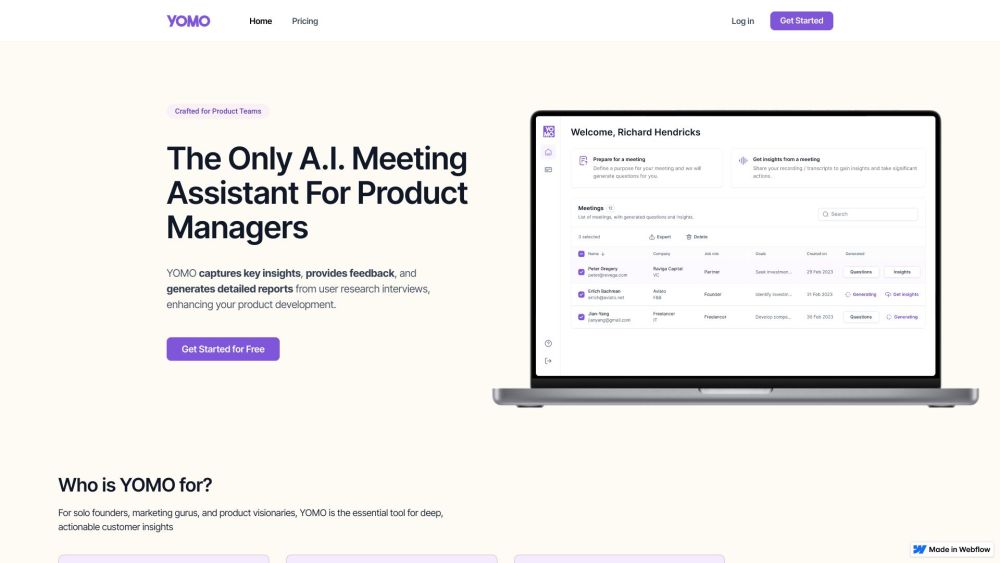
YOMO website preview

YOMO Website screenshot

Introducing YOMO

YOMO is a sophisticated AI-powered meeting assistant designed specifically for product managers. It aids in identifying customer challenges, directing development choices, and crafting strategic roadmaps to drive revenue growth.

Getting Started with YOMO

Using YOMO is straightforward. Simply create an account, schedule your meetings, and allow YOMO to capture essential insights, offer constructive feedback, and compile comprehensive reports from user research sessions.

Key Features of YOMO

Insightful Data Capture

Constructive Feedback

Detailed Reporting

AI-driven Meeting Facilitation

User Research and Analysis

Practical Applications of YOMO

Evaluating Conversion Metrics

Enhancing Sales Strategies

Tracking User Engagement

Identifying Improvement Areas

Discovering Retention Factors

Boosting Customer Satisfaction

Product source: YOMO official website. Check the provider for current plans, limits and availability.

FAQ

YOMO questions and answers

Product context and practical checks for evaluating YOMO.

What is YOMO used for?

YOMO: AI Meeting Assistant for PMs - Uncover customer needs, guide decisions, and shape revenue-driving roadmaps effortlessly. Elevate your product management today!

How do I get started with YOMO?

Using YOMO is straightforward. Simply create an account, schedule your meetings, and allow YOMO to capture essential insights, offer constructive feedback, and compile comprehensive reports from user research sessions.

Which capabilities are described for YOMO?

Insightful Data CaptureConstructive FeedbackDetailed ReportingAI-driven Meeting FacilitationUser Research and Analysis

What projects can I evaluate YOMO for?

Evaluating Conversion MetricsEnhancing Sales StrategiesTracking User EngagementIdentifying Improvement AreasDiscovering Retention FactorsBoosting Customer SatisfactionAbout YOMO AICompany Name: YOMO AIYOMO LoginAccess YOMO: https://www.yomoai.com/appYOMO PricingPricing Details: https://www.yomoai.com/#w-tabs-0-data-w-pane-0YOMO on LinkedInFollow Us: https://www.linkedin.com/company/yomoai/YOMO on TwitterFollow Us: https://twitter.com/theyomoai

What should I compare before choosing a YOMO plan?

Pricing Details: https://www.yomoai.com/#w-tabs-0-data-w-pane-0 Confirm current prices and allowances on the provider’s website before purchasing.

What inputs should I prepare for a YOMO trial?

Identify the files, text or account connections your task needs. Confirm that the product accepts those inputs and offers controls for reviewing its work.

How can I check the quality of a YOMO result?

Test one representative task and inspect the result for accuracy and completeness. Record where manual corrections or extra tools are needed.

Which export options should I check in YOMO?

Check export formats, integrations and whether you can keep using your work outside the service. Test a real export before committing to a longer plan.

What is a practical way to test YOMO against alternatives?

Choose one task with a clear success condition. Keep the input consistent, record the time spent reviewing and compare the complete workflow cost.

Where is the official YOMO website?

The website linked from this profile is https://yomoai.com. Use the provider’s own documentation, account area and support channels to confirm current product details.

Visit YOMO