Writing Assistants

WriteMage

Boost productivity with WriteMage: AI ChatGPT Integration for macOS & iOS. Enhance workflows, remember conversations, and customize prompts in any app!

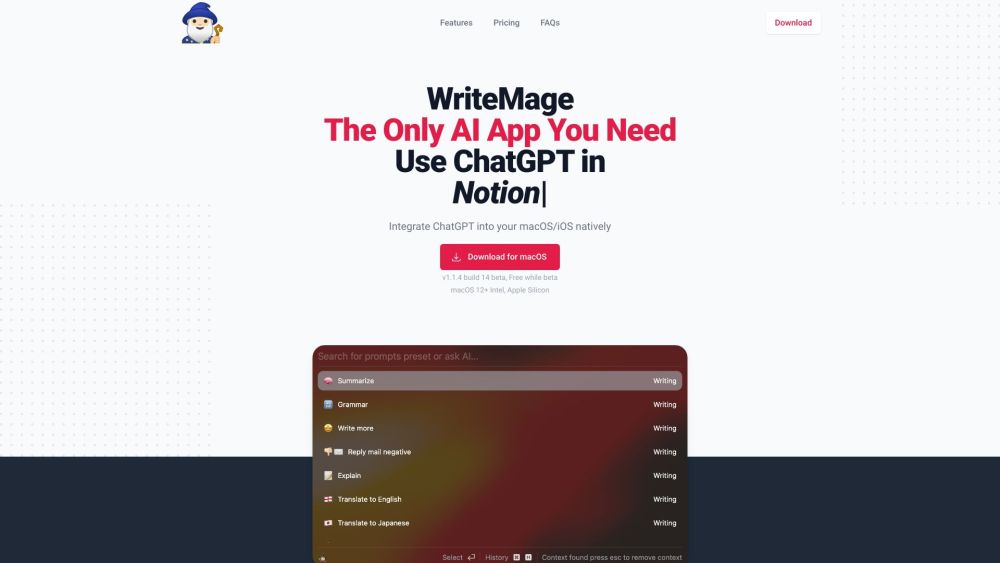
WriteMage website preview

WriteMage Website screenshot

What is WriteMage?

WriteMage is a revolutionary AI application that seamlessly integrates ChatGPT into macOS and iOS devices. Designed to enhance productivity, WriteMage allows users to utilize AI within any app on their devices. It features memory capabilities to recall conversations and offers customizable prompts to streamline workflows and improve communication.

How to use WriteMage?

Using WriteMage is straightforward. Download the app from the App Store for macOS or iOS. After installation, launch the app, which will hover over other applications similar to Apple Spotlight on macOS. WriteMage can remember the current session to provide context-aware responses. It also includes a Prompt Editor GUI for creating and modifying prompts. For iOS users, an in-app purchase enables native integration with the iOS keyboard.

WriteMage's Core Features

Seamless Integration with macOS and iOS

AI-powered by ChatGPT

Floating Interface for Any macOS App

Memory for Conversation Recall

Customizable Prompts with Prompt Editor GUI

WriteMage's Use Cases

Boost Productivity Across Apps

Facilitate Seamless Communication

Streamline Writing and Content Creation

Enhance Brainstorming and Idea Generation

  • WriteMage Support & Customer Service

    For customer service, contact WriteMage support at: [email protected].

  • WriteMage Pricing

    For pricing details, visit: https://writemage.com/#pricing.

Product source: WriteMage official website. Check the provider for current plans, limits and availability.

FAQ

WriteMage questions and answers

Product context and practical checks for evaluating WriteMage.

What is WriteMage used for?

Boost productivity with WriteMage: AI ChatGPT Integration for macOS & iOS. Enhance workflows, remember conversations, and customize prompts in any app!

How do I get started with WriteMage?

Using WriteMage is straightforward. Download the app from the App Store for macOS or iOS. After installation, launch the app, which will hover over other applications similar to Apple Spotlight on macOS. WriteMage can remember the current session to provide context-aware responses. It also includes a Prompt Editor GUI for creating and modifying prompts. For iOS users, an in-app purchase enables native integration with the iOS keyboard.

Which capabilities are described for WriteMage?

Seamless Integration with macOS and iOSAI-powered by ChatGPTFloating Interface for Any macOS AppMemory for Conversation RecallCustomizable Prompts with Prompt Editor GUI

What projects can I evaluate WriteMage for?

Boost Productivity Across AppsFacilitate Seamless CommunicationStreamline Writing and Content CreationEnhance Brainstorming and Idea Generation WriteMage Support & Customer Service For customer service, contact WriteMage support at: [email protected]. WriteMage Pricing For pricing details, visit: https://writemage.com/#pricing.

What should I compare before choosing a WriteMage plan?

For pricing details, visit: https://writemage.com/#pricing. Confirm current prices and allowances on the provider’s website before purchasing.

What inputs should I prepare for a WriteMage trial?

Compare support for source documents, style instructions, outlines and length limits. Check whether citations link to real material rather than merely looking like references.

How can I check the quality of a WriteMage result?

Verify names, dates, quotations and factual claims against the original sources. Edit tone, remove repetition and make sure the text answers the intended reader’s question.

Which export options should I check in WriteMage?

Check export to plain text, Markdown, documents or your publishing system. Formatting, headings and working links matter when moving a draft into production.

What is a practical way to test WriteMage against alternatives?

Use a real brief and a short source document. Compare factual accuracy, structure and editing time rather than accepting the longest or most confident draft.

Where is the official WriteMage website?

The website linked from this profile is https://writemage.com. Use the provider’s own documentation, account area and support channels to confirm current product details.

Visit WriteMage