AI Advertising Assistant

WhisperBot

WhisperBot: AI WhatsApp assistant converting voice messages to text. Powered by OpenAI, it transcribes in 57+ languages, saving you time and effort!

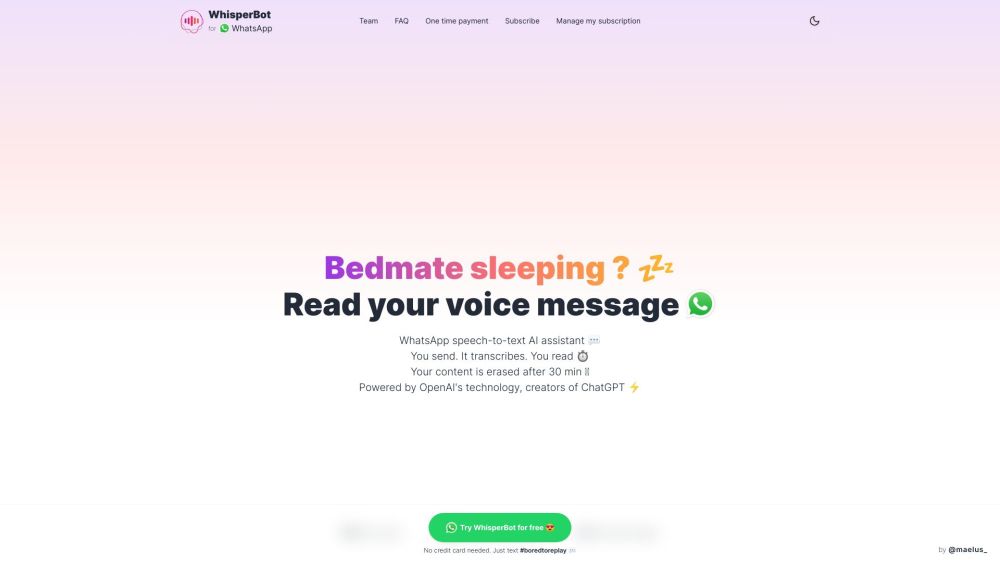
WhisperBot website preview

WhisperBot Website screenshot

What is WhisperBot?

WhisperBot is an AI-driven assistant for WhatsApp that converts voice messages into text. Leveraging OpenAI's cutting-edge technology, WhisperBot ensures swift and precise transcriptions in more than 57 languages. This allows users to conveniently read their voice messages, saving time and providing a solution for situations where listening to audio isn't feasible.

How to Use WhisperBot?

Using WhisperBot is straightforward: 1. Forward your voice message on WhatsApp to WhisperBot. 2. WhisperBot transcribes the message with its AI. 3. In moments, receive the text version of your voice message. 4. Optionally, request key points from lengthy transcriptions. There's no need for any additional apps or installations.

WhisperBot's Core Features

Transcribe WhatsApp voice messages into text

Fast and accurate transcription powered by AI

Supports over 57 languages

Erases content after 30 minutes to ensure data security

Operates within WhatsApp, eliminating the need for extra apps

Provides summaries for lengthy messages

WhisperBot's Use Cases

Reading voice messages when audio playback isn't possible or convenient

Saving time by quickly reading instead of listening

Facilitating multilingual communication by transcribing messages in various languages

Enhancing accessibility for those with hearing impairments

  • WhisperBot Company

    For more information, visit our about us page.

  • WhisperBot Login

    Login to WhisperBot: here

  • WhisperBot Pricing

    Check out our pricing options: here

  • WhisperBot Twitter

    Follow us on Twitter: here

  • WhisperBot Whatsapp

    Connect with us on WhatsApp: here

  • WhisperBot Github

    Explore our GitHub: here

Product source: WhisperBot official website. Check the provider for current plans, limits and availability.

FAQ

WhisperBot questions and answers

Product context and practical checks for evaluating WhisperBot.

What is WhisperBot used for?

WhisperBot: AI WhatsApp assistant converting voice messages to text. Powered by OpenAI, it transcribes in 57+ languages, saving you time and effort!

How do I get started with WhisperBot?

Using WhisperBot is straightforward: 1. Forward your voice message on WhatsApp to WhisperBot. 2. WhisperBot transcribes the message with its AI. 3. In moments, receive the text version of your voice message. 4. Optionally, request key points from lengthy transcriptions. There's no need for any additional apps or installations.

Which capabilities are described for WhisperBot?

Transcribe WhatsApp voice messages into textFast and accurate transcription powered by AISupports over 57 languagesErases content after 30 minutes to ensure data securityOperates within WhatsApp, eliminating the need for extra appsProvides summaries for lengthy messages

What projects can I evaluate WhisperBot for?

Reading voice messages when audio playback isn't possible or convenientSaving time by quickly reading instead of listeningFacilitating multilingual communication by transcribing messages in various languagesEnhancing accessibility for those with hearing impairments WhisperBot Company For more information, visit our about us page. WhisperBot Login Login to WhisperBot: here WhisperBot Pricing Check out our pricing options: here WhisperBot Twitter Follow us on Twitter: here WhisperBot Whatsapp Connect with us on WhatsApp: here WhisperBot Github Explore our GitHub: here

What should I compare before choosing a WhisperBot plan?

Check out our pricing options: here Confirm current prices and allowances on the provider’s website before purchasing.

What inputs should I prepare for a WhisperBot trial?

Compare support for source documents, style instructions, outlines and length limits. Check whether citations link to real material rather than merely looking like references.

How can I check the quality of a WhisperBot result?

Verify names, dates, quotations and factual claims against the original sources. Edit tone, remove repetition and make sure the text answers the intended reader’s question.

Which export options should I check in WhisperBot?

Check export to plain text, Markdown, documents or your publishing system. Formatting, headings and working links matter when moving a draft into production.

What is a practical way to test WhisperBot against alternatives?

Use a real brief and a short source document. Compare factual accuracy, structure and editing time rather than accepting the longest or most confident draft.

Where is the official WhisperBot website?

The website linked from this profile is https://whisperize.me. Use the provider’s own documentation, account area and support channels to confirm current product details.

Visit WhisperBot