AI Advertising Assistant

WhatGPT

Enhance WhatsApp with WhatGPT: a free AI assistant offering quick replies, curated answers, and research links. Transform your chats effortlessly!

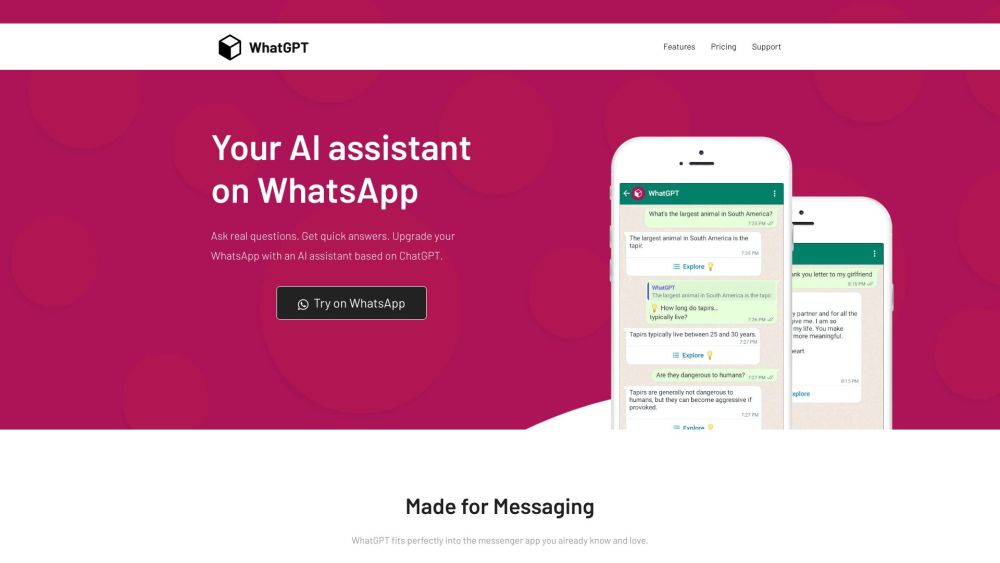
WhatGPT website preview

WhatGPT Website screenshot

What is WhatGPT?

WhatGPT is a complimentary AI assistant that you can integrate with your WhatsApp messenger. Powered by ChatGPT, WhatGPT is designed to deliver swift and precise answers to your queries. Enhance your WhatsApp interactions with AI-suggested quick replies, access relevant web links for deeper exploration, and enjoy the convenience of having an AI assistant available anytime.

How to use WhatGPT?

Getting started with WhatGPT is easy. Follow these steps: 1. Open WhatsApp and search for 'WhatGPT' in your contacts or add the number manually: [Phone Number]. 2. Send a message to initiate the conversation and pose your question. 3. WhatGPT will respond promptly and succinctly. 4. For further details, ask WhatGPT to compile a list of relevant web links. 5. Enjoy the seamless experience of having an AI assistant at your fingertips on WhatsApp.

WhatGPT's Core Features

1. Quick Reply Suggestions: AI-powered quick reply suggestions help you respond faster with minimal typing.

2. Concise Responses: WhatGPT delivers brief and clear answers, ideal for quick exchanges.

3. Research Capabilities: Dive deeper into topics with web links generated by WhatGPT for further exploration.

4. Always Accessible: WhatGPT is perpetually online, eliminating concerns about expired logins, captchas, or downtime.

WhatGPT's Use Cases

1. Personal Assistance: Quickly find answers to everyday questions without leaving WhatsApp.

2. Study Aid: Students can access instant information and research materials with ease.

3. Small Business Support: WhatGPT can help small businesses by promptly answering customer inquiries and providing useful web links.

4. General Knowledge: Expand your knowledge on various topics by interacting with WhatGPT and exploring the provided web links.

Product source: WhatGPT official website. Check the provider for current plans, limits and availability.

FAQ

WhatGPT questions and answers

Product context and practical checks for evaluating WhatGPT.

What is WhatGPT used for?

Enhance WhatsApp with WhatGPT: a free AI assistant offering quick replies, curated answers, and research links. Transform your chats effortlessly!

How do I get started with WhatGPT?

Getting started with WhatGPT is easy. Follow these steps: 1. Open WhatsApp and search for 'WhatGPT' in your contacts or add the number manually: [Phone Number]. 2. Send a message to initiate the conversation and pose your question. 3. WhatGPT will respond promptly and succinctly. 4. For further details, ask WhatGPT to compile a list of relevant web links. 5. Enjoy the seamless experience of having an AI assistant at your fingertips on WhatsApp.

Which capabilities are described for WhatGPT?

1. Quick Reply Suggestions: AI-powered quick reply suggestions help you respond faster with minimal typing.2. Concise Responses: WhatGPT delivers brief and clear answers, ideal for quick exchanges.3. Research Capabilities: Dive deeper into topics with web links generated by WhatGPT for further exploration.4. Always Accessible: WhatGPT is perpetually online, eliminating concerns about expired logins, captchas, or downtime.

What projects can I evaluate WhatGPT for?

1. Personal Assistance: Quickly find answers to everyday questions without leaving WhatsApp.2. Study Aid: Students can access instant information and research materials with ease.3. Small Business Support: WhatGPT can help small businesses by promptly answering customer inquiries and providing useful web links.4. General Knowledge: Expand your knowledge on various topics by interacting with WhatGPT and exploring the provided web links. WhatGPT Support Email & Customer Service Contact & Refund Contact For more contact details, visit the contact us page. WhatGPT Pricing For pricing information, visit https://whatgpt.app/#pricing. WhatGPT WhatsApp To start using WhatGPT on WhatsApp, visit https://api.whatgpt.app/start.

What should I compare before choosing a WhatGPT plan?

For pricing information, visit https://whatgpt.app/#pricing. Confirm current prices and allowances on the provider’s website before purchasing.

What inputs should I prepare for a WhatGPT trial?

Check supported documents, datasets and source access. Establish whether the product can inspect your actual material rather than answer from general knowledge.

How can I check the quality of a WhatGPT result?

Follow citations to the original source, recalculate important numbers and check the date and scope of the evidence. Distinguish an explanation from a verified result.

Which export options should I check in WhatGPT?

Look for usable citations, tables, downloadable data and reproducible steps. A clear answer should let another person inspect how the conclusion was reached.

What is a practical way to test WhatGPT against alternatives?

Choose a question with known sources and a checkable result. Compare citation accuracy, omissions and reproducibility rather than response length.

Where is the official WhatGPT website?

The website linked from this profile is https://makebestmusic.com. Use the provider’s own documentation, account area and support channels to confirm current product details.

Visit WhatGPT