AI Productivity Tools

WenDues

Boost productivity with WenDues: the all-in-one app featuring a timer, calendar, to-do list, and music player. Plan, track, and achieve your goals effortlessly!

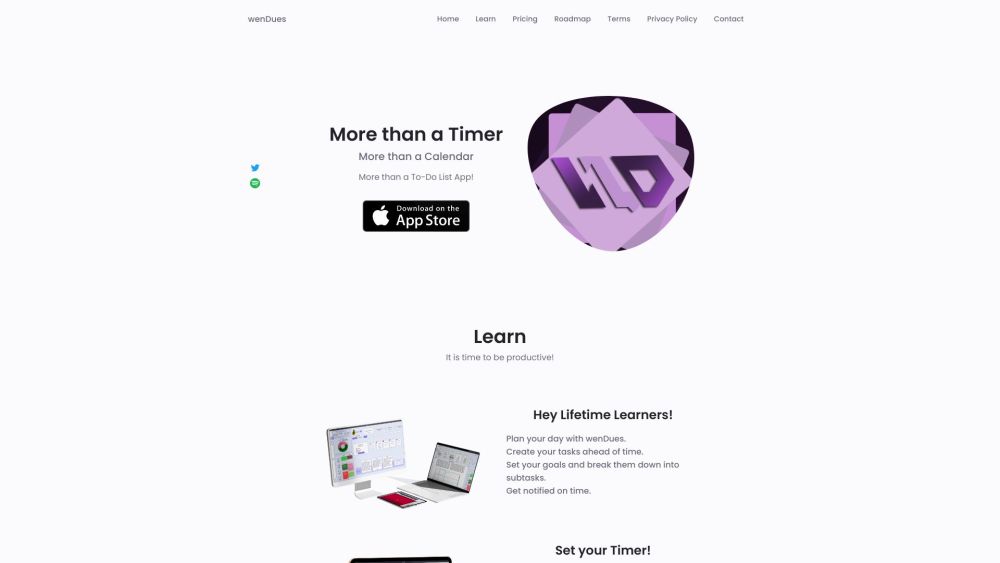
WenDues website preview

wenDues Website screenshot

What is wenDues?

wenDues is an all-in-one productivity application designed to integrate a timer, calendar, to-do list, and music player into a single platform. It helps users streamline their daily schedules, set and achieve goals, monitor progress, jot down notes, and maintain organization.

How to use wenDues?

Using wenDues is simple: start by creating tasks and setting goals for your day. Decompose your goals into smaller tasks and track their completion. Utilize the timer for concentrated work sessions, and add notes to each task. The integrated music player provides a calming background. Plan efficiently with daily, weekly, and monthly views. Upload and store articles and web links for easy access. Categorize tasks with color-coded labels for better visibility of overdue, completed, and active goals. Benefit from real-time synchronization across devices to stay updated everywhere.

wenDues's Core Features

Focused work session timer

Comprehensive calendar for all planning needs

Organized to-do list management

Unique and soothing music player

Detailed goal setting with subtasks

Convenient note-taking ability

Storage for articles and links

Task categorization with color-coded labels

wenDues's Use Cases

Boosting personal productivity

Tracking and achieving goals

Efficient task organization

Effective time management

Detailed note-taking

Enhancing work and study sessions

Product source: WenDues official website. Check the provider for current plans, limits and availability.

FAQ

WenDues questions and answers

Product context and practical checks for evaluating WenDues.

What is WenDues used for?

Boost productivity with WenDues: the all-in-one app featuring a timer, calendar, to-do list, and music player. Plan, track, and achieve your goals effortlessly!

How do I get started with WenDues?

Using wenDues is simple: start by creating tasks and setting goals for your day. Decompose your goals into smaller tasks and track their completion. Utilize the timer for concentrated work sessions, and add notes to each task. The integrated music player provides a calming background. Plan efficiently with daily, weekly, and monthly views. Upload and store articles and web links for easy access. Categorize tasks with color-coded labels for better visibility of overdue, completed, and active goals. Benefit from real-time synchronization across devices to stay updated everywhere.

Which capabilities are described for WenDues?

Focused work session timerComprehensive calendar for all planning needsOrganized to-do list managementUnique and soothing music playerDetailed goal setting with subtasksConvenient note-taking abilityStorage for articles and linksTask categorization with color-coded labels

What projects can I evaluate WenDues for?

Boosting personal productivityTracking and achieving goalsEfficient task organizationEffective time managementDetailed note-takingEnhancing work and study sessions wenDues Support Email & Customer service contact & Refund contact etc. For customer service, contact wenDues support via email: [email protected] . wenDues Company Company name: wenDues . wenDues Pricing Check pricing details here: https://wendues.com/#price wenDues Twitter Follow us on Twitter: https://twitter.com/wenDueswenDues Instagram Follow us on Instagram: https://www.instagram.com/slmnmore.or.sad

What should I compare before choosing a WenDues plan?

Check pricing details here: https://wendues.com/#price Confirm current prices and allowances on the provider’s website before purchasing.

What inputs should I prepare for a WenDues trial?

Compare recording length, file types, language support and speaker handling. For voice generation, check pronunciation controls and permission to use any reference voice.

How can I check the quality of a WenDues result?

Listen for mispronounced names, unnatural pauses, clipped words and noise. For transcripts, compare the text with the recording and correct speaker labels.

Which export options should I check in WenDues?

Check audio format, sample rate, separate tracks, captions and timestamp exports. Confirm that the result works in your editing or accessibility workflow.

What is a practical way to test WenDues against alternatives?

Use a short recording with names, numbers and more than one speaker, or a script with difficult pronunciation. Review the exported audio or transcript in full.

Where is the official WenDues website?

The website linked from this profile is https://wendues.com. Use the provider’s own documentation, account area and support channels to confirm current product details.

Visit WenDues