AI Advertising Assistant

Webscrape AI

Webscrape AI: Effortlessly collect web data with AI-powered web scraping—no coding needed! User-friendly and automatic. Start scraping smarter today!

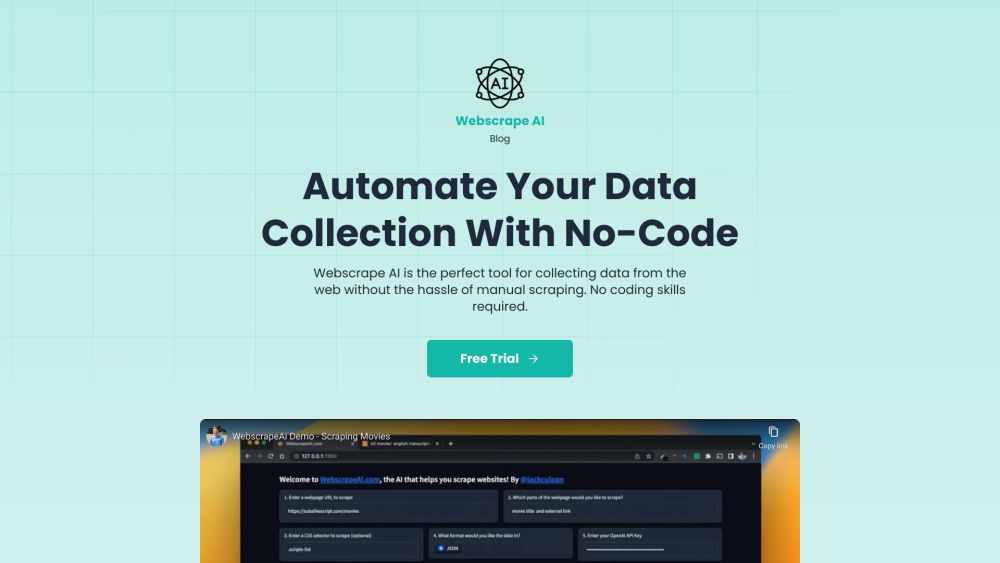
Webscrape AI website preview

Webscrape AI Website screenshot

What is Webscrape AI?

Webscrape AI is a cutting-edge web scraping tool powered by artificial intelligence. It automates data extraction from websites without requiring users to write any code. Designed with user-friendliness in mind, it caters to both technical and non-technical users.

How to use Webscrape AI?

Using Webscrape AI is simple. Just input the URL of the website you wish to scrape and define the data elements you need. The AI-powered scraper will handle the rest, employing advanced algorithms to collect accurate data. No coding skills are needed, making it accessible to everyone.

Webscrape AI's Core Features

User-Friendly: Input URL and specify data elements

Precision: Utilizes advanced algorithms for accurate data collection

Efficiency: Automates the data extraction process

Customizable: Tailor data extraction preferences to your needs

Affordable: Cost-effective solution for businesses of any size

Speed: Rapid data collection with state-of-the-art methods

Webscrape AI's Use Cases

Market Research: Gather data on competitors, pricing, and products

Lead Generation: Extract contact information for potential clients

Data Analysis: Obtain data for detailed analysis and informed decision-making

Content Aggregation: Collect information from various sources for content creation

Price Monitoring: Track prices on e-commerce sites for comparisons

  • Webscrape AI Support Email & Customer Service Contact & Refund Contact

    For support, contact Webscrape AI customer service at: [email protected].

  • Webscrape AI Pricing

    Check the pricing details at: https://webscrapeai.com/#pricing

  • Webscrape AI Twitter

    Follow Webscrape AI on Twitter: https://twitter.com/jackculpan

Product source: Webscrape AI official website. Check the provider for current plans, limits and availability.

FAQ

Webscrape AI questions and answers

Product context and practical checks for evaluating Webscrape AI.

What is Webscrape AI used for?

Webscrape AI: Effortlessly collect web data with AI-powered web scraping—no coding needed! User-friendly and automatic. Start scraping smarter today!

How do I get started with Webscrape AI?

Using Webscrape AI is simple. Just input the URL of the website you wish to scrape and define the data elements you need. The AI-powered scraper will handle the rest, employing advanced algorithms to collect accurate data. No coding skills are needed, making it accessible to everyone.

Which capabilities are described for Webscrape AI?

User-Friendly: Input URL and specify data elementsPrecision: Utilizes advanced algorithms for accurate data collectionEfficiency: Automates the data extraction processCustomizable: Tailor data extraction preferences to your needsAffordable: Cost-effective solution for businesses of any sizeSpeed: Rapid data collection with state-of-the-art methods

What projects can I evaluate Webscrape AI for?

Market Research: Gather data on competitors, pricing, and productsLead Generation: Extract contact information for potential clientsData Analysis: Obtain data for detailed analysis and informed decision-makingContent Aggregation: Collect information from various sources for content creationPrice Monitoring: Track prices on e-commerce sites for comparisons Webscrape AI Support Email & Customer Service Contact & Refund Contact For support, contact Webscrape AI customer service at: [email protected]. Webscrape AI Pricing Check the pricing details at: https://webscrapeai.com/#pricing Webscrape AI Twitter Follow Webscrape AI on Twitter: https://twitter.com/jackculpan

What should I compare before choosing a Webscrape AI plan?

Check the pricing details at: https://webscrapeai.com/#pricing Confirm current prices and allowances on the provider’s website before purchasing.

What inputs should I prepare for a Webscrape AI trial?

Look for text prompts, image references, masks or sketches as appropriate. Compare composition control, supported upload types and the ability to revise a selected area.

How can I check the quality of a Webscrape AI result?

Inspect text, hands, edges, reflections and repeated objects at full size. Check that important product or brand details survive editing.

Which export options should I check in Webscrape AI?

Compare pixel dimensions, transparency, file formats and any enlargement options. Confirm that the downloaded result works in your design or publishing software.

What is a practical way to test Webscrape AI against alternatives?

Prepare a brief with a subject, composition, lighting and required output size. Test a first generation and a targeted revision to see how much control you retain.

Where is the official Webscrape AI website?

The website linked from this profile is https://www.promptdodo.com. Use the provider’s own documentation, account area and support channels to confirm current product details.

Visit Webscrape AI