AI Product Description Generator

Vuala

Vuala is a smart invoice management software designed for SMEs. It automates the process of finding and uploading expense invoices from various sources, such as company emails, SaaS tools, and utilities, to platforms like Google Drive, ERP systems, Dropbox, and more. With Vuala, businesses can simplify their accounting operations and save time on manual tasks.

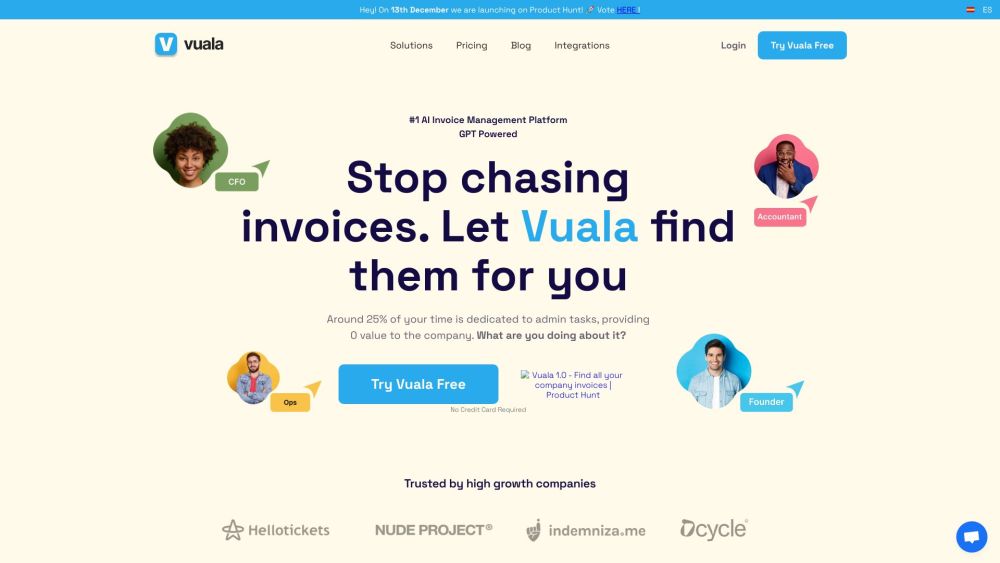
Vuala website preview

Vuala Website screenshot

Understanding Vuala

Vuala is an advanced invoice management solution tailored for small to medium-sized enterprises (SMEs). It efficiently automates the collection and organization of expense invoices from multiple sources, including business emails, SaaS platforms, and utility providers. Vuala seamlessly integrates with various storage and management systems such as Google Drive, ERP solutions, Dropbox, and more. By leveraging Vuala, businesses can streamline their financial processes and reduce the time spent on manual data entry and invoice management.

Steps to Get Started with Vuala

Getting started with Vuala is straightforward: 1. Connect all your invoice sources with a single click. 2. Choose your preferred invoice storage destinations. 3. Vuala automatically retrieves invoices from your connected sources and uploads them to your selected destinations.

Key Features of Vuala

Automated Invoice Retrieval and Upload

Integration with Major Platforms (Google Drive, ERP Systems, Dropbox, etc.)

Real-Time Financial Performance Tracking

Centralized Management for Easy Invoice Access

Eliminates the Need for Manual Invoice Processing

Intuitive User Interface

Vuala in Action

Optimizing the Invoice Management Process

Reducing Time Spent on Manual Accounting Tasks

Delivering Real-Time Profit & Loss Insights

Centralizing Invoices for Simplified Access and Tracking

Product source: Vuala official website. Check the provider for current plans, limits and availability.

FAQ

Vuala questions and answers

Product context and practical checks for evaluating Vuala.

What is Vuala used for?

Vuala is a smart invoice management software designed for SMEs. It automates the process of finding and uploading expense invoices from various sources, such as company emails, SaaS tools, and utilities, to platforms like Google Drive, ERP systems, Dropbox, and more. With Vuala, businesses can simplify their accounting operations and save time on manual tasks.

How do I get started with Vuala?

Open the official Vuala website and identify the workflow that matches your task. Prepare a brief with a subject, composition, lighting and required output size. Test a first generation and a targeted revision to see how much control you retain.

Which capabilities are described for Vuala?

Automated Invoice Retrieval and UploadIntegration with Major Platforms (Google Drive, ERP Systems, Dropbox, etc.)Real-Time Financial Performance TrackingCentralized Management for Easy Invoice AccessEliminates the Need for Manual Invoice ProcessingIntuitive User Interface

What should I compare before choosing a Vuala plan?

Explore our pricing options: https://vualapp.com/pricing Confirm current prices and allowances on the provider’s website before purchasing.

What inputs should I prepare for a Vuala trial?

Look for text prompts, image references, masks or sketches as appropriate. Compare composition control, supported upload types and the ability to revise a selected area.

How can I check the quality of a Vuala result?

Inspect text, hands, edges, reflections and repeated objects at full size. Check that important product or brand details survive editing.

Which export options should I check in Vuala?

Compare pixel dimensions, transparency, file formats and any enlargement options. Confirm that the downloaded result works in your design or publishing software.

What is a practical way to test Vuala against alternatives?

Prepare a brief with a subject, composition, lighting and required output size. Test a first generation and a targeted revision to see how much control you retain.

What should I review before uploading material to Vuala?

Read the provider’s rules on access, retention, deletion and use of uploaded material. Start with a non-confidential sample that you have permission to use.

Where is the official Vuala website?

The website linked from this profile is https://vualapp.com. Use the provider’s own documentation, account area and support channels to confirm current product details.

Visit Vuala