AI Product Description Generator

Visily

Visily is a wireframe tool that uses AI to swiftly transform screenshots, templates, or text prompts into editable wireframes and prototypes. It is designed to simplify the design process and make it accessible to non-designers.

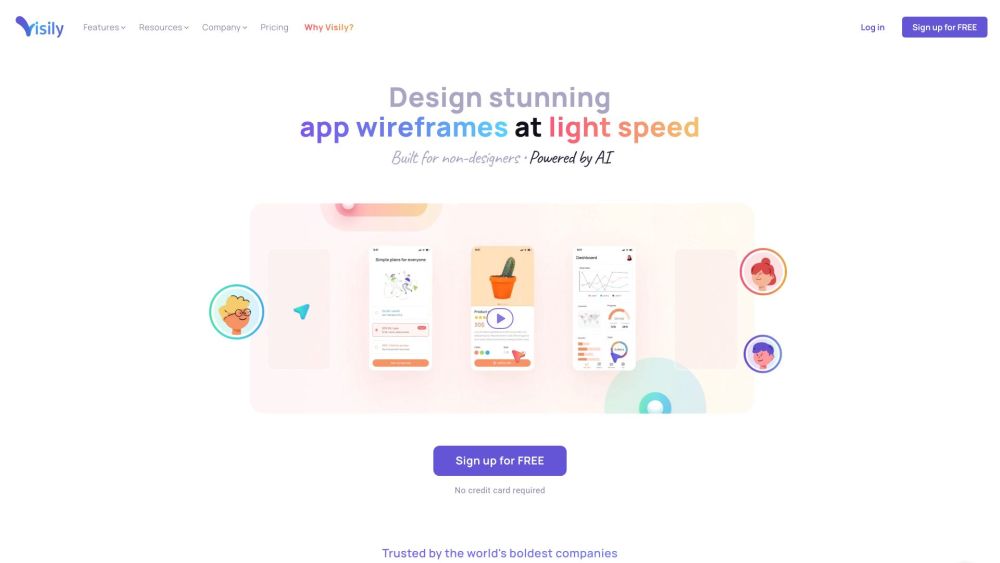
Visily website preview

Visily: AI-Powered Wireframing & Design Website screenshot

Exploring Visily: AI-Powered Wireframing & Design

Visily is a cutting-edge wireframing tool that leverages artificial intelligence to transform various inputs such as screenshots, templates, or text prompts into editable wireframes and prototypes. It aims to streamline the design process, making it accessible for users with little to no design experience.

Getting Started with Visily

To begin using Visily, create an account or log in. After signing in, you can initiate your design process by choosing an inspiration source—whether it be hand-drawn sketches, app screenshots, pre-built templates, or text prompts. Visily's AI capabilities will then generate corresponding wireframes and prototypes. You can further enhance and customize your designs using Visily's comprehensive editing tools. The platform also supports real-time collaboration, enabling seamless teamwork throughout the design stages.

Key Features of Visily

AI-Driven Wireframing and Prototyping

Visily uses AI to convert screenshots, templates, or text prompts into interactive wireframes.

Extensive Template and UI Component Library

Access a wide range of built-in templates and UI components to accelerate your design workflow.

Real-Time Collaboration

Collaborate with team members in real-time, ensuring efficient communication and design iteration.

Easy Export and Sharing

Export your designs and share them effortlessly with your team or stakeholders.

Applications of Visily

Wireframing

Create initial layout concepts quickly and efficiently.

Prototyping

Develop functional prototypes to visualize your designs in action.

Collaboration

Enhance teamwork and communication through shared design projects.

Brainstorming

Utilize Visily for brainstorming sessions to explore new design ideas.

AI Design Assistance

Take advantage of AI to simplify the design process and achieve better results faster.

  • About Visily

    Visily is a company dedicated to providing AI-powered wireframing and design solutions.

  • Login to Visily

    Access your Visily account: Login Here

  • Sign Up for Visily

    Create a new Visily account: Sign Up Here

  • Visily Pricing

    Explore Visily's pricing plans: Pricing Details

  • Connect with Visily on Social Media

    Follow Visily on Facebook: Facebook

  • Visily YouTube Channel

    Watch tutorials and updates: YouTube

  • Visily on TikTok

    Discover short video content: TikTok

  • Visily on LinkedIn

    Connect with Visily professionally: LinkedIn

  • Follow Visily on Twitter

    Get the latest updates: Twitter

  • Visily on Instagram

    See design inspirations: Instagram

Product source: Visily official website. Check the provider for current plans, limits and availability.

FAQ

Visily questions and answers

Product context and practical checks for evaluating Visily.

What is Visily used for?

Visily is a wireframe tool that uses AI to swiftly transform screenshots, templates, or text prompts into editable wireframes and prototypes. It is designed to simplify the design process and make it accessible to non-designers.

How do I get started with Visily?

To begin using Visily, create an account or log in. After signing in, you can initiate your design process by choosing an inspiration source—whether it be hand-drawn sketches, app screenshots, pre-built templates, or text prompts. Visily's AI capabilities will then generate corresponding wireframes and prototypes. You can further enhance and customize your designs using Visily's comprehensive editing tools. The platform also supports real-time collaboration, enabling seamless teamwork throughout the design stages.

Which capabilities are described for Visily?

AI-Driven Wireframing and PrototypingVisily uses AI to convert screenshots, templates, or text prompts into interactive wireframes.Extensive Template and UI Component LibraryAccess a wide range of built-in templates and UI components to accelerate your design workflow.Real-Time CollaborationCollaborate with team members in real-time, ensuring efficient communication and design iteration.Easy Export and SharingExport your designs and share them effortlessly with your team or stakeholders.

What projects can I evaluate Visily for?

WireframingCreate initial layout concepts quickly and efficiently.PrototypingDevelop functional prototypes to visualize your designs in action.CollaborationEnhance teamwork and communication through shared design projects.BrainstormingUtilize Visily for brainstorming sessions to explore new design ideas.AI Design AssistanceTake advantage of AI to simplify the design process and achieve better results faster. About Visily Visily is a company dedicated to providing AI-powered wireframing and design solutions. Login to Visily Access your Visily account: Login Here Sign Up for Visily Create a new Visily account: Sign Up Here Visily Pricing Explore Visily's pricing plans: Pricing Details Connect with Visily on Social Media Follow Visily on Facebook: Facebook Visily YouTube Channel Watch tutorials and updates: YouTube Visily on TikTok Discover short video content: TikTok Visily on LinkedIn Connect with Visily professionally: LinkedIn Follow Visily on Twitter Get the latest updates: Twitter Visily on Instagram See design inspirations: Instagram

What should I compare before choosing a Visily plan?

Explore Visily's pricing plans: Pricing Details Confirm current prices and allowances on the provider’s website before purchasing.

What inputs should I prepare for a Visily trial?

Look for text prompts, image references, masks or sketches as appropriate. Compare composition control, supported upload types and the ability to revise a selected area.

How can I check the quality of a Visily result?

Inspect text, hands, edges, reflections and repeated objects at full size. Check that important product or brand details survive editing.

Which export options should I check in Visily?

Compare pixel dimensions, transparency, file formats and any enlargement options. Confirm that the downloaded result works in your design or publishing software.

What is a practical way to test Visily against alternatives?

Prepare a brief with a subject, composition, lighting and required output size. Test a first generation and a targeted revision to see how much control you retain.

Where is the official Visily website?

The website linked from this profile is https://www.visily.ai. Use the provider’s own documentation, account area and support channels to confirm current product details.

Visit Visily