AI Advertising Assistant

VidIQ

VidIQ is a SaaS product designed to help YouTube creators find topics and keywords for their videos. VidIQ's AI features include personalized prompts for your next video, view prediction count, and predictive analytics.

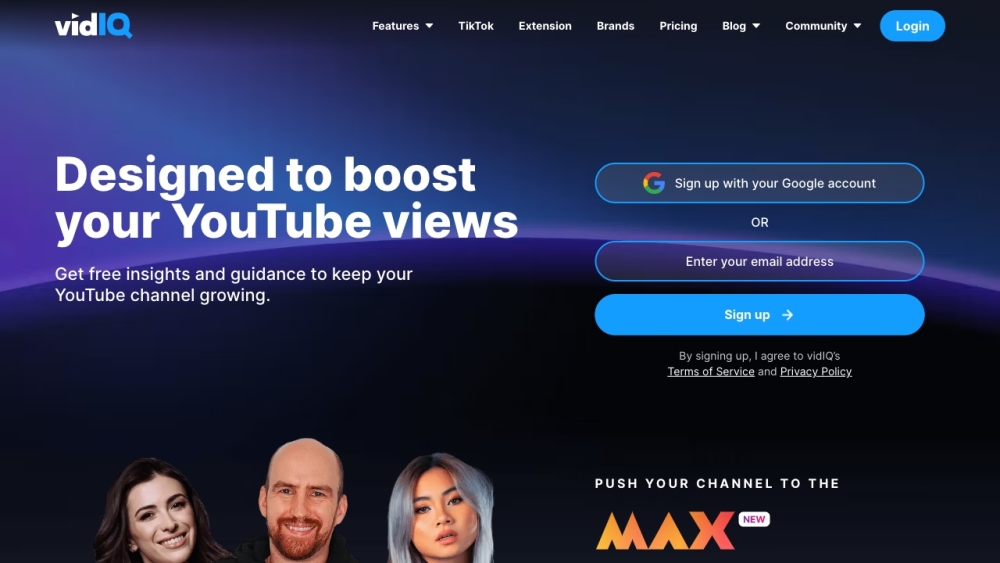
VidIQ website preview

vidIQ Website screenshot

What is vidIQ?

vidIQ is a powerful software-as-a-service (SaaS) platform that aids YouTube creators in identifying trending topics and relevant keywords for their content. It utilizes AI-driven features such as personalized video ideas, view prediction metrics, and advanced analytics to enhance your content strategy.

How to Use vidIQ?

Start by signing up with your Google account to unlock the wide array of tools vidIQ offers. Take advantage of the Daily Ideas feature for customized video suggestions. Utilize keyword research tools, competitor analysis, and channel audit tools to optimize your channel. Leverage AI-driven tools like the YouTube Title Generator, Content Generator, and ChatGPT integration for creating compelling content. Additionally, explore coaching extensions, insights, and the vidIQ blog for expert advice. Track your progress with detailed analytics on views, monetization, and subscriber growth.

Core Features of vidIQ

Daily Ideas

Keyword Research Tools

Competitor Analysis

Channel Audit Tool

AI-Powered Tools

ChatGPT for YouTube

YouTube Title Generator

Channel Name Generator

Content Generator

YouTube Video Ideas

YouTube Tag Generator

Keyword Generator

Video Script Generator

YouTube Description Generator

Top YouTube Channels

Coaching Extension

Blog

Views & Monetization

Subscribers Analytics

Use Cases for vidIQ

Growing Your YouTube Audience

Discovering Video Topics and Keywords

Optimizing Channel Performance through Competitor Insights

Enhancing Video Content with AI Tools

Generating Creative Content Ideas

Monitoring Channel Success with Analytics

Learning from Top Creators and Coaches

Boosting Views and Subscribers

Product source: VidIQ official website. Check the provider for current plans, limits and availability.

FAQ

VidIQ questions and answers

Product context and practical checks for evaluating VidIQ.

What is VidIQ used for?

VidIQ is a SaaS product designed to help YouTube creators find topics and keywords for their videos. VidIQ's AI features include personalized prompts for your next video, view prediction count, and predictive analytics.

How do I get started with VidIQ?

Start by signing up with your Google account to unlock the wide array of tools vidIQ offers. Take advantage of the Daily Ideas feature for customized video suggestions. Utilize keyword research tools, competitor analysis, and channel audit tools to optimize your channel. Leverage AI-driven tools like the YouTube Title Generator, Content Generator, and ChatGPT integration for creating compelling content. Additionally, explore coaching extensions, insights, and the vidIQ blog for expert advice. Track your progress with detailed analytics on views, monetization, and subscriber growth.

Which capabilities are described for VidIQ?

Daily IdeasKeyword Research ToolsCompetitor AnalysisChannel Audit ToolAI-Powered ToolsChatGPT for YouTubeYouTube Title GeneratorChannel Name GeneratorContent GeneratorYouTube Video IdeasYouTube Tag GeneratorKeyword GeneratorVideo Script GeneratorYouTube Description GeneratorTop YouTube ChannelsCoaching ExtensionBlogViews & MonetizationSubscribers Analytics

What projects can I evaluate VidIQ for?

Growing Your YouTube AudienceDiscovering Video Topics and KeywordsOptimizing Channel Performance through Competitor InsightsEnhancing Video Content with AI ToolsGenerating Creative Content IdeasMonitoring Channel Success with AnalyticsLearning from Top Creators and CoachesBoosting Views and Subscribers About vidIQ Company Name: vidIQ. vidIQ Login Login Link: https://app.vidiq.com/login vidIQ Sign Up Sign Up Link: https://vidiq.com/signup/ vidIQ Pricing Pricing Link: https://vidiq.com/plans/ vidIQ on Facebook Facebook Page: https://www.facebook.com/vidIQapp/ vidIQ on YouTube YouTube Channel: https://www.youtube.com/user/vidIQchannel vidIQ on LinkedIn LinkedIn Profile: https://www.linkedin.com/company/vidiq/ vidIQ on Twitter Twitter Handle: https://twitter.com/vidiq vidIQ on Instagram Instagram Profile: https://www.instagram.com/vidiq/

What should I compare before choosing a VidIQ plan?

Pricing Link: https://vidiq.com/plans/ Confirm current prices and allowances on the provider’s website before purchasing.

What inputs should I prepare for a VidIQ trial?

Compare text prompts, reference frames, source footage and audio support. Check duration, aspect ratio and whether the tool lets you keep a subject consistent between shots.

How can I check the quality of a VidIQ result?

Watch the entire clip for motion errors, distorted objects, changing identities, lip-sync problems and abrupt transitions. Inspect the downloaded file as well as the preview.

Which export options should I check in VidIQ?

Check export resolution, frame rate, aspect ratio, audio tracks and watermark rules. A good preview is not a substitute for an export that fits your publishing channel.

What is a practical way to test VidIQ against alternatives?

Use a short shot with one subject and one camera movement. Keep the prompt and duration constant, then compare usable seconds and the number of regenerations.

Where is the official VidIQ website?

The website linked from this profile is https://www.promptdodo.com. Use the provider’s own documentation, account area and support channels to confirm current product details.

Visit VidIQ