Writing Assistants

Userdesk

Build AI ChatBots in minutes with Userdesk's no-code platform. Train them on your data (websites, PDFs, Notion) for instant customer support.

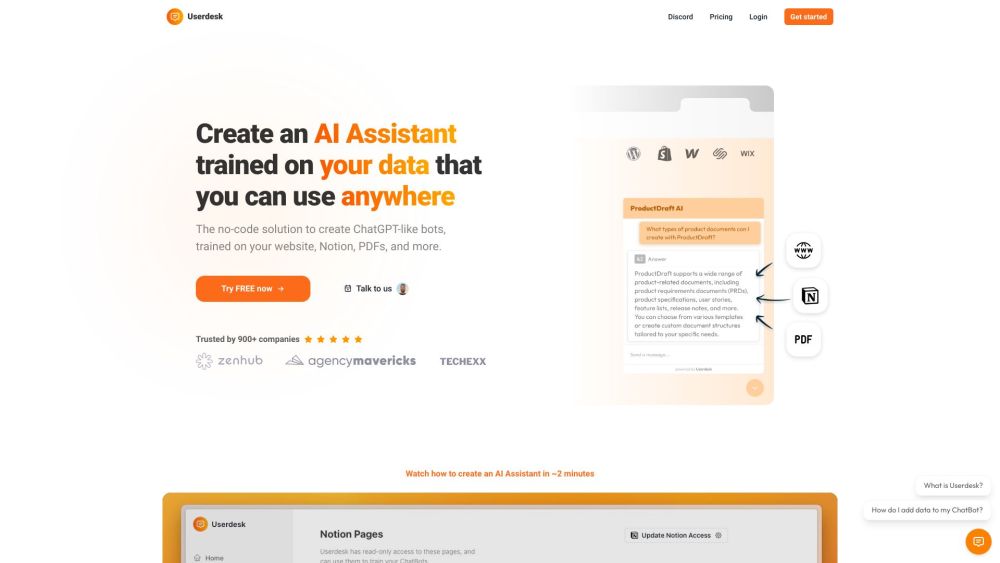
Userdesk website preview

Userdesk Website screenshot

What is Userdesk?

Userdesk is a revolutionary no-code platform designed for creating AI ChatBots that leverage your own data sources, such as websites, Notion, PDFs, and more. This enables users to quickly develop AI Assistants akin to ChatGPT, providing instant support and assistance tailored to their specific needs.

How to use Userdesk?

Using Userdesk is straightforward: simply connect your website and documents, including Notion, Google Drive, and PDFs. The platform will then generate an AI Assistant for you. This Assistant can be embedded in multiple platforms and supports numerous languages, offering instant responses, collecting customer insights, facilitating cross-platform interaction, and aiding in lead generation.

Userdesk's Core Features

No-code solution for building AI ChatBots

Utilizes users' own data

Supports over 50 languages

Instant replies and customer insights

Cross-platform integration

Lead generation capabilities

Reuse existing content from websites and documents

Userdesk's Use Cases

SaaS companies

Technical documentation

Comprehensive manuals

Product source: Userdesk official website. Check the provider for current plans, limits and availability.

FAQ

Userdesk questions and answers

Product context and practical checks for evaluating Userdesk.

What is Userdesk used for?

Build AI ChatBots in minutes with Userdesk's no-code platform. Train them on your data (websites, PDFs, Notion) for instant customer support.

How do I get started with Userdesk?

Using Userdesk is straightforward: simply connect your website and documents, including Notion, Google Drive, and PDFs. The platform will then generate an AI Assistant for you. This Assistant can be embedded in multiple platforms and supports numerous languages, offering instant responses, collecting customer insights, facilitating cross-platform interaction, and aiding in lead generation.

Which capabilities are described for Userdesk?

No-code solution for building AI ChatBotsUtilizes users' own dataSupports over 50 languagesInstant replies and customer insightsCross-platform integrationLead generation capabilitiesReuse existing content from websites and documents

What projects can I evaluate Userdesk for?

Userdesk is a revolutionary no-code platform designed for creating AI ChatBots that leverage your own data sources, such as websites, Notion, PDFs, and more. This enables users to quickly develop AI Assistants akin to ChatGPT, providing instant support and assistance tailored to their specific needs.

What should I compare before choosing a Userdesk plan?

See pricing details: https://userdesk.io/pricing Confirm current prices and allowances on the provider’s website before purchasing.

What inputs should I prepare for a Userdesk trial?

Compare repository access, context limits, supported languages and tool permissions. Check whether the assistant can read relevant files and run your existing checks.

How can I check the quality of a Userdesk result?

Review the diff, run tests and inspect error handling and dependency changes. Generated code should meet the same review standard as a human contribution.

Which export options should I check in Userdesk?

Prefer changes you can inspect and keep in version control. Check whether code, tests and configuration can be exported without depending on a hosted preview.

What is a practical way to test Userdesk against alternatives?

Choose a small reproducible bug with an existing failing check. Measure whether the tool fixes the cause, preserves behavior and produces a reviewable change.

Where is the official Userdesk website?

The website linked from this profile is https://userdesk.io. Use the provider’s own documentation, account area and support channels to confirm current product details.

Visit Userdesk