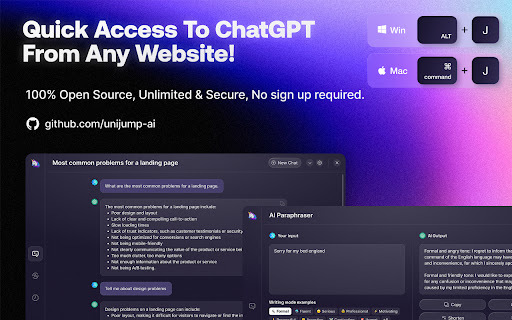
Introducing UniJump - Chrome Extension: Access ChatGPT from any website
UniJump ai chrome extension is a powerful tool that allows you to effortlessly access ChatGPT with just a few clicks. Say goodbye to the hassle of navigating through multiple tabs or applications. With UniJump, you can access ChatGPT directly from any website, making your workflow more efficient than ever before.
How to Use UniJump ai Chrome Extension?
Using UniJump is incredibly simple. Just use the keystroke shortcut CMD + J on MAC or ALT + J on WIN, and the ChatGPT interface will instantly appear, ready for you to start typing. No more wasting time searching for the right tab or window. UniJump brings ChatGPT right to your fingertips.
Unlock the Power of UniJump ai Chrome Extension
Chat Interface on Any Website
With UniJump, you can enjoy the convenience of a chat interface on any website. Whether you're browsing articles, reading documentation, or researching online, UniJump allows you to seamlessly interact with ChatGPT without leaving the page. It's like having a virtual assistant right there with you.
Paraphraser
UniJump also offers a powerful paraphrasing feature. Need to rephrase a sentence or paragraph? Simply highlight the text, right-click, and choose the paraphrase option. UniJump will provide you with alternative suggestions, saving you time and effort in manually rewording content.
UniJump ai Chrome Extension: Use Cases
Quickly Access ChatGPT from Any Website
UniJump is designed to enhance your productivity. Whether you're a student, researcher, writer, or professional, UniJump enables you to quickly access ChatGPT from any website, allowing you to ask questions, seek assistance, or generate ideas effortlessly. Say goodbye to switching between tabs and hello to seamless interaction.