Large Language Models (LLMs)

Unfold AI

Unfold AI is an all-in-one AI coding assistant and extension for IDEs. It offers specialized real-time bug and error solutions, maximizing productivity and streamlining the development process for developers.

Unfold AI website preview

Discover Unfold AI: Revolutionizing Coding with AI Assistance
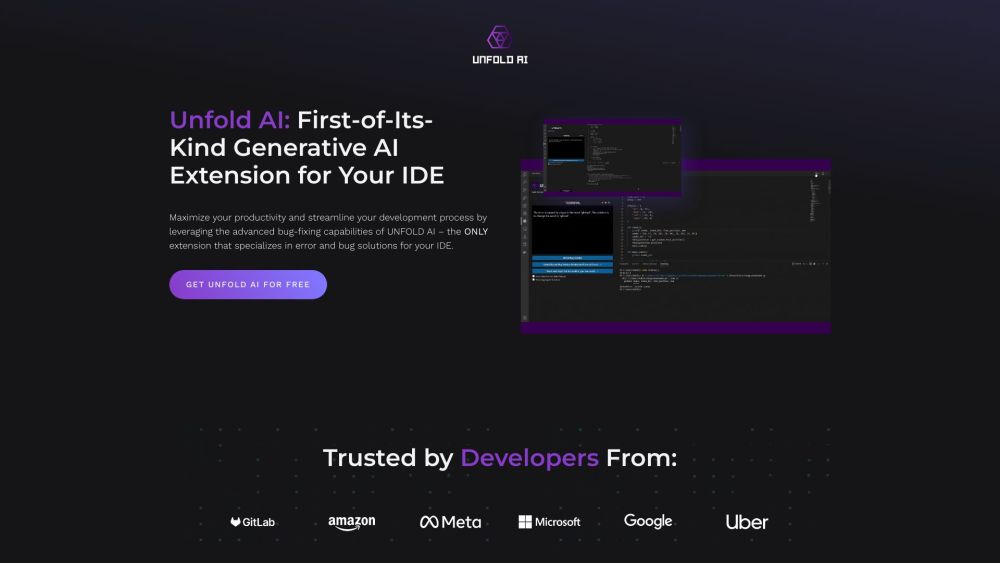
Unfold AI Website screenshot

Unfold AI introduces a groundbreaking all-in-one AI coding assistant and IDE extension that redefines the way developers work. By providing specialized real-time bug and error solutions, Unfold AI significantly boosts productivity and enhances the development process efficiency.

Harnessing Unfold AI's Power: A Guide to Seamless Integration

Integrating Unfold AI into your IDE, such as Visual Studio Code, is a simple yet powerful process. Upon installation, the extension instantly offers automatic error detection, code issue identification, intelligent code completion, and more. Explore features like the 'Unfold Bug Solution' button in the terminal for AI-generated error fixes and 'Show Aggregate Solutions' for comprehensive problem-solving insights.

Exploring the Core of Unfold AI

Automating Error Detection and Resolution

Efficient Code Issue Identification with 'Find Problems'

Enhancing Coding Speed with Intelligent Code Completion

AI-Driven Bug Solutions through 'Unfold Bug Solution'

Manual Error Submission and Resolutions

Clarifying Issues with Code Snippet Attachment

Interacting with AI for Answers

Accessing Solution History via 'Show Aggregate Solutions'

Unfolding Unfold AI's Applications

Effortless Bug Fixing and Error Elimination in Development

Boosting Coding Productivity and Efficiency

Simplified Code Issue Detection and Resolution

Elevating Coding Speed and Precision

  • Contact Unfold AI Support

    Reach out to Unfold AI support at [email protected].

  • About Unfold AI

    Discover more about Unfold AI at Unfold AI Company.

  • Unfold AI Pricing

    Explore Unfold AI's pricing details at Unfold AI Pricing.

  • Connect with Unfold AI

    Stay updated with Unfold AI on various platforms: Facebook, Youtube, Tiktok, Linkedin, Twitter, Instagram

Product source: Unfold AI official website. Check the provider for current plans, limits and availability.

FAQ

Unfold AI questions and answers

Product context and practical checks for evaluating Unfold AI.

What is Unfold AI used for?

Unfold AI is an all-in-one AI coding assistant and extension for IDEs. It offers specialized real-time bug and error solutions, maximizing productivity and streamlining the development process for developers.

How do I get started with Unfold AI?

Open the official Unfold AI website and identify the workflow that matches your task. Choose a small reproducible bug with an existing failing check. Measure whether the tool fixes the cause, preserves behavior and produces a reviewable change.

What projects can I evaluate Unfold AI for?

Effortless Bug Fixing and Error Elimination in DevelopmentBoosting Coding Productivity and EfficiencySimplified Code Issue Detection and ResolutionElevating Coding Speed and Precision Contact Unfold AI Support Reach out to Unfold AI support at [email protected]. About Unfold AI Discover more about Unfold AI at Unfold AI Company. Unfold AI Pricing Explore Unfold AI's pricing details at Unfold AI Pricing. Connect with Unfold AI Stay updated with Unfold AI on various platforms: Facebook, Youtube, Tiktok, Linkedin, Twitter, Instagram

What should I compare before choosing a Unfold AI plan?

Explore Unfold AI's pricing details at Unfold AI Pricing. Confirm current prices and allowances on the provider’s website before purchasing.

What inputs should I prepare for a Unfold AI trial?

Compare repository access, context limits, supported languages and tool permissions. Check whether the assistant can read relevant files and run your existing checks.

How can I check the quality of a Unfold AI result?

Review the diff, run tests and inspect error handling and dependency changes. Generated code should meet the same review standard as a human contribution.

Which export options should I check in Unfold AI?

Prefer changes you can inspect and keep in version control. Check whether code, tests and configuration can be exported without depending on a hosted preview.

What is a practical way to test Unfold AI against alternatives?

Choose a small reproducible bug with an existing failing check. Measure whether the tool fixes the cause, preserves behavior and produces a reviewable change.

What should I review before uploading material to Unfold AI?

Read the provider’s rules on access, retention, deletion and use of uploaded material. Start with a non-confidential sample that you have permission to use.

Where is the official Unfold AI website?

The website linked from this profile is https://www.promptdodo.com. Use the provider’s own documentation, account area and support channels to confirm current product details.

Visit Unfold AI