AI Designer

Translatium

Translatium: The ultimate cross-platform translation app for macOS and Windows. Translate effortlessly and accurately, anytime, anywhere.

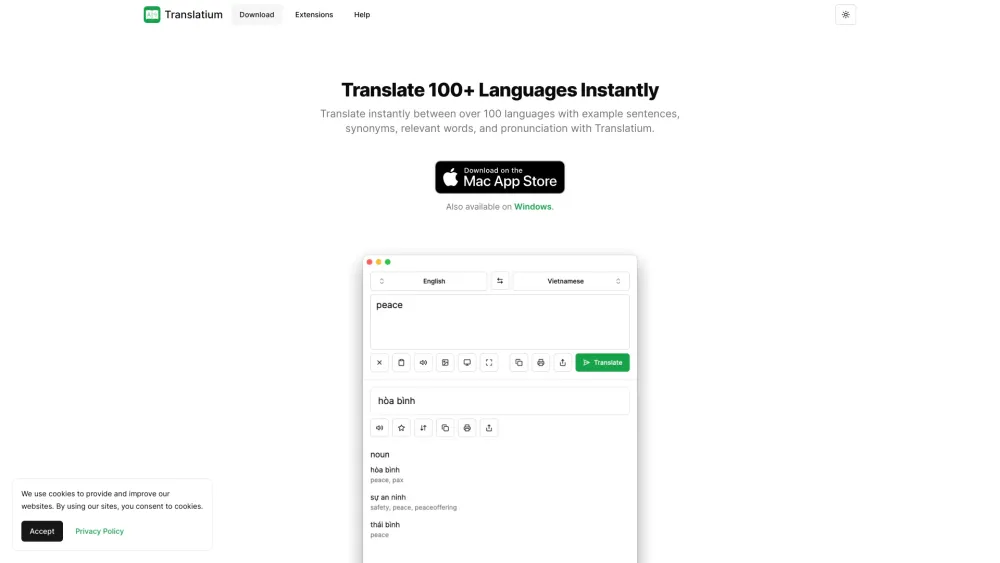
Translatium website preview
```html

Translatium Website screenshot

What is Translatium?

Translatium is an efficient and versatile translation application available for both macOS and Windows platforms.

How to use Translatium?

To get started with Translatium, download the app on your desktop or mobile device. Choose the languages you wish to translate between and begin translating effortlessly.

Translatium's Core Features

Real-time translation across more than 100 languages

Text-to-speech capabilities

Phrasebook for saving translations and favorite phrases

Comprehensive references including word genders and synonyms

Image translation using OCR technology

Quick access through menu bar integration

Extensions compatible with PopClip and web browsers

Customizable dark mode

No advertisements or tracking

Translatium's Use Cases

Translate emails, documents, and web pages

Facilitate communication with individuals from different linguistic backgrounds

Assist in learning new languages and enhancing language proficiency

  • Translatium Company

    Translatium is developed by WebCatalog Pte. Ltd.

    For more details about Translatium, visit our about page.

```

Product source: Translatium official website. Check the provider for current plans, limits and availability.

FAQ

Translatium questions and answers

Product context and practical checks for evaluating Translatium.

What is Translatium used for?

Translatium: The ultimate cross-platform translation app for macOS and Windows. Translate effortlessly and accurately, anytime, anywhere.

How do I get started with Translatium?

To get started with Translatium, download the app on your desktop or mobile device. Choose the languages you wish to translate between and begin translating effortlessly.

Which capabilities are described for Translatium?

Real-time translation across more than 100 languagesText-to-speech capabilitiesPhrasebook for saving translations and favorite phrasesComprehensive references including word genders and synonymsImage translation using OCR technologyQuick access through menu bar integrationExtensions compatible with PopClip and web browsersCustomizable dark modeNo advertisements or tracking

What projects can I evaluate Translatium for?

Translate emails, documents, and web pagesFacilitate communication with individuals from different linguistic backgroundsAssist in learning new languages and enhancing language proficiency Translatium Company Translatium is developed by WebCatalog Pte. Ltd. For more details about Translatium, visit our about page.

What should I compare before choosing a Translatium plan?

Check Translatium’s current pricing page for included usage, renewal terms and any credit charges. Compare the cost of a usable result, including retries, rather than assuming that account registration includes free usage.

What inputs should I prepare for a Translatium trial?

Identify the files, text or account connections your task needs. Confirm that the product accepts those inputs and offers controls for reviewing its work.

How can I check the quality of a Translatium result?

Test one representative task and inspect the result for accuracy and completeness. Record where manual corrections or extra tools are needed.

Which export options should I check in Translatium?

Check export formats, integrations and whether you can keep using your work outside the service. Test a real export before committing to a longer plan.

What is a practical way to test Translatium against alternatives?

Choose one task with a clear success condition. Keep the input consistent, record the time spent reviewing and compare the complete workflow cost.

Where is the official Translatium website?

The website linked from this profile is https://translatium.app. Use the provider’s own documentation, account area and support channels to confirm current product details.

Visit Translatium