AI Product Description Generator

Timely

Timely: Effortlessly manage and track employee schedules. Streamline workflows, boost productivity, and save time and money with our all-in-one platform.

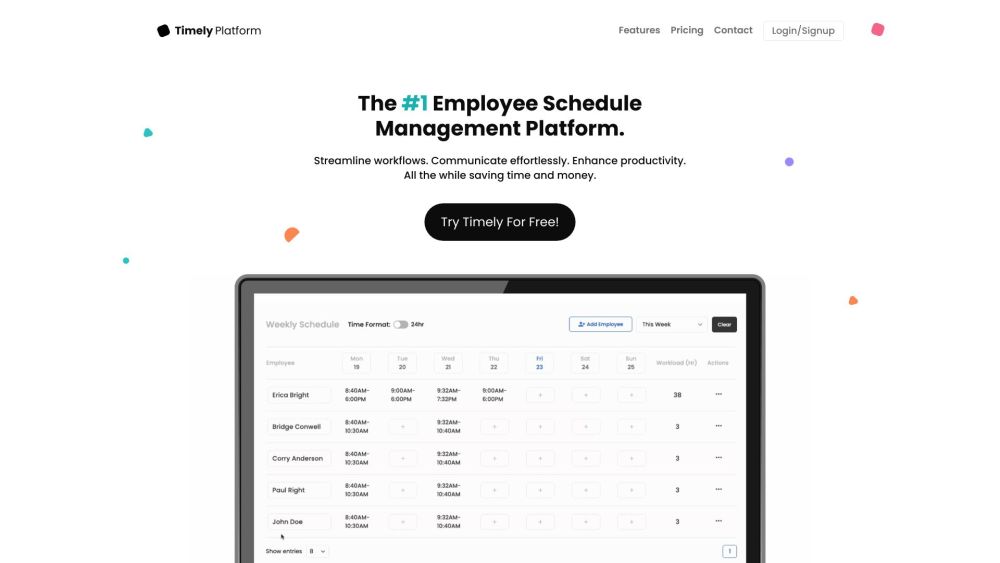
Timely website preview

Timely Website screenshot

Introducing Timely

Timely is a comprehensive employee schedule management solution designed to help businesses streamline their scheduling processes, boost productivity, and save valuable time and resources. By simplifying the way businesses handle work schedules, Timely enhances operational efficiency and reduces administrative overhead.

Getting Started with Timely

Begin using Timely by creating a free account. Upon logging in, you can effortlessly design and tailor employee schedules to fit your business requirements. Share schedules with your team, activate SMS alerts for shift notifications, and utilize real-time analytics and reporting. Timely's user-friendly platform is accessible from any device, anywhere, at any time.

Key Features of Timely

User-friendly and adaptive interface

Customizable options with diverse integrations

Cross-device accessibility

Automated scheduling replacing manual tasks

Instant schedule sharing and shift details

Management of availability and time-offs

SMS notifications for upcoming shifts

Real-time insights and reporting

24/7 dedicated customer support

Practical Applications of Timely

Ideal for start-ups scaling their workforce

Perfect for established companies with complex scheduling needs

  • Timely Support and Contact Information

    For customer service, contact Timely at: [email protected].

  • Company Information

    Company Name: Timely Inc.

  • Access Timely

    Login here: Timely | #1 Employees Schedule Management Platform!

  • Timely Pricing Details

    View pricing here: Timely | #1 Employees Schedule Management Platform!

Product source: Timely official website. Check the provider for current plans, limits and availability.

FAQ

Timely questions and answers

Product context and practical checks for evaluating Timely.

What is Timely used for?

Timely: Effortlessly manage and track employee schedules. Streamline workflows, boost productivity, and save time and money with our all-in-one platform.

How do I get started with Timely?

Begin using Timely by creating a free account. Upon logging in, you can effortlessly design and tailor employee schedules to fit your business requirements. Share schedules with your team, activate SMS alerts for shift notifications, and utilize real-time analytics and reporting. Timely's user-friendly platform is accessible from any device, anywhere, at any time.

Which capabilities are described for Timely?

User-friendly and adaptive interfaceCustomizable options with diverse integrationsCross-device accessibilityAutomated scheduling replacing manual tasksInstant schedule sharing and shift detailsManagement of availability and time-offsSMS notifications for upcoming shiftsReal-time insights and reporting24/7 dedicated customer support

What projects can I evaluate Timely for?

Ideal for start-ups scaling their workforcePerfect for established companies with complex scheduling needs Timely Support and Contact Information For customer service, contact Timely at: [email protected]. Company Information Company Name: Timely Inc. Access Timely Login here: Timely | #1 Employees Schedule Management Platform! Timely Pricing Details View pricing here: Timely | #1 Employees Schedule Management Platform!

What should I compare before choosing a Timely plan?

View pricing here: Timely | #1 Employees Schedule Management Platform! Confirm current prices and allowances on the provider’s website before purchasing.

What inputs should I prepare for a Timely trial?

Identify the files, text or account connections your task needs. Confirm that the product accepts those inputs and offers controls for reviewing its work.

How can I check the quality of a Timely result?

Test one representative task and inspect the result for accuracy and completeness. Record where manual corrections or extra tools are needed.

Which export options should I check in Timely?

Check export formats, integrations and whether you can keep using your work outside the service. Test a real export before committing to a longer plan.

What is a practical way to test Timely against alternatives?

Choose one task with a clear success condition. Keep the input consistent, record the time spent reviewing and compare the complete workflow cost.

Where is the official Timely website?

The website linked from this profile is https://trytimely.com. Use the provider’s own documentation, account area and support channels to confirm current product details.

Visit Timely