What is the Text-to-Speech Extension for Chrome?
The Text-to-Speech Extension for Chrome allows users to convert selected text into speech using Google's advanced Text-to-Speech (TTS) technology, producing lifelike audio.
How to use the Text-to-Speech Extension for Chrome?
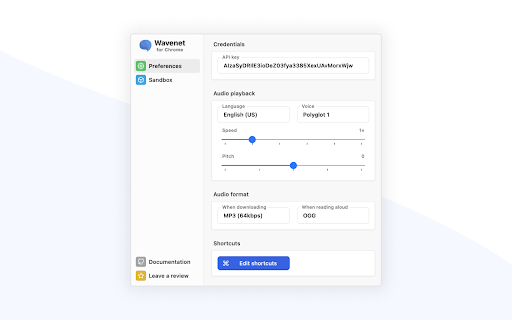
To get started, you need to generate a Google Cloud API Key. Once set up, you can highlight any text on a webpage, then use keyboard shortcuts to either listen to the content or download it as an MP3 file.
Key Features of the Text-to-Speech Extension for Chrome
Supports multiple voices and languages through Google WaveNet
Customize pitch and speech rate to suit your preference
Download audio versions of text selections in MP3 format
Leverages SSML for enhanced voice control
Quick keyboard shortcuts for speech playback and file download
Splits long text into manageable chunks to avoid API limitations
Common Use Cases for the Text-to-Speech Extension
Listen to articles and documents while performing other tasks
Convert lengthy readings into audio format for better understanding